
What Do IP67 and IP68 Ratings Really Mean?
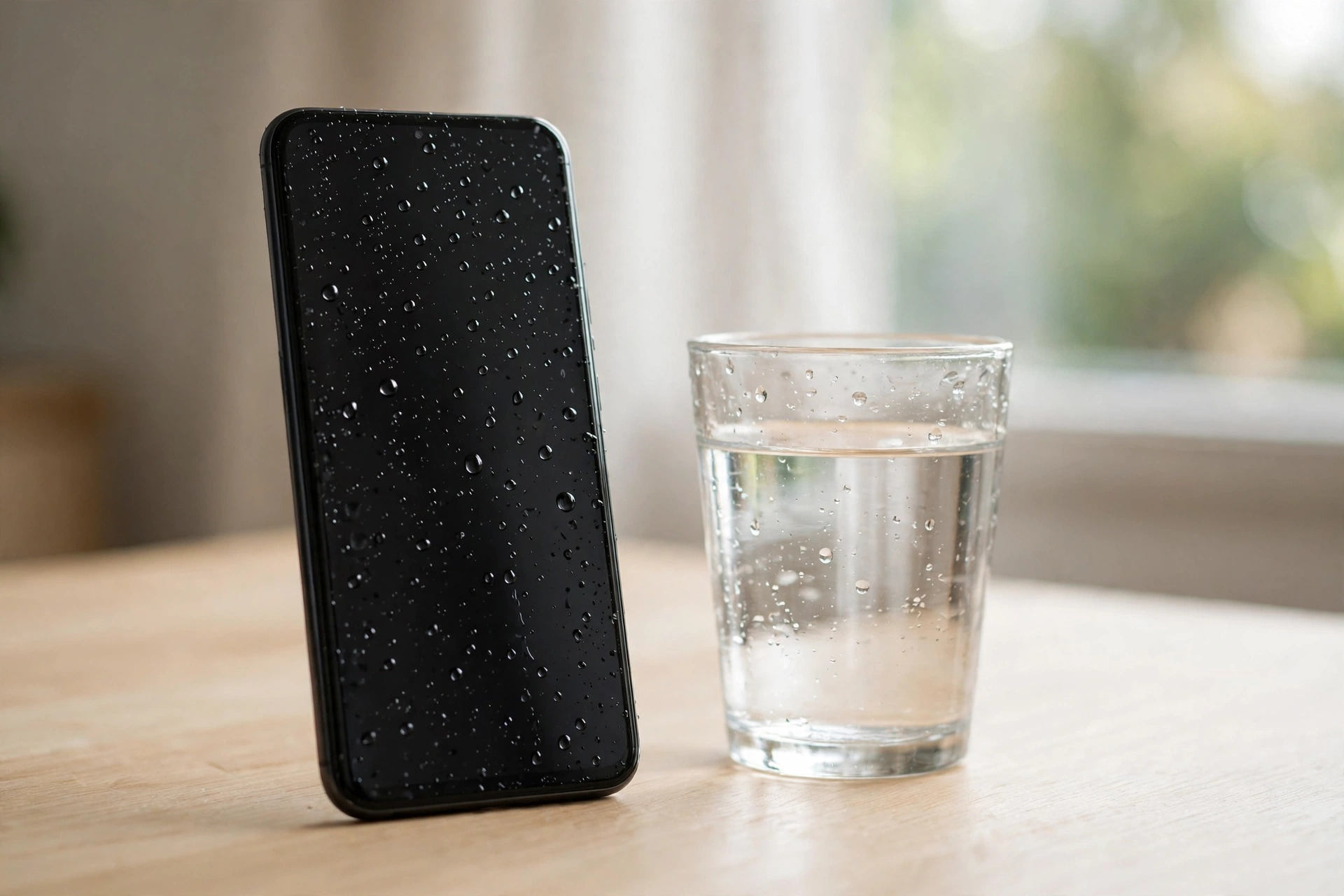
An IP67 or IP68 rating is a lab result, not a promise that your phone is waterproof. IP67 means a phone is dust-tight and survived 1 metre of fresh water for 30 minutes in a test tank. IP68 means the same dust protection plus deeper immersion, but the depth and time are set by the phone maker, so two IP68 phones can have very different limits. Read the code, then the maker’s depth number.
IP67 IP68 Ratings Explained in 30 Seconds: Find Your Phone’s Code
Find your own phone’s rating first. Open Settings, then About Phone, and note the exact model name. Then check the maker’s specification page for that exact model, not for the series, because ratings change between models in the same family.
Now run this quick check:
- Look at the code. A first digit of 6 means dust-tight. A second digit of 7 means 1 metre for 30 minutes. An 8 means you must look up the maker’s depth and time.
- Look at the age of the phone. If it is more than a year old, has been dropped, or has had a screen or battery replaced, treat the rating as weaker than when it left the factory.
- Look at where the phone has been. Pool water, sea water, soapy water, and steam were never part of the test.
- Look at the charging port. If it is damp, do not plug in a cable. Let it dry with airflow first.
Where the Code Comes From: IEC 60529
The letters IP stand for Ingress Protection, and the code is defined by the international standard IEC 60529, published by the International Electrotechnical Commission. The code is not marketing language invented by one phone company. The standard sets the test conditions: still, clean, fresh water, at a set depth, for a set time, with a brand-new device, in a laboratory tank.
The code has exactly two digits because it grades two different dangers. The first digit grades protection against solids — dust, sand, and other particles — on a scale from 0 to 6. The second digit grades protection against water on a scale from 0 to 9, covering drips, sprays, jets, and immersion. An X in place of a digit means that half was not tested or is not claimed. IPX8 means the phone was tested for water immersion but the maker makes no dust claim at all.
What Each Digit Means: Dust and Water
The first digit answers one question: can dust get inside the phone? The scale runs from 0, no protection, up to 6, the highest level. Level 6, the only level you will see on a modern flagship phone, means dust-tight: no dust gets in at all, under the test conditions.
The second digit answers a different question: what kind of water contact was the phone tested against? A 4 means splashing water, a 5 means low-pressure water jets, and a 6 means powerful water jets. None of those is an immersion test, so a phone rated IP65 can handle rain but was never tested under water. Only 7 and 8 are immersion tests. A 7 is fixed under IEC 60529: 1 metre of fresh water for 30 minutes. An 8 only has to be more severe than the 7 test, and the maker states the actual depth and time.
IP67 vs IP68: The One Difference That Matters
IP67 and IP68 share the same dust protection and differ only in the water test. Both are dust-tight, because both start with a 6. The difference is entirely in the second digit: IP67 is 1 metre for 30 minutes, fixed by the standard, while IP68 is deeper than 1 metre, for a depth and time the maker declares.
| Rating | Dust protection | Water test | Depth and time |
|---|---|---|---|
| IP67 | Dust-tight (6) | Temporary immersion (7) | 1 metre, 30 minutes, fixed by IEC 60529 |
| IP68 | Dust-tight (6) | Continuous immersion (8) | Deeper than 1 metre, depth and time set by the maker |
Neither rating means waterproof. Waterproof would mean no water can get in under any conditions, and no phone maker claims that. Both ratings mean water-resistant under specific test conditions, and both stop applying the moment you leave those conditions — deeper water, longer time, moving water, hot water, salt water, or soapy water.
Brand-Depth Decoder: The Same Code, Different Depths
This table makes the code useful. Each row shows a real phone family, its rating, and the depth and time its maker actually states.
| Brand and models | Rating | Maker-stated depth and time |
|---|---|---|
| Apple iPhone 12 and newer | IP68 | 6 metres, 30 minutes |
| Samsung Galaxy S series | IP68 | 1.5 metres, 30 minutes |
| Google Pixel 8, Pixel 8 Pro, Pixel 9 Pro XL | IP68 | 1.5 metres, 30 minutes |
| Xiaomi 14 and 14 Pro | IP68 | 1.5 metres, 30 minutes |
| OnePlus 12 | IP65 | No immersion depth; low-pressure water jets only |
Earlier iPhones are lower: iPhone 11 Pro is 4 metres for 30 minutes, and iPhone 11 is 2 metres for 30 minutes. The cheaper Pixel 7a and Pixel 6a are IP67 instead: 1 metre for 30 minutes. The key lesson in this table is that the code alone hides the most important number: the iPhone and the Galaxy S phone both say IP68, yet one is tested four times deeper than the other.
Why the Lab Test Is Not Your Kitchen Sink
Every depth and time in the table above comes from a laboratory tank, and the tank is nothing like real life. The standard test uses still, clean, fresh water, at room temperature, with a brand-new phone, lowered gently to the test depth and held there without movement. Your kitchen sink, your swimming pool, and the sea break every one of those conditions at once.
Salt water carries dissolved salts that corrode metal contacts and leave mineral deposits inside a phone long after the water itself has dried, and the IP test never uses salt water. Chlorine in a swimming pool attacks seals and leaves residue that fresh water does not. Soap, shampoo, detergent, and sunscreen change how water behaves on a seal. Hot water and steam are worse again, because heat softens the adhesive seals and steam is a gas that can pass through gaps liquid water cannot.
Why a Rating Fades: Seals, Drops, Repairs, and Age
A rating is a snapshot of a new phone. It is not a permanent property, and every maker says so in plain words. Apple Support states that splash, water, and dust resistance are not permanent conditions and that resistance might decrease as a result of normal wear. Samsung states the same for Galaxy phones: water and dust resistance is not permanent and may diminish over time because of normal wear and tear. Google gives the same warning for Pixel phones.
The protection comes from thin rubber gaskets and adhesive seals around the screen, the back panel, the buttons, the SIM tray, and the charging port. Those seals age. Heat from charging and sunlight, cold nights, pocket lint, and the daily flex of a phone in a tight pocket all wear them down slowly. A drop is worse, because even a drop that leaves no crack can shift a seal by a fraction of a millimetre, and a fraction of a millimetre is enough for water. A repair that opens the phone breaks the factory seal, so ask whether it was replaced properly.
Why Liquid Damage Is Not Covered by Warranty
Liquid damage is not covered under warranty, even on an IP68 phone, and even when the phone was used inside its rated depth and time. Apple Support states it directly: liquid damage is not covered under warranty. Samsung’s warranty takes the same position, and Google’s warranty for Pixel phones also excludes water damage.
The reason is simple from the maker’s side: the maker cannot tell, after the event, whether the phone was inside its test conditions or outside them. A phone that went into a pool, a phone that went into the sea, a phone that was dropped a month ago and had a weakened seal, and a phone that was used in a steam room all look the same when they arrive at a service centre with water inside. The warranty covers manufacturing defects, and water inside a phone is treated as damage, not as a defect.
What Samsung’s “Moisture Detected” Warning Is Doing
Samsung Galaxy owners meet the rating in a very direct way: a warning that says moisture has been detected in the charging port, and wired charging is blocked until the port dries. This is not a fault. It is a safety feature. When moisture is present in the charging port, the phone refuses to charge through the cable, because passing current through a wet connector can corrode the pins and short the port. Samsung’s own support guidance says the phone will not charge if moisture is present, that an alarm sounds until the charger is unplugged, and that the water usually evaporates from the port in about 1 to 2 hours.
If you see the warning, unplug the cable, gently shake the phone with the port facing down, wipe the outside with a soft cloth, and leave the phone in a dry place with airflow for an hour or two. Do not push anything into the port, do not use compressed air at high pressure, and do not use a hair dryer on hot, because all three can push water deeper or damage the thin mesh inside the port. If the warning stays after the phone is fully dry, restart the phone and try a different cable, because a damaged cable can trigger the same warning.
What to Do After a Dunk: Read the Rating, Then Act
Knowing the rating changes what you do in the minutes after a phone gets wet, because it tells you how much risk you are already carrying. A phone rated IP68 at 6 metres that spent ten seconds in a sink is in a very different position from a phone rated IP65 that spent a minute in a swimming pool. The first is inside its test; the second was never tested for what just happened to it.
This site already has a dedicated first-aid guide for exactly that moment, so this guide does not repeat its triage steps. If your phone has just been dropped in water, go to that guide and follow its timeline step by step. If the phone is IP68, the dunk was in fresh water, it was brief and shallow, and the phone is new and undamaged, the odds are in your favour, but still follow the first-aid steps and let the phone dry fully before charging. If the phone is IP65, the water was salt or chlorinated, the dunk was deep or long, or the phone is old, dropped, or repaired, treat the phone as unprotected, and watch it for days afterwards.
Tested on: Read Your Own Phone’s Rating
This is a reader-run check, not a lab test. It uses only your phone, its Settings, and the maker’s specification page, and it takes about five minutes. Do not submerge your phone to test it. The rating was already tested in a lab, and your job is to read the result, not to repeat the test.
Run the check and record a pass or a fail for each step:
- Step 1: Find the rating. Open Settings, then About Phone, and note the exact model name. Pass if you find the exact model; fail if you only know the series.
- Step 2: Look up the maker’s depth and time. Find the specification page for that exact model and note the depth in metres and the time in minutes.
- Step 3: Check the age and history. Note how old the phone is, whether it has been dropped, and whether it has ever been opened for repair. Pass if the phone is under a year old, undropped, and never opened.
- Step 4: Check the water the phone meets. Pass if the only water it meets is fresh and still; fail if it regularly meets salt, chlorine, soap, or steam.
- Step 5: Check the charging port. Look into the port with a light, and note any lint, dust, or green or white residue on the pins. Pass if the port is clean and dry.
If any step fails, treat the rating as weaker than the box claims.
Frequently Asked Questions
Is IP68 waterproof?
No. IP68 means water-resistant under a lab test at a maker-stated depth and time, in still fresh water. No phone is waterproof, and swimming, showering, and salt water are outside the test.
Is IP67 or IP68 better?
IP68 is better for immersion, because its water test is deeper than IP67’s fixed 1 metre for 30 minutes. Both are equally dust-tight, and neither covers water jets, so read the maker’s depth and time before you compare two IP68 phones.
Can I take my IP68 phone swimming?
No. The test uses still fresh water, not a chlorinated pool or the sea, and the makers advise against swimming with the phone. A brief accidental dunk is inside the rating; swimming is not.
Does the warranty cover water damage on an IP68 phone?
No. Liquid damage is not covered under warranty, even on an IP68 phone. The rating describes a lab test on a new phone, and the warranty covers manufacturing defects, not water damage.
Related Guides
- Fix My Speaker — free speaker cleaner and sound test
- Phone Dropped in Water? First Aid in the First 10 Minutes
- Does Water Eject Sound Really Work? Tested Verdict
- How to Clean a Bluetooth Party Speaker Safely
- 165Hz Water Eject Sound — Play the Speaker Test Tone
An IP67 or IP68 rating is a decoder, not a dare. Read the two digits, read the maker’s depth and time, and remember that the test was fresh water, still water, and a new phone. If your phone gets wet, check the rating, follow the first-aid guide, and test the speaker with the free tool at myspeakerfix.com once the phone is fully dry.