
Xiaomi 15 Speaker Not Working: HyperOS Sound Fixes
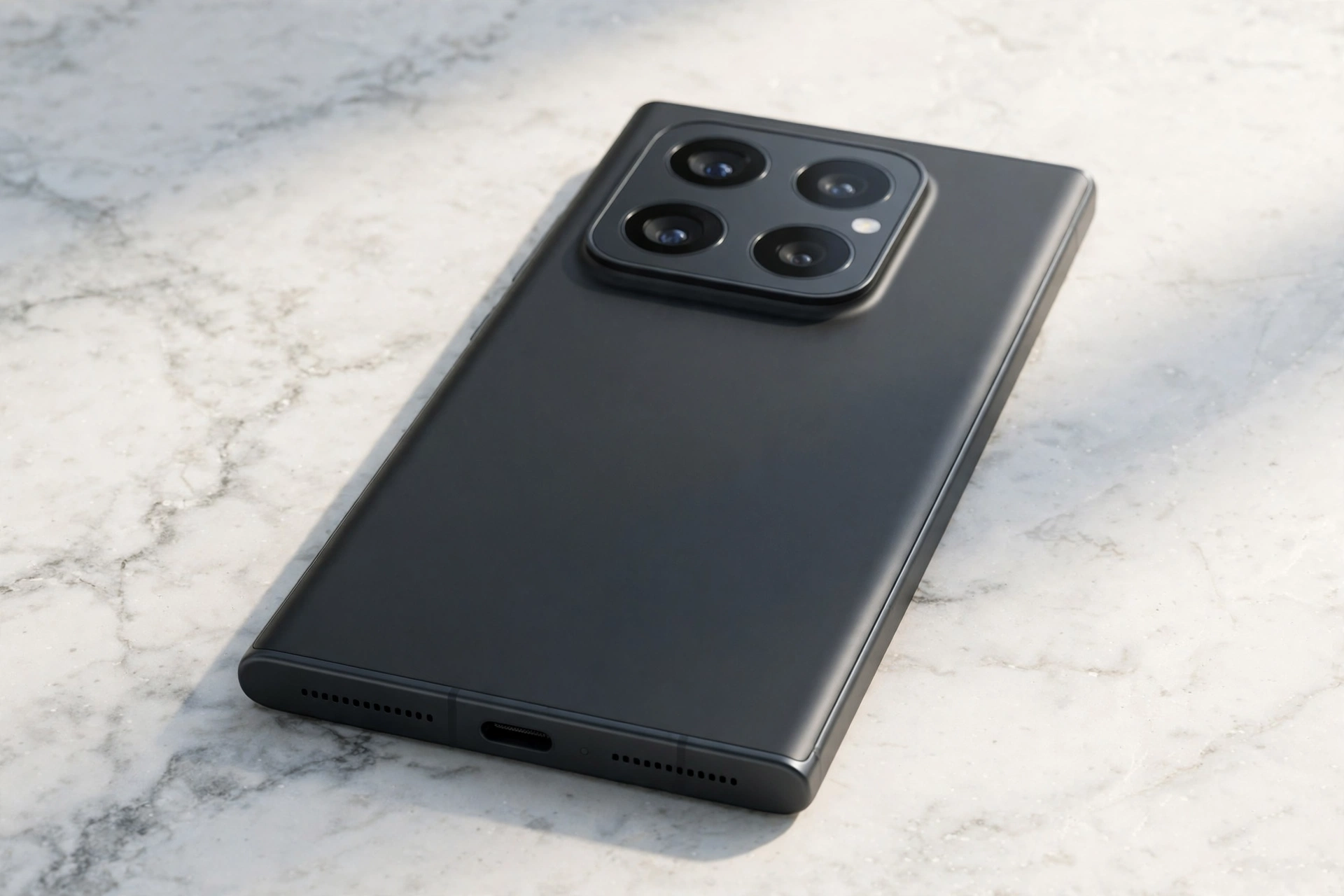
The Xiaomi 15 pairs HyperOS 2 with Android 15 and a symmetrical stereo speaker setup, and that combination gives its sound several places to fail quietly: a sound enhancer fighting Dolby Atmos, a per-app volume left at zero, or a Bluetooth device claiming the output. Start with its built-in hardware test.
Run the official CIT hardware test first
Guessing wastes time, so get a straight answer from the hardware before anything else. The Xiaomi 15 has a built-in CIT hardware test: open the Phone app and dial *#*#6484#*#*. A test menu appears — tap the speaker test and listen. The test plays a tone through the loudspeaker and asks you to confirm what you heard.
A clear tone in the test means both stereo speakers are healthy and the fault is in HyperOS settings or routing, so keep working through the sections below. A tone that is silent, badly distorted, or missing from one side only points at the hardware, and you can skip ahead to the repair section with a useful result to report.
If the dial code does nothing on your phone, do not worry: some carriers and software builds block it. Test the speakers another way instead — play a video, then a ringtone from Settings, then a call on speakerphone — and compare the three.
Turn off the sound enhancers that fight each other
HyperOS 2 on the Xiaomi 15 layers several sound features on top of each other — Dolby Atmos, Dirac-style sound enhancement, and Mi Sound Enhancer — and when two of them disagree after an update, the result can be silence, muffled audio, or sound that cuts out at higher volumes. This is the most Xiaomi 15-specific fault in this guide, and it is also one of the quickest to test.
Open Settings, then Sound and vibration, then Sound effects, and turn Dolby Atmos off. Play a video. If the sound returns, you have found the conflict — leave Dolby Atmos off, or turn it back on later after an update and see whether the behaviour has changed. If nothing changes, turn Dolby Atmos back on and look for the sound enhancer setting in the same menu: switch it off and test again.
While you are in Sound and vibration, check the volume sliders themselves. HyperOS keeps media, ringtone, alarm, and notification volumes separate, so press a volume button, tap the three dots, and raise the Media slider fully while a video is playing. Then confirm the phone is in Sound mode rather than Silent or Vibrate, and check that Do Not Disturb is off.
Check the per-app sound control
A Xiaomi 15 that plays videos fine but stays silent in one app is not suffering a speaker fault — one app has lost its audio. HyperOS gives each app its own sound behaviour, and the per-app control is the first place to look when the problem is limited to a single app.
Open Settings, then Apps, choose the silent app, and check its notification permission and its background behaviour. A battery saver setting can stop an app’s audio when the screen locks, so set the app to “No restrictions” under Settings, then Battery, if its sound dies the moment the display goes dark. Then clear the app’s cache — Settings, then Apps, then the app, then Storage, then Clear cache — which removes temporary files without deleting your account or saved content.
Disconnect Bluetooth and unplug the USB-C adapter
A connected Bluetooth device is the simplest reason a Xiaomi 15 speaker goes quiet, and it is easy to miss because the device can be in another room or switched off. Turn Bluetooth off in Quick Settings and test the speaker right away. If the sound returns, the phone was sending audio elsewhere — open Settings, then Bluetooth, and forget devices you no longer use, because a forgotten device cannot reconnect and steal your audio again.
The Xiaomi 15 has no headphone jack, so wired audio goes through its USB-C port, and a USB-C headphone adapter left plugged in can leave the phone stuck in headphone mode. Unplug everything from the port and restart the phone to clear the stuck state.
Clean the speaker grilles the same way you would any phone’s: brush them lightly with a soft, dry toothbrush, using short strokes so dust falls out, and never push anything sharp into the holes. If the phone got wet, let it dry completely first, then run the free speaker-cleaning tool at Fix My Speaker a few times with the volume turned up.
Update HyperOS 2, test Safe Mode, and reset only the settings
Outdated HyperOS 2 builds and corrupt system settings can both break speaker output, and updates frequently include audio fixes. Open Settings, then About phone, then the HyperOS version, and check for updates. Install any available update over Wi-Fi with the battery charged, then restart and test a video, a ringtone, and a speakerphone call.
If the update does not help, test in Safe Mode. Press and hold the power button, then press and hold “Power off” until the “Reboot to safe mode” prompt appears, and confirm it. In Safe Mode only the built-in apps run: if the speaker works there, a downloaded app is interfering. Restart normally to exit, then uninstall recent audio apps one at a time.
Before any full reset, use the lighter one: Settings, then Additional settings, then Backup and reset, then “Reset all settings”. This restores system settings to their defaults without deleting your files, though you will need to reconnect to Wi-Fi and Bluetooth afterwards. Only factory reset after a complete backup, and only if the speaker is still silent in Safe Mode.
When the Xiaomi 15 needs a repair
Visit a Xiaomi service centre or a trusted repair shop if the CIT test tone is silent or badly distorted, if one stereo speaker works and the other does not, if the speaker crackles at every volume even in Safe Mode, or if it died right after a drop, a screen replacement, or submersion. Back up your data first, and tell the shop the CIT result.
Frequently Asked Questions
How do I run the Xiaomi 15 speaker hardware test?
Open the Phone app and dial *#*#6484#*#* to open the CIT hardware test menu, then tap the speaker test. A clear tone means the speakers are healthy and the fault is in HyperOS settings or routing.
Can Dolby Atmos silence my Xiaomi 15 speaker?
Yes. Dolby Atmos and the sound enhancer can conflict after a HyperOS 2 update, leaving the speaker silent or muffled. Turn Dolby Atmos off in Settings, then Sound and vibration, then Sound effects, and test a video.
Why does only one app have no sound on my Xiaomi 15?
HyperOS gives each app its own sound behaviour, so one app can be silent while the speaker works elsewhere. Check the app’s notification permission, set it to “No restrictions” under Battery, and clear its cache in Settings, then Apps.
Does resetting all settings delete my files on the Xiaomi 15?
No. “Reset all settings” restores system settings to their defaults without deleting your photos or files, though you will need to reconnect to Wi-Fi and Bluetooth afterwards. Back up fully before any factory reset.