
Phone Microphone Not Working? Test Each Mic First
Your phone microphone not working usually means one mic has failed, not all of them. Most phones carry two or three mics, each serving a different job, so the fix starts with finding which mic is quiet.
The wrong fix wastes your time: a restart will not help if a case covers the top mic, and reinstalling WhatsApp will not help if the bottom mic is full of pocket lint.
Test each mic before you fix anything
Do the three tests below in order, in a quiet room, noting what you hear each time. Set the phone up the same way for all three: case off, wired headset unplugged, Bluetooth off — a paired watch, car stereo, or earbuds can grab the audio input without any warning on screen.
Test 1: the bottom mic with a voice recording
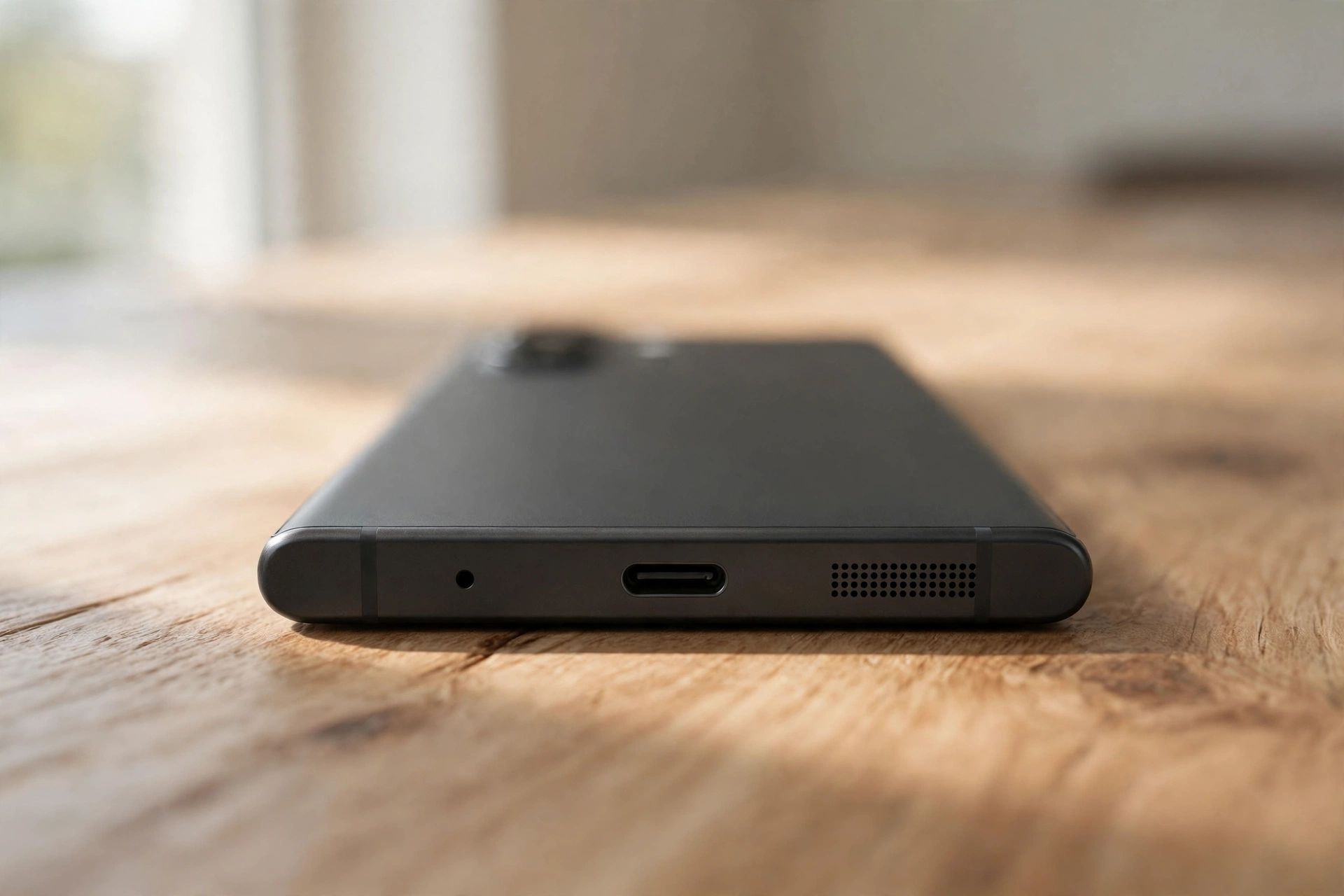
The bottom mic sits near the charging port and handles normal calls — the test that matters most when people say they cannot hear you.
On an iPhone use Voice Memos, on a Samsung Voice Recorder, on a Pixel the Recorder app: record ten seconds talking toward the bottom edge, then play it back through the phone speaker, not earbuds.
Clear playback means the bottom mic works. Silence, a faint whisper, or heavy crackling means its path has a problem — a blocked hole, water damage, or a dead mic.
Apple’s support guidance uses this same split — Voice Memos for the bottom mic, Camera video for the top mics — and Google’s Pixel help says the same about Recorder.
Test 2: the rear mic with a rear-camera video
Open the Camera app and record a short video with the rear camera while you talk toward the top and back of the phone, then play it back.
If voice memos sound fine but videos come back silent, the bottom mic is healthy and the rear or top mic is struggling. Keep fingers off the top edge.
Test 3: the front mic with a front-camera video and speakerphone
Flip the camera to the front, record ten seconds of yourself talking, and play it back. Then make a short speakerphone call and compare.
Speakerphone and video calls lean on the front and top mics, not the bottom one. If normal calls fail but speakerphone works, the bottom mic is the suspect; if not, the fault sits the other way round.
Read your three results
| Test | What you did | Clear sound means | Silent or muffled means |
|---|---|---|---|
| Voice recording app | Record and play back | Bottom mic works | Bottom mic blocked or faulty |
| Rear video | Record while talking | Rear or top mic works | Rear or top mic blocked or faulty |
| Front video and speakerphone | Front video, then a speakerphone call | Front mic works | Front mic blocked or faulty |
Three clear results point away from hardware. One failed test points at a single mic; all three failing points at a shared cause — a system block, water, or a deeper fault.
Why does the mic fail in one app but work everywhere else?
A phone mic can work perfectly in Voice Memos and still stay silent in one app, because each app asks for the mic separately.
On an iPhone, open Settings, then Privacy and Security, then Microphone. Every app that has asked for the mic shows there with its own switch — find the failing app and turn it on. If the app never appears, it has never asked: open it, start a call inside it, and watch for the prompt.
On Android, open Settings, then Apps, pick the app, then Permissions, then Microphone, and choose Allow only while using the app. Samsung adds one more control: a global mic switch under Settings, then Security and privacy, then Privacy, then Permission manager, then Microphone. If that master switch is off, no app can hear anything.
Some apps keep their own mic setting inside the app: Zoom, WhatsApp, and voice recorders can each mute the mic in their own menus, and that mute survives a restart. Check the app’s own settings before you blame the phone.
Is Bluetooth stealing your mic?
Your phone can sit on the table while the mic input runs through earbuds in your pocket, a car stereo, or a smartwatch.
Turn Bluetooth fully off, not just disconnected from one device, and repeat the failing call. If your voice comes back, Bluetooth was the problem — the phone was listening through the wrong device.
Then reconnect your accessories one at a time, making a test call after each. The accessory that breaks it again is the one to forget and re-pair, or leave disconnected during calls. Some cars hold on to the audio connection after you walk away, which is why this fault often starts right after a drive.
Could a case or screen protector be covering a mic hole?
Mic holes are tiny, and cases cover them more often than anyone expects. A case that fits fine can still sit over the bottom mic, and a screen protector a millimetre too long can cover the front mic.
Take the case off and repeat Test 1. If the recording suddenly sounds clear, you have found it — check the cutouts line up with the holes along the bottom edge and the top. A case made for a slightly different model is the usual culprit.
Apple lists removing any screen protector, film, or case as its first step when an iPhone mic misbehaves — a film over the opening muffles everything. Replace the protector with one cut for your exact model, then test again.
While the case is off, look at the holes: pocket lint packs into the bottom mic hole over months. Brush it gently with a clean, dry, soft-bristled brush — a soft toothbrush works — stroking across the hole rather than poking into it.
Apple’s handling guidance for iPhone is plain: avoid moisture in the openings, and do not use cleaning products or compressed air. Compressed air can drive lint deeper and flex the membrane inside the mic, and a pin can puncture it in one slip. Dry brush, light touch, patience.
Did water reach the mic?
A phone that went swimming or took a splash can develop a mic fault days later, once corrosion has grown on the tiny contacts inside.
If the fault began after water contact, power the phone off, tap it gently against your hand with the charging port facing down, and leave it in a dry, ventilated spot. Do not charge it until fully dry, blow hot air into it, or poke anything into the mic holes.
Check the liquid-damage indicator in the SIM tray by ejecting it and looking inside the slot. A white or silver dot means no liquid contact was detected; a pink or red dot means liquid got in. That change does not prove the mic itself is dead, but it tells a repair shop where to look.
If the indicator has changed colour, or the mic stayed dead after the phone dried fully, the next step is a repair shop — corrosion does not fix itself.
Will Safe Mode tell you if an app is to blame?
Safe Mode loads the phone with third-party apps switched off. If the mic works there and fails in normal use, one of your downloaded apps is interfering.
On most Android phones, press and hold the power button, then press and hold Power off until Safe Mode appears, and tap it. Test the mic with a recording. If it sounds clear, restart to leave Safe Mode, then think about what changed recently — a new call recorder, a voice changer, an app updated just before the fault. Remove the newest suspect first and retest.
On an iPhone there is no Safe Mode, so test the mic in a built-in app only. If Voice Memos and Camera both sound fine but one third-party app stays silent, that app is the problem — check its permission and its in-app mute, then contact its developer.
A restart helps too, as a reset for a stuck audio service. Power the phone fully off, wait thirty seconds, and turn it back on before you retest. If a software update is waiting, install it afterwards: mic faults tied to a bad update are fixed by the next update more often than by any setting.
Brand shortcuts: test your mic the way your maker intended
Samsung owners should start with Samsung Members: open the app, tap the Discover tab, tap Diagnostics, then Phone diagnostics, and choose Mic. The test asks you to record a short clip and play it back, and a fail there is a straight answer — the hardware path is at fault, and the next step is Samsung support or a repair. Samsung notes the available tests vary by model.
Samsung also hides a hardware menu behind the dialer. In the stock Samsung Phone app, dial *#0*# to open it, where a Mic or loopback option tests the mics directly. Dialling *#0283# opens the audio loopback test instead: RCV_1stMic tests the bottom mic through the earpiece, SPK_2ndMic tests the top mic through the loudspeaker, and on phones with three mics SPK_3rdMic tests the rear one. Speak and the phone plays your voice straight back. These codes only work in Samsung’s own Phone app, and some carriers block them — if nothing happens, use Samsung Members instead.
Pixel owners get the same three-test method from Google’s own help pages. In the Recorder app, record a clip: Google’s guidance says that if you hear your recording, your bottom microphone works. In Camera, record a video and play it back: if you hear sound, your top microphone works.
iPhone owners already have both tools built in: Voice Memos for the bottom mic and Camera video for the top and rear mics, exactly as Apple’s support guidance describes. If one test fails after you have removed the case and cleaned the openings gently, Apple moves toward service rather than more settings.
When is it hardware, and what should you do next?
Call it hardware when the evidence points the same way from every angle: the mic fails the same test with the case off, Bluetooth off, and the phone restarted, in every app. Or the Samsung Members Mic test fails, the Pixel Recorder test stays silent while Camera works, water touched the phone, or a drop cracked the frame.
At that point, stop resetting things. Back up your photos and messages first, because a repair can mean a wiped phone. Note which tests failed and what each sounded like — “Voice Memos silent, rear video clear” tells a technician far more than “mic broken”, and can mean one mic replaced instead of a whole board.
Take that note to the maker’s own service route first: Apple Support or an authorised provider for iPhone, Samsung support for Galaxy, Google’s help pages for Pixel. A mic that fails on its own, with no water and no drop, is often covered under warranty; if not, ask for a mic-only quote first.
Tested on
Run this whole check yourself in about ten minutes, with no downloads and no extra gear — here is the protocol.
Start with the case off, Bluetooth off, and no headset plugged in. Record ten seconds in Voice Memos, Voice Recorder, or Pixel Recorder, speaking toward the bottom edge, then play it back. Pass means your voice sounds clear. Fail means silence, a faint whisper, or heavy crackling.
Record ten seconds of rear video while talking toward the top of the phone, then play it back. Pass means your voice is clear. Fail means the video has no voice track, or your voice sounds muffled and distant.
Record ten seconds of front video, then make a short speakerphone call. Pass means both sound clear; fail means one or both sound muffled or silent.
If all three pass and one app still cannot hear you, that app fails the protocol, not the phone — check its permission and in-app mute. If one test fails, that mic fails: cleaning, a case change, or a single-mic repair. If all three fail, run your phone’s brand check and, if that fails too, the phone needs service.
Frequently Asked Questions
Why can nobody hear me on calls but my videos have sound?
Calls use the bottom mic, videos use the top or rear mic. If videos sound fine, the bottom mic is faulty — check for a case covering it, lint in the hole, or Bluetooth taking over the call.
How do I know if my phone mic is broken or just blocked?
Test each mic separately. A blocked mic often improves after you remove the case and brush the hole gently, while a broken mic stays silent in every test, in every app, even with Bluetooth off.
Why does my mic work in one app and not another?
Each app needs its own microphone permission. Check the failing app under your phone’s microphone permissions, turn it on, and check the app’s own mute — an in-app mute survives restarts and looks like a dead mic.
Can a software update fix a phone microphone that stopped working?
Sometimes — a restart clears a stuck audio service, and an update can fix a fault tied to a bad release. If the mic still fails the recording tests after both, the fault is hardware.
Related Guides
- Fix a quiet ear speaker
- First aid after dropping your phone in water
- Fix no sound on WhatsApp calls
- Fix no sound on Zoom calls
- Run a free sound test for your phone speaker
Three tests tell you which mic is at fault. Run the tests, work the branch that matches your result, and if every test fails, book a repair with your notes. To rule out the speaker side too, run the free sound test on MySpeakerFix.