
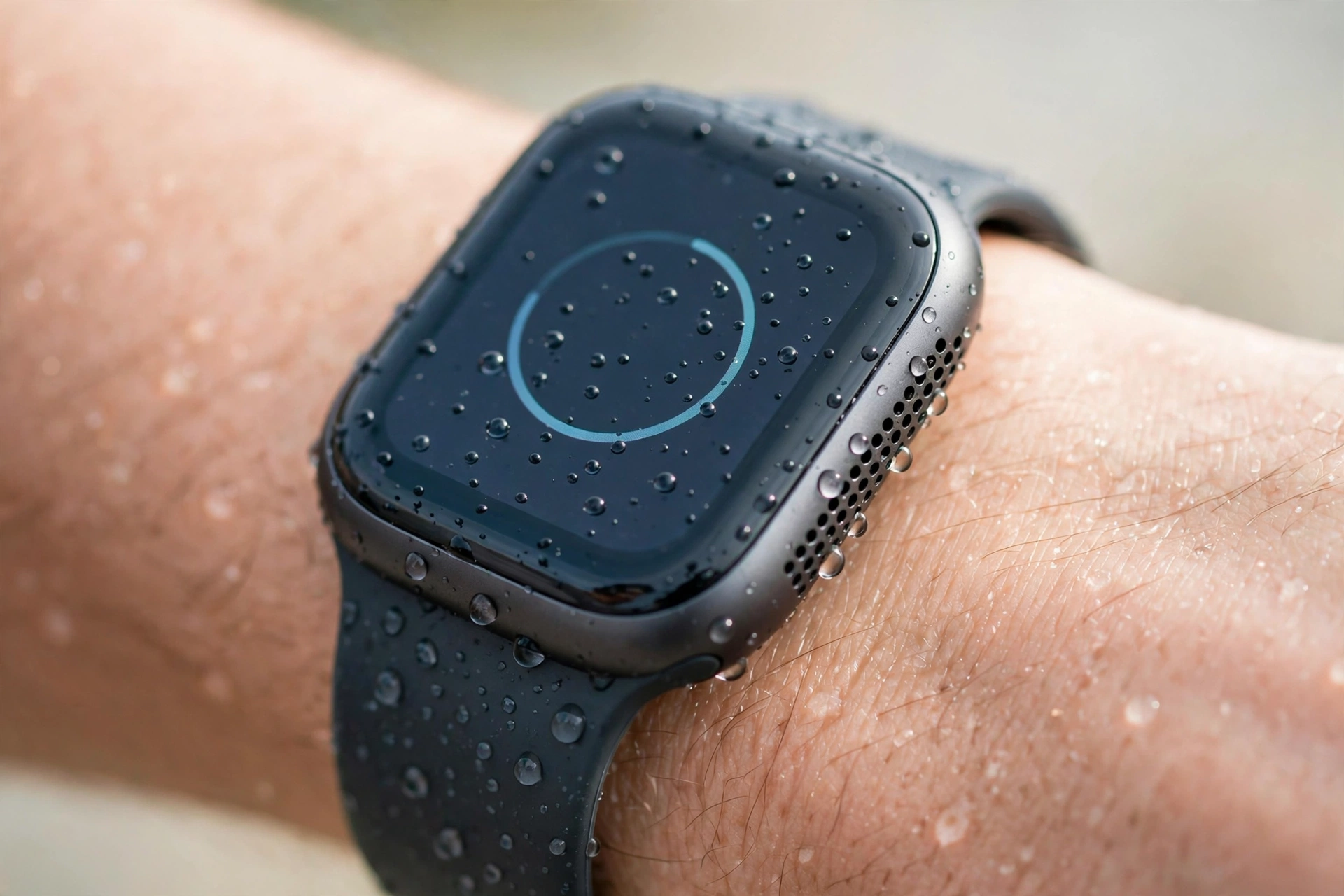
Why Is My Apple Watch Speaker Not Working?
Your Apple Watch speaker not working usually has a small, fixable cause: Water Lock is still on, a silent mode is muting the sound, the audio is going to your phone or earbuds instead of the watch, or water is sitting in the speaker port. Work through the checks below in order and most watches are back to normal in a few minutes, without a repair visit.
One thing to get straight first: the free speaker-cleaning tool on this site plays sound through a phone’s browser. It cannot eject water from a watch or reach the speaker inside your Apple Watch. The watch has its own built-in way of clearing water, called Water Lock — use that instead.
Apple Watch Speaker Not Working? Diagnose It in 60 Seconds
A silent watch speaker is a symptom, not a diagnosis. Spend one minute on what changed before the sound stopped. Did the watch get wet — a swim, a shower, rain, washing your hands? Then water in the speaker port is the prime suspect. Did you start a swim workout or go underwater? Then Water Lock may still be on. Did the sound vanish while you wore earbuds or drove? Then the audio may be routed elsewhere. Has the volume faded slowly over weeks while the watch stayed dry? That pattern gets its own section below.
Now look at the watch face. A blue water-drop icon at the top means Water Lock is on, and while it is on the screen ignores taps, so the watch can look frozen. An orange bell with a line through it means Silent Mode, a purple crescent moon means Do Not Disturb, and two theatre masks mean Theater Mode. Any one of these can make a healthy speaker seem broken. Also check the alert volume slider under Settings, then Sounds & Haptics.
Tested on: Run This Check on Your Own Watch
Before changing any setting, run this short test and note what passes and fails.
Test 1 — the timer test. Set a timer for ten seconds and wait. Pass: you hear the alarm clearly. Fail: silence, or a faint buzz.
Test 2 — the tap test. In Settings, go to Sounds & Haptics and tap the volume slider up and down. Pass: a soft tap each time. Fail: nothing.
Test 3 — the call test. Ask someone to call you and answer on the watch. Pass: you hear the caller through the watch speaker. Fail: nothing, or the sound comes from your phone.
Test 4 — the water-drop check. Look for the blue water-drop icon at the top of the watch face. Pass: no icon, and the screen responds to taps. Fail: the icon is there, or taps do nothing.
Test 5 — the drying test. If the watch got wet, place it speaker-side down on a lint-free cloth for a few minutes, then repeat Test 1. Pass: louder than before, even slightly. Fail: no change.
If every test fails, skip to the hardware section. If the timer works but calls do not, the problem is routing, not the speaker.
Is Water Lock Still On? The Most Common Cause of All
Water Lock is the most common reason an Apple Watch speaker seems to stop working. It is a feature on Apple Watch Series 2 and later: while it is on, the screen locks so water droplets cannot trigger accidental taps, and when you turn it off, the watch plays tones that push water out of the speaker. Apple’s Water Lock support guide says exactly that.
Water Lock turns on by itself when you start a swimming workout, and on Ultra models when you start a scuba dive. On Ultra models you can also set it to turn on automatically when submerged to a depth of 10 cm or lower, according to Apple’s water resistance guide. So if your speaker went quiet after the watch went underwater, check for the blue water-drop icon first.
To turn it off, press and hold the Digital Crown until the display says Unlocked, then wait for the tones. That applies on watchOS 9 and later; on watchOS 8 or earlier, rotate the Crown instead. A quick tap does nothing — keep holding until Unlocked appears. If the speaker is still muffled, run the cycle again.
The Silent, Do Not Disturb and Theater Mode Trap
If Water Lock is off and the speaker is still quiet, suspect a mode that silences the watch. Silent Mode shows as a bell with a line through it — tap the bell in Control Center to switch it off. Do Not Disturb shows as a purple crescent moon; tap the moon. Theater Mode shows as two theatre masks; it silences the watch and keeps the screen dark, so it is the easiest to miss.
Watch out for Focus modes syncing from your iPhone: a Sleep or Work focus set to share across devices can silence your watch every evening. On your iPhone, open Settings, go to Focus, and check what is active. A watch that goes quiet at the same time every day is almost always a scheduled Focus mode, not a broken speaker.
Where Is the Sound Actually Going? Bluetooth Routing Explained
Sometimes the speaker is fine but the sound is not coming out of it. When your watch is connected to AirPods, other Bluetooth earbuds, your car’s audio, or a Bluetooth speaker, calls and media can route to that device instead. You hear nothing from your wrist and assume the speaker is dead — but the audio simply went elsewhere.
Test it: put your AirPods back in their case, switch off any nearby Bluetooth speaker, and run the timer test again. If the sound returns, the speaker was never broken. Check the audio output before a call, or disconnect the device you do not want — Apple’s support guide lists checking Bluetooth connections for exactly this reason.
How to Eject Water From an Apple Watch Speaker
If the tests point to water, wipe the watch with a soft, lint-free cloth. Apple’s guide recommends rinsing Series 2 and later under lightly running, warm, fresh water after swimming, then drying the watch and band thoroughly — do this first after a pool or the sea, so chlorine and salt do not dry on the seals. Then open Control Center with the side button, tap the Water Lock icon, and press and hold the Digital Crown until the display says Unlocked. The tones that follow vibrate the speaker and push the water out.
After the tones, place the watch speaker-side down on a nonabrasive, lint-free cloth and see whether water drips out — Apple’s guide gives this exact check, since water in the port degrades performance until it evaporates. If the sound is still muffled, repeat the cycle, then let the watch charge overnight; Apple says that might speed up evaporation. Do not use soap or cleaning sprays, do not poke anything into the speaker holes, do not shake the watch, and do not use heat, compressed air, or sprays — Apple’s guide warns against all of them.
Which Apple Watch Do You Have? Water Ratings and Water Lock Compared
Not every Apple Watch handles water the same way. The table below summarises Apple’s water resistance guide; for what the IP and ISO codes mean, see our guide to the IP67 and IP68 ratings.
| Model group | Water rating | Water Lock | How water is cleared |
|---|---|---|---|
| Series 1 and 1st generation | IPX7 under IEC 60529 | No Water Lock | Speaker-side down on a lint-free cloth; do not submerge |
| Series 2 and later | 50 m under ISO 22810:2010 | Yes, auto-on with swim workouts | Press and hold the Digital Crown to unlock; rotate it on watchOS 8 or earlier |
| Series 7 and later | 50 m under ISO 22810:2010, IP6X dust resistant | Yes | Same eject cycle as Series 2 and later |
| Ultra and later | 100 m under ISO 22810:2010, EN13319, IP6X | Yes, plus auto-on at 10 cm depth or on dive start | Same eject cycle; rated for scuba diving to 40 m |
Two details catch people out. The original Apple Watch and Series 1 have no Water Lock, so the crown trick does nothing on them — cloth and drying is the whole fix. And water resistance is not permanent: Apple’s guide says it can diminish over time and the watch cannot be rechecked or resealed.
Why Series 10 Owners Report Quiet Speakers
One pattern does not fit the causes above, and it mostly affects the Apple Watch Series 10. Owners have reported on the Apple Support Community and Reddit that the speaker’s volume fades gradually over weeks or months, becoming quiet or muffled even though the watch stayed dry. MacRumors reported on these complaints, noting the sound became hard to hear on calls and music, with no link to water exposure.
It matters because the Series 10 is the first mainstream Apple Watch that plays media audio directly through its built-in speaker, so owners use the speaker far more than earlier models did. Apple has not publicly acknowledged a Series 10 speaker defect, and the cause is not settled. Shortly after the reports surfaced, Apple published a support document for a microphone or speaker that “isn’t working as expected,” covering crackling, distorted, muffled, or intermittent sound.
If you own a Series 10 and the volume has faded slowly, work through the cleaning and software steps below first. Some owners found a careful clean restores the volume; others needed a replacement, and some replacements developed the same fault. Do not pay for a third-party repair until Apple Support has looked at the watch.
Cleaning the Speaker the Way Apple Describes
Dirt, sweat, and sunscreen build up around the speaker opening, and on a watch the opening is tiny. A blocked speaker sounds exactly like a quiet speaker. Apple says to check the microphone and speaker for obstructions, and that you can run the watch under lightly running, warm, fresh water until it is clean — take leather or steel bands off first. For the Series 10, Apple says a soft-bristle brush can be used on the speaker; on other models, a soft, lint-free cloth is enough. No cleaning liquids, sprays, or abrasives, and no compressed air.
After cleaning, dry the watch, run the Water Lock cycle once more, and repeat the timer test. Louder, even slightly, means you found part of the problem. No change means the cause is in the settings or software.
When a Restart, an Update, or a Re-Pair Fixes It
If the speaker is clean, dry, and unmuted but still silent, the cause is usually software. Restart first: hold the side button until the power slider appears, drag it to switch off, then hold the side button again until the Apple logo appears. Then update: Apple lists updating your iPhone and watch first in its microphone and speaker support guide. On the watch, go to Settings, General, Software Update; on your iPhone, check the same in the Watch app. Install any update, let the watch restart, and test again.
If the problem survives, unpair and re-pair the watch — this rebuilds the pairing from scratch, and a confused pairing is a known cause of routing problems. In the Watch app, tap All Watches, tap the info button, and choose Unpair Apple Watch; the iPhone backs up automatically. Pair again and restore. A factory reset is the last step: erase from Settings, General, Reset, and set up as new. If the speaker works after a reset but fails again after restoring your backup, a setting in that backup is the cause.
When It Is Hardware: Knowing When to Stop Troubleshooting
Stop troubleshooting and contact Apple Support if the speaker stays silent or badly distorted after a restart, an update, a clean, a full drying period, and a re-pair; if the sound fades a little more every week on a dry Series 10; if it crackles at every volume; or if the watch was dropped, hit hard, or taken beyond its water rating — a non-Ultra model diving, or any model in a steam room or sauna above the limits Apple’s guide sets out.
Before you book a repair, note your model, your watchOS version, and your five test results — Apple Support will ask for all three. Mention warranty or AppleCare early. And do not open the watch yourself or pay an unauthorised shop to swap the speaker: the watch is sealed, and opening it ends any remaining water resistance and warranty claim in one move.
Frequently Asked Questions
Why is my Apple Watch speaker muffled after swimming?
Water is sitting in the speaker port. Turn Water Lock off by pressing and holding the Digital Crown until the screen says Unlocked, let the tones play, and repeat the cycle if the sound is still dull. Then place the watch speaker-side down on a lint-free cloth — Apple says charging overnight can speed up evaporation.
How do I eject water from my Apple Watch speaker?
Open Control Center with the side button, tap the Water Lock icon, then press and hold the Digital Crown until the display says Unlocked. The watch plays tones that push water out of the speaker. On watchOS 8 or earlier, rotate the Crown instead.
Why is my Apple Watch speaker not working on calls?
The call audio is probably going to another device. Disconnect your AirPods or Bluetooth speaker, then check Silent Mode and Do Not Disturb in Control Center. If the timer alarm works but calls stay silent, the speaker is fine and the problem is routing, not hardware.
Can I use a phone speaker cleaner on my Apple Watch?
No. A browser-based speaker cleaner plays sound through a phone and cannot reach the speaker inside your watch. Use the watch’s own Water Lock feature to eject water, and clean the speaker with fresh water and a soft brush as Apple describes.
Related Guides
- Does water eject sound really work?
- IP67 and IP68 ratings explained
- Phone dropped in water? First aid steps that save it
- How to fix a phone speaker that stopped working
- Bluetooth connected but no sound? Fix it here
Most Apple Watch speaker problems come down to Water Lock still being on, a silent mode switched on by accident, or sound going to another device. Check those first, run the water-eject cycle if the watch got wet, and let it dry fully before deciding anything is broken. If it is still silent, try the free speaker cleaner on your phone for phone speaker problems — and take the watch to Apple Support.