
What Frequency Cleans a Phone Speaker?
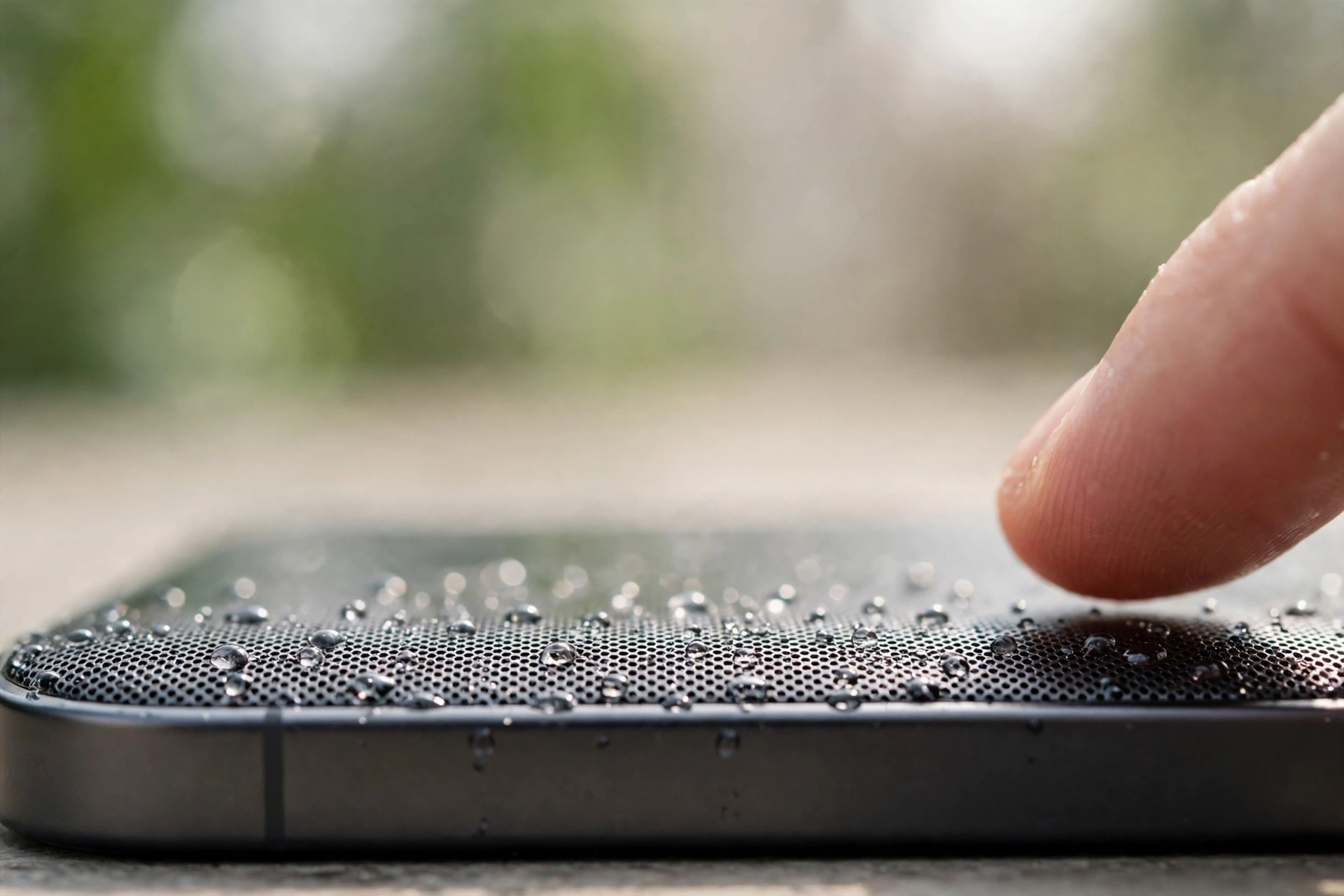
If you are asking what frequency cleans a phone speaker, the short answer is 165 Hz. That low tone makes the speaker’s cone travel further than almost any other audible frequency, and that movement is what pushes water out of the grille. But 165 Hz is only the right answer for one job — water. Dust wants something different, the earpiece wants something higher still, and no single number fits every phone.
Feel it first: the fingertip buzz test
Before you believe any number on this page, run a thirty-second test on your own phone. Open a tone generator — the free speaker cleaner on this site has one built in — and play a steady 165 Hz tone at about 80% volume. Rest one fingertip lightly on the speaker grille at the bottom of the phone. You should feel a clear, slow buzz, almost like a tiny motor. Now switch to 10,000 Hz at the same volume and keep your finger in place. The sound is loud and sharp, but the buzz is gone. Your fingertip feels almost nothing.
That contrast is the whole story in miniature. Low tones move the cone a long way; high tones move it a tiny distance very fast. Water needs the long push. Dust needs a shake. Each job has its own sweet spot, and your fingertip just proved it.
If the 165 Hz tone makes the grille buzz and you see droplets creep out or hear the sound clear up slightly, the tone is doing its job. If you feel almost nothing, check the obvious culprits first: Bluetooth may still be connected, the silent switch on an iPhone may be muting web audio, or the volume may be low. If the phone rattles harshly at every frequency, stop — that points to a loose grille or a damaged driver.
What does Hz actually mean?
Hz is short for hertz, and it counts how many times something vibrates in one second. A 165 Hz tone makes the speaker cone move back and forth 165 times every second. A 10,000 Hz tone moves it 10,000 times a second.
The part that matters for cleaning: the lower the frequency, the further the cone travels on each swing. Think of pushing a swing. Slow, deep pushes send it high. Fast, tiny pushes barely move it. At 165 Hz the cone takes long, deep strokes that shove a real volume of air through the grille with every cycle. At 10,000 Hz it takes thousands of tiny strokes that move almost no air.
That air movement is the cleaning mechanism. Water gets trapped in the fine mesh of the grille because of surface tension, the same force that lets a droplet cling to a window instead of sliding off. A droplet in the mesh will not drain on its own; it needs a push stronger than the tension holding it. Each deep stroke of the cone sends a pulse of air pressure against the droplet, and after enough pulses the droplet breaks free. Dust works differently: dry particles are wedged in the mesh rather than glued down, so they respond better to rapid shaking than to a slow shove.
Why 165 Hz became the default answer
165 Hz sits in a narrow sweet spot between two limits. Go much lower and a phone speaker simply cannot play the tone with any power. Tiny drivers, ten millimetres across or less, lose output fast below roughly 100–200 Hz. A 60 Hz tone might be perfect in theory, but most phones play it so quietly that the cone barely moves. Go much higher and the cone stops travelling far enough to push water. Somewhere around 150–200 Hz the two limits cross, and 165 Hz lands right in the middle.
The number also has a famous origin story. Apple Watch Water Lock plays a burst of tones to push water out of the watch speaker when you turn the lock off, and 165 Hz is the figure attached to that burst in countless write-ups and in nearly every cleaning tool that copied the idea. A word of honesty here: Apple itself does not publish 165 Hz as a specification. Apple’s own support page only says that a series of tones plays to clear any water that remains in the speaker. The 165 Hz figure comes from independent measurements and write-ups, not from an Apple spec sheet — but it stuck because it works.
One frequency per job
Different problems need different tones. Find your problem in the left column and read across.
| Frequency | What it does | Best for |
|---|---|---|
| 145 Hz | Deepest cone travel a small speaker can play loudly | Larger phone or tablet speakers, stubborn water |
| 165 Hz | Strong cone travel, loud on nearly every phone | Water in the main speaker — the default choice |
| 200 Hz | Slightly shorter travel, faster shaking | Light dust and lint on the grille |
| 100–300 Hz sweep | Glides through every resonance in the range | Unknown phone model, or when a fixed tone did nothing |
| 280–420 Hz | Gentle, higher tone matched to a tiny driver | The earpiece — the small speaker you hold to your ear |
| 440 Hz | A clear, easy-to-hear reference tone | Testing whether the speaker works, not cleaning |
| 50 Hz + 100 Hz | Very low, slow movement | Deep clean cycles that shake the whole grille assembly |
Two rows trip people up most. The earpiece is a much smaller driver than the main speaker, tuned for voice frequencies, so blasting it with a 165 Hz water tone is like using a sledgehammer on a watch — it wants a gentler, higher tone and far less volume. And the 440 Hz row is not a cleaning tone at all. It is the standard tuning note for musical instruments, which makes it a handy reference: if a 440 Hz tone sounds clear and steady, the speaker can reproduce sound properly. If it crackles or cuts out, something is wrong with the driver itself, and cleaning will not help.
Sweep or fixed tone — which one wins?
A fixed tone plays one frequency and holds it. A sweep glides smoothly from one frequency to another, for example from 100 Hz up to 300 Hz and back again. For cleaning, the sweep usually wins, and the reason is resonance.
Every speaker has a resonant frequency — one pitch where it vibrates the most for the least energy. No two phone models share exactly the same one, so a fixed 165 Hz tone might land right on your phone’s resonance or twenty hertz off it.
A sweep solves that by passing through every frequency in the range. Somewhere in the glide it will cross your phone’s resonance, and at that moment the cone movement peaks. That is why so many tools use sweeps: SpeakerCure runs its cleaning cycles on tones in the 165–300 Hz range, and our own speaker cleaner sweeps its Dust Clean mode across 200–800 Hz, centred on 500 Hz.
Fixed tones still have a place. If you know your phone responds well to 165 Hz — you ran the fingertip test and felt a strong buzz — a fixed tone holds the cone at maximum travel the whole time instead of passing through the peak and leaving it. Some tools pulse the fixed tone instead, switching it on and off in short bursts, which jolts droplets that a steady tone leaves sitting in a new, stable shape.
Why 165 Hz is an average, not a magic number
If 165 Hz were the perfect frequency, every tool would use exactly that and nothing else. They do not. GetFixMySpeakers, one of the best-known cleaning tools, does not use a single number at all: its Water Eject mode plays tones between 150 and 220 Hz, its Deep Vibration mode drops to 120–180 Hz for tougher blockages, and its Ear Speaker Cleaner mode climbs to 280–420 Hz for the tiny call speaker. Same company, same problem, four different ranges — because the right number depends on the driver and the job.
Our own speaker cleaner follows the same logic. Water Eject plays a tone around 165 Hz, Dust Clean sweeps across 200–800 Hz centred on 500 Hz, and Deep Clean uses two very low tones around 100 Hz plus a steady 50 Hz tone. Three modes, three different answers, one phone.
The honest way to think about it is a band, not a point. For water in a main phone speaker, the useful band is roughly 120–220 Hz, and 165 Hz sits near the middle of it — which is why it became the shorthand. For dust, the band sits higher, roughly 200–500 Hz, because shaking matters more than shoving. For the earpiece, higher again, roughly 280–420 Hz. If a tool or a video promises one exact frequency as the secret, it is selling certainty that physics does not offer.
Outside the useful window
Below about 100 Hz, most phone speakers cannot reproduce the tone with any real power. You can ask a tone generator to play 50 Hz and it will try, but the sound that comes out is faint and the cone barely moves. The exception is a deliberate deep-clean mode that pairs a very low tone with a longer run time, like the steady 50 Hz tone in our Deep Clean mode. On its own, a 50 Hz tone is a poor water ejector.
Above about 500 Hz, the cone barely moves at all. The tone is loud and clear, which fools people into thinking something powerful is happening, but the fingertip test tells the truth: no buzz, no air movement, no cleaning. High tones can still help with very fine dust, because thousands of tiny vibrations per second can rattle loose particles off the mesh — but they will not push a water droplet anywhere.
Then there is the ceiling most people never think about. Digital audio has a hard limit called the Nyquist frequency: the highest tone a system can reproduce is half its sample rate. Phones typically play audio at 44.1 kHz or 48 kHz, which puts the ceiling at roughly 22–24 kHz. Tools that advertise ultrasonic cleaning tones above 20 kHz are mostly selling a number your phone cannot even produce — and even genuine ultrasound does nothing useful for a speaker grille, because the cone moves such a microscopic distance at those frequencies.
Safe-use limits
Cleaning tones are ordinary audio, well inside what a phone speaker is built to play. That does not mean unlimited use is a good idea. Keep runs short: thirty seconds per cycle for water, a minute for dust. Run two or three cycles with a short rest between them, wiping away droplets, instead of one long five-minute blast.
Turn the volume up, but not past the point of distortion. If the tone starts crackling or rattling, turn it down a notch. Distortion means the speaker is being driven past its clean range, and a distorted signal stresses the driver more than a clean one at the same volume.
Never hold the phone to your ear while a cleaning tone plays. Hold the phone with the speaker facing down, away from your face, and let gravity help the droplets fall out. Keep pets in mind with high tones, too: dogs and cats hear well above the range humans do, and a sweep climbing into the high kilohertz range can distress them.
And know when to stop entirely. If three cycles change nothing, the problem is probably not water or loose dust in the grille. It could be corrosion, a torn cone, water inside the phone rather than in the speaker cavity, or a software setting. More tones will not fix any of those — the next step is a repair shop, not a louder frequency.
Tested on
You can run this check yourself in about two minutes, with no tools beyond your phone and a tone generator. Remove the case and disconnect any Bluetooth audio first, so the sound plays through the phone’s own speaker.
Step 1 — the buzz check. Play 165 Hz at 80% volume and rest a fingertip on the speaker grille. Pass: you feel a clear, slow buzz. Fail: you feel almost nothing — check Bluetooth, the silent switch, and the volume first.
Step 2 — the water cycle. With the speaker facing down over a dry cloth, run a 30-second 165 Hz cycle. Pass: droplets appear on the cloth or the sound clears slightly. Fail: nothing changes — try a sweep next.
Step 3 — the sweep. Run a 100–300 Hz sweep for 30 seconds, speaker down. Pass: the sound clears further or more droplets appear. Fail: no change — the blockage is probably not loose water.
Step 4 — the reference tone. Play a 440 Hz tone and listen. Pass: it sounds clear and steady. Fail: it crackles or cuts out at normal volume — that points to driver damage, and cleaning tones will not fix it.
Frequently Asked Questions
What frequency cleans a phone speaker best?
165 Hz is the best starting point for water, because it sits in the 120–220 Hz band where the cone travels furthest. For dust, a 200–500 Hz sweep works better, and the earpiece wants 280–420 Hz. There is no single best frequency — only the right band for the job.
Is 165 Hz safe for my phone speaker?
Yes, for short cycles. It is an ordinary audio tone well inside what the speaker is built to play. Keep runs to 30–60 seconds, stop if you hear crackling, and never hold the phone to your ear while the tone plays.
Why do some tools use a sweep instead of one frequency?
Every speaker has its own resonant frequency, and a fixed tone may miss it. A sweep glides through the 100–300 Hz range, so it crosses your phone’s resonance during the run and the cone movement peaks there.
Can a frequency clean the earpiece speaker too?
Yes, but not with the same tone. The earpiece is a smaller driver tuned for voice, so it needs a gentler, higher tone — roughly 280–420 Hz — at lower volume.
Related Guides
- Does water eject sound really work?
- Try the 165 Hz water eject sound
- Phone dropped in water? First aid steps
- IP67 and IP68 ratings explained
- Test your speaker with frequency tones
165 Hz is the right starting point for water, a 100–300 Hz sweep covers the phones it misses, and dust and earpieces want higher bands. Pick the tone for the job, keep the runs short, and let your fingertip confirm the number. Try the free speaker cleaner and run the buzz test yourself.