
How to Fix Samsung Galaxy Z Fold 5 Speaker Not Working
A Samsung Galaxy Z Fold 5 speaker not working usually means one sound path has failed, not the speaker itself. The most telling pattern is the call split: you cannot hear the other person during a call, while the loudspeaker still plays music and videos fine. That split points at the earpiece path, which on the Fold 5 runs through the hinge on a flex cable. The checks below separate a setting from a hardware fault.
Folded, half-open, fully open: does the fault follow the hinge?
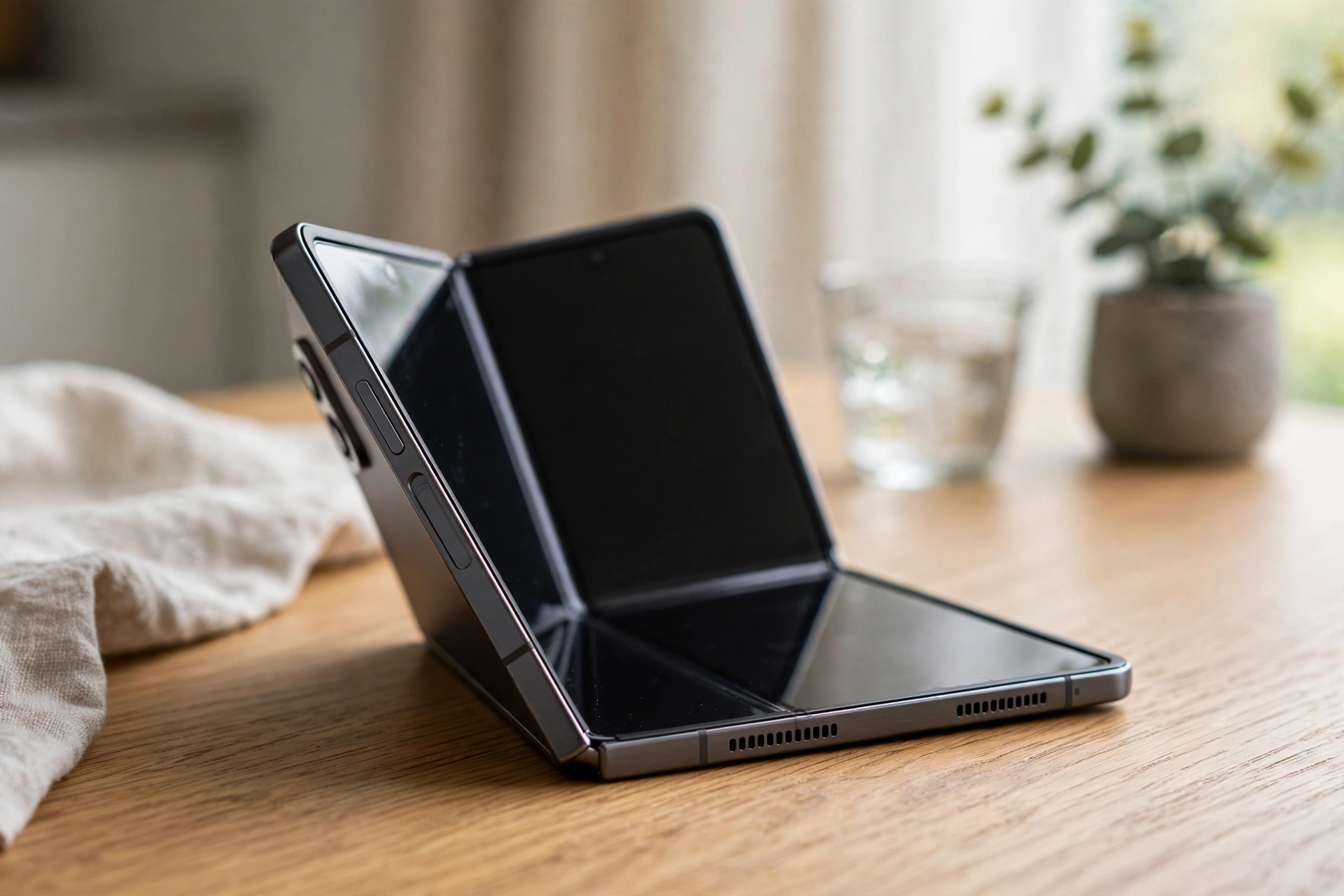
A folding phone has one variable no ordinary phone has: the hinge. Run the same sound test in three fold states — the result narrows the fault fast.
- Fully open, play a video in the YouTube app with the volume up. Note whether the sound is loud, thin, or missing.
- Half-open in Flex Mode, with the phone standing like a small laptop, play the same video again — Flex Mode changes which speakers and microphones the phone uses.
- Folded shut, play the same video on the cover screen. The cover screen uses the same loudspeaker, so a fault that appears only when folded points at the hinge rather than the speaker.
Sound that cuts out as you open and close the phone is a hinge-related fault — the audio flex layers move every time the phone folds. Sound that is identical in all three states is a setting or a routing problem.
The call split that points at the flex cable
Make a test call and listen through the earpiece — the small receiver at the top of the inner screen. If you cannot hear the other person at all, tap the speaker icon to switch to the loudspeaker. If the call sounds fine on the loudspeaker, and music and videos play fine too, the loudspeaker is healthy and the earpiece path is the problem.
Parts suppliers describe exactly this symptom for the Fold 5: no sound during calls, where you cannot hear the other person while the loudspeaker works fine. The earpiece connects through a flex cable that runs across the hinge and flexes every time the phone opens and closes. After thousands of folds, a tired flex cable can break the earpiece connection while the loudspeaker keeps working.
Check one more thing before concluding it is hardware. During a call, press Volume Up — the in-call volume is separate from media volume and can sit at zero while music is loud. Also check the call screen’s audio output label to make sure the call is not routed to a watch, a car, or earbuds. If the volume is up, the output is the phone, and the earpiece is still dead while the loudspeaker works, the flex cable is the suspect.
Samsung Galaxy Z Fold 5 speaker not working? Run the built-in tests first
Samsung ships two built-in hardware tests — the fastest way to tell a software fault from a broken part. The quickest is the dial code: open the Phone app, dial *#0*#, and tap Speaker. The phone plays a tone through the loudspeaker — if you hear it clearly, the loudspeaker hardware works. Then tap Earpiece Speaker on the same menu to test the receiver. A clear loudspeaker tone and silence from the earpiece confirms the split: the earpiece path has failed.
For a fuller check, use Samsung Members: open the app, tap Support, then Phone diagnostics, and run the Speaker test. The diagnostic plays tones through each speaker in turn and reports the result — useful evidence to show a repair shop. If you hear the tone in both tests, the hardware is fine. If the loudspeaker test is silent as well, restart the phone and run the test again. No Samsung Members app? Install it free from the Galaxy Store.
Cover screen, Flex Mode, and volume routing
The Fold 5 splits its sound in ways that confuse owners, because the cover screen and the inner screen do not always behave the same. First, check the media output panel in Quick Settings — swipe down twice and look for the media output button. If it says earbuds, a car, a TV, or a smart speaker, tap it and choose Phone.
Next, press a volume button, tap the three dots, and look at the sliders — Media, Ringtone, Notifications, and System each have their own level, and one can sit at zero while the rest are loud. In Flex Mode, some apps pause or reroute audio when the phone is half-open — closing and reopening the app in the new fold state resets it. Then turn Bluetooth off for one test and play the same video again — if the sound comes back, a paired device was stealing it. Samsung’s own troubleshooting guide for speaker and sound issues on Galaxy devices walks through the same checks. Finally, check Separate app sound in Settings, then Sounds and vibration — if it is on, one app’s audio may be going to a Bluetooth device while everything else uses the phone speaker.
When to stop fixing and book a repair
If the dial-code test plays a clear tone from the loudspeaker but nothing from the earpiece, the in-call volume is up, and every software fix has failed, the flex cable is the likely fault. Before booking, check both grilles under a bright light — a soft dry toothbrush clears lint, but never poke the mesh with a pin and never press on the inner-screen crease. This is a hinge repair: the cable runs through the folding mechanism, and replacing it means opening the phone around the foldable screen. Do not attempt it yourself — the inner display is fragile and expensive, and a wrong move turns a speaker repair into a screen replacement.
The Fold 5’s most telling fault is the call split — earpiece dead, loudspeaker fine — and it points at the hinge flex cable, not the speaker. Run the dial-code test and the Samsung Members diagnostic first: a clear loudspeaker tone with a silent earpiece is the evidence a repair shop needs. Try the free speaker-cleaner tool at myspeakerfix.com first if water or dust is the suspect.
Frequently Asked Questions
Why can’t I hear callers on my Galaxy Z Fold 5 but music plays fine?
Calls use the earpiece while music uses the loudspeaker. If the loudspeaker works but the earpiece is dead during calls, the hinge flex cable is the likely fault, not the speaker itself.
How do I test the Z Fold 5 speaker with the dial code?
Open the Phone app and dial *#0*#, then tap Speaker for the loudspeaker and Earpiece Speaker for the receiver. A clear tone from one and silence from the other shows which path failed.
Does folding the phone affect the Z Fold 5 speaker?
It can. The audio flex layers move every time the phone folds, so sound that cuts out as you open and close the phone points at a hinge-related fault. Test the same video fully open, half-open in Flex Mode, and folded shut.
Can I fix the Z Fold 5 earpiece flex cable myself?
No — do not try. The cable runs through the hinge beside the foldable inner display, which is fragile and expensive. Get a quote from Samsung or an authorised repair shop and show them the Samsung Members diagnostic result.