
Samsung Galaxy Z Flip 5 Speaker Not Working: Update Bug and Flex-Cable Fixes
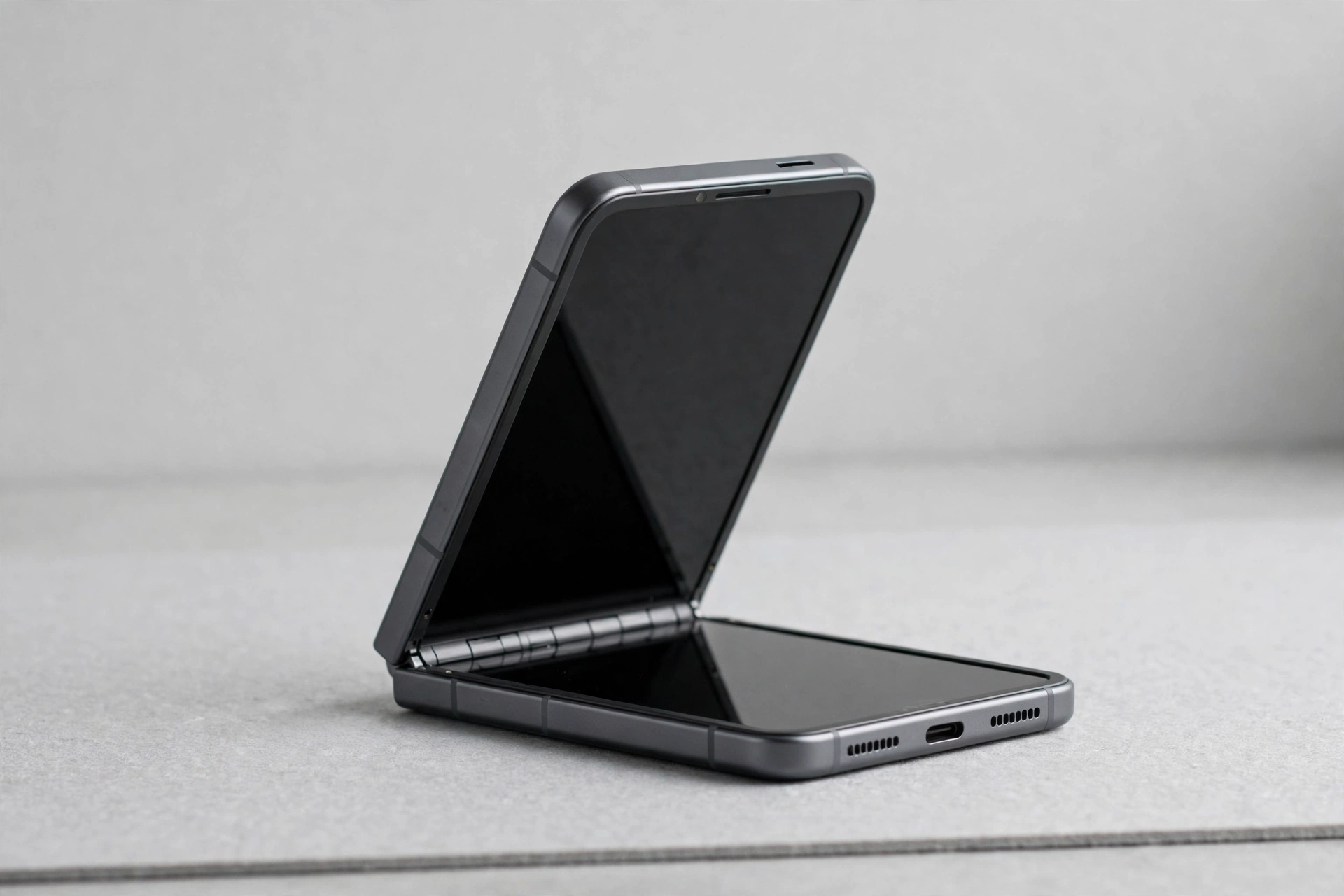
The Galaxy Z Flip 5 speaker problem has two causes: a software bug from a security update, and a weak point in the hinge. If your speaker went quiet after an update, or died when you folded the phone, the cause is one of these two — and knowing which decides whether you need a setting or a repair shop.
The Update That Killed the Bottom Speaker
Many Z Flip 5 owners report the same story: the speaker worked fine, a February or March security update installed, and the bottom speaker went dead overnight. Media, ringtones, and calls through the loudspeaker all went silent at once. Worse, the fault survived the One UI 7 upgrade — owners who hoped the major update would fix it found the speaker still dead afterwards.
That history is important evidence. A speaker that fails the night an update lands, and stays broken through the next major update, is not random hardware wear. Something in the update changed how the phone drives the bottom speaker, or left the audio service in a broken state. Before you spend money on a repair, work through the software checks below — several owners have brought the speaker back without opening the phone at all.
The Ringtone Test That Proves It Is Software
One owner found a test that separates a software bug from a dead speaker in seconds, and it is worth trying first. Play a ringtone from Settings, then Sounds and vibration, then Ringtone — you will probably hear nothing. Now, while the ringtone is still playing, trigger a notification sound, for example by sending yourself a message. If the notification sound suddenly plays while the ringtone is running, the speaker is physically fine.
Think about what that means: the speaker can produce sound, but only when another sound is already playing. A dead speaker could not do that. The fault is in the software that starts and stops audio — it fails to wake the speaker for the first sound, but once the audio path is open, sound flows. If your phone passes this test, do not replace the speaker. Focus on the software fixes below, and tell Samsung support about this exact behaviour, because it is the clearest proof the bug is theirs.
Folding the Phone Can Kill the Speaker
The Z Flip 5 has a second, physical cause that no other Galaxy shares: the flex cable. The bottom speaker connects to the main board through a flexible cable that runs through the hinge, and that cable flexes every single time the phone folds. After thousands of folds, the upper flex layer can crack or lose contact, and the bottom speaker dies — sometimes suddenly, sometimes after weeks of sound that cuts out when you fold or unfold the phone.
The signs of a flex fault are different from the update bug. Sound cuts out when you fold the phone and comes back when you open it; the speaker works at some angles and not others; squeezing the hinge area gently changes the sound; or the speaker died the same week the hinge started feeling looser. If any of those match, the software test above will usually fail too — a flex fault silences the speaker completely, even while another sound is playing.
This is a hardware repair, not a setting. The flex cable or the speaker module needs replacing, and on a foldable that means a technician who has worked on Z Flip phones before. Ask the shop specifically whether they have replaced Z Flip 5 flex cables — a shop that has only repaired flat phones may not have the parts or the experience, and a bad foldable repair can damage the screen.
Software Fixes to Try Before Any Repair
If the ringtone test points to software, try these in order. First, restart the phone and test the speaker immediately — a restart reloads the audio service and sometimes clears the fault for good. Second, boot into Safe Mode by holding Power, long-pressing Power off, and tapping Safe Mode, then play a video. If the speaker works in Safe Mode, a third-party app is interfering; remove recently updated equalizer, volume booster, or call-recording apps first.
Third, wipe the cache partition. Power off, hold Volume up and Power until the Samsung logo appears, select Wipe cache partition with the volume keys, and confirm. This clears the temporary system files the update left behind and is the most effective software fix for a speaker that died after an update. Fourth, check Separate app sound in Settings, then Sounds and vibration — if it is routing audio to a Bluetooth device, turn it off. Finally, check for a newer software update in Settings, then Software update: Samsung has patched audio bugs in later builds, and the fix may already be waiting for you.
If none of these work, run the Samsung Members diagnostic: open Samsung Members, tap Support, then Phone diagnostics, and run the Speaker test. A silent test after all the software steps strengthens the case for a hardware fault, while a passing test means the hardware is alive and the bug is deeper in the software.
Check the Speaker Grille and the Case
Before concluding anything, look at the bottom speaker grille under a bright light. Pocket lint and dust collect there, and on a phone that folds, debris can work its way into the grille from the hinge side. Brush it gently with a soft, dry toothbrush and never poke it with a pin, which can puncture the mesh and make things worse.
Also test with the case off. Some Z Flip 5 cases cover the bottom speaker cutout when the phone is folded, and a case that presses on the hinge can even flex the cable inside. If the speaker works without the case, the case was the problem all along. If the phone got wet, leave it open and upright in a dry place for several hours, and try the free speaker-cleaner tool at myspeakerfix.com — sound vibrations can help push trapped water out of the grille before you decide on a repair.
Repair Options and What to Ask For
If the flex cable is the cause, the repair is a micro-soldering or flex replacement job, and it is not a do-it-yourself fix on a foldable. The hinge assembly, the screen, and the speaker are packed tightly together, and opening the phone without the right tools risks the folding display — the most expensive part of the phone. Take it to a Samsung service centre or a repair shop that specialises in foldables.
When you go, describe the symptoms exactly: when the speaker died, whether it followed an update, whether folding changes the sound, and whether the ringtone test played any sound. Ask for a quote that separates the diagnosis from the repair, and ask whether they will test the speaker module before replacing the flex cable — the two parts fail differently and cost differently. If the phone is still under warranty and there is no visible damage, contact Samsung first: a flex failure on a phone that has only been folded normally is a defect, not user damage, and it may be covered. Back up your data before handing the phone over.
Frequently Asked Questions
Why did my Galaxy Z Flip 5 speaker stop working after an update?
A security update changed how the phone drives the bottom speaker, and the fault survived the One UI 7 upgrade for many owners. Try a restart, a cache wipe, and the ringtone test — if sound plays while another sound is running, the speaker is fine and the bug is software.
Can folding my Z Flip 5 break the speaker?
Yes. The bottom speaker connects through a flex cable that runs through the hinge, and repeated folding can crack the upper flex layer. If sound cuts out when you fold the phone, or works at some angles and not others, the flex cable is the likely cause.
How do I tell if my Z Flip 5 speaker is broken or if it is a software bug?
Play a ringtone, then trigger a notification sound while it is playing. If the notification plays, the speaker works and the fault is software. If nothing plays in any mode, and folding changes the sound, the flex cable or speaker module is the likely cause.
Should I repair a Z Flip 5 speaker myself?
No. The flex cable and speaker sit beside the folding display, and opening the phone without foldable experience risks the screen. Use a Samsung service centre or a foldable specialist, and check warranty cover first.