
Why Is My Galaxy Z Flip 6 Speaker Not Working?
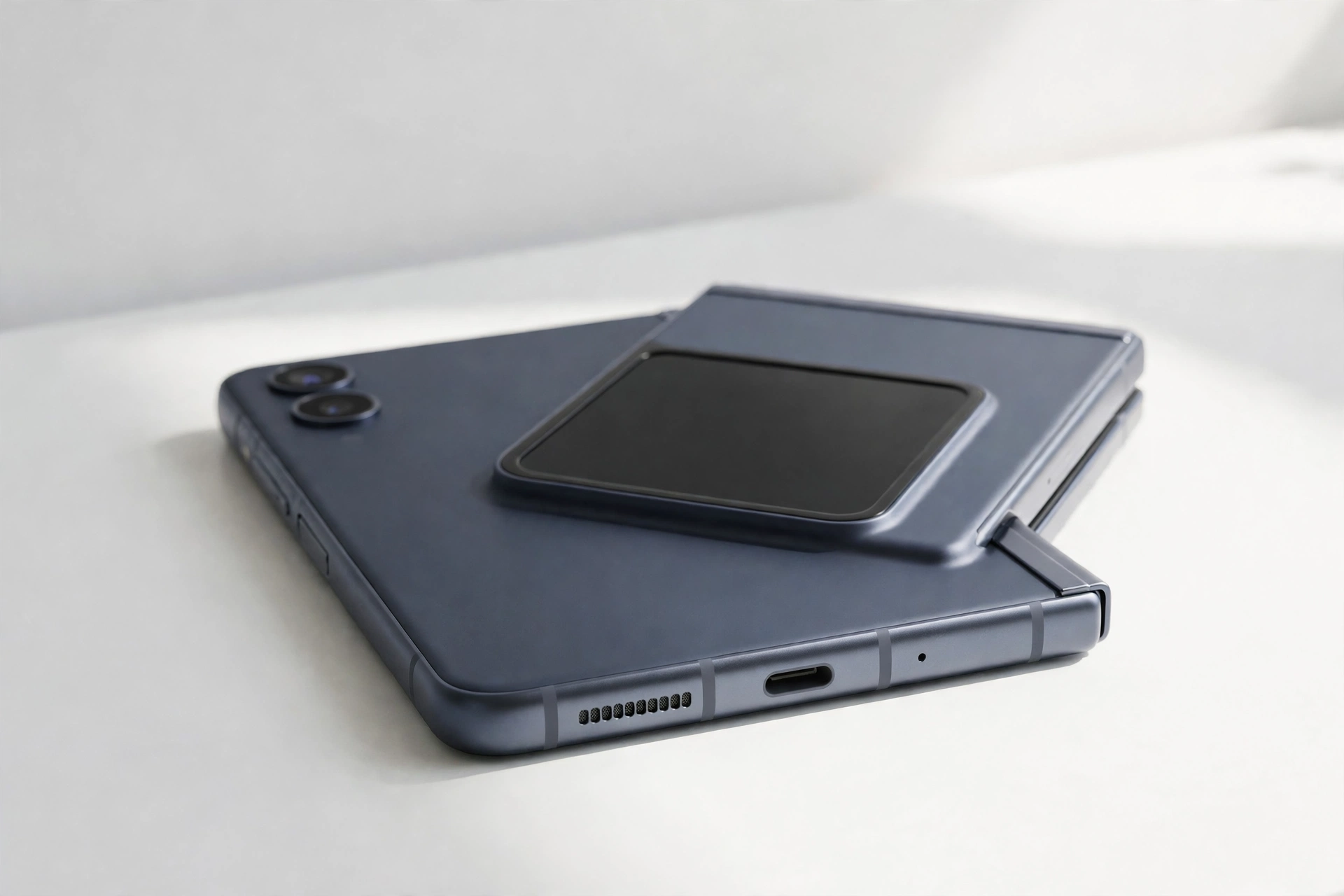
If your Galaxy Z Flip 6 speaker has gone quiet, first find out which of its two speakers failed. The loudspeaker sits on the bottom edge and the earpiece sits above the inner display, and they fail for different reasons. A dead loudspeaker points at the grille, while silence in both points at settings, a folded-state quirk, or the hinge.
Which speaker is actually dead — the earpiece or the loudspeaker?
Test them separately. Make a call and hold the open phone to your ear — that is the earpiece. Then switch the same call to speakerphone — that is the loudspeaker. Finally, play a video: stereo audio should come from both ends, and if the sound is thin or one-sided, the bottom loudspeaker is the dead one.
The result tells you where to look next. Earpiece dead but loudspeaker fine? The earpiece slot is probably blocked, or the receiver itself has failed. Loudspeaker dead but earpiece fine? The bottom-edge grille is the first suspect. Both silent? The fault is almost certainly in software, audio routing, or the hinge connection — keep going rather than assuming the speaker is broken.
What is the cover screen volume indicator telling you?
Fold the phone and press a volume button — the indicator should rise and fall as you press. If it moves normally but you hear nothing, the phone is sending audio and something is stopping it at the speaker — a blocked grille or a hardware fault. If it is stuck at zero or jumps back down every time you raise it, the phone itself is suppressing the volume — a connected Bluetooth device, a muted media stream, or an app that grabbed the audio.
Also check the media output. Swipe down to open Quick Settings, tap Media output, and check which device is selected. If it lists earbuds, a car, or a Bluetooth speaker instead of “This phone”, tap This phone to bring the sound back. The Flip 6 reconnects to paired devices on its own, and earbuds left in another room are a classic silent-speaker culprit.
Is Flex Mode muting the speaker?
The Flip 6’s party trick — propping itself half-open in Flex Mode — changes how audio behaves. Some apps pause or reroute their audio when the phone is folded halfway, and a few video apps drop their sound entirely in that position. If your speaker only goes quiet when the phone is half-folded, the hinge position is the trigger, not a broken speaker.
Test it flat. Open the phone fully to 180 degrees, lay it on a table, and play a video. If the sound is back, the problem is tied to the folded or half-folded state, not the speaker. Close the phone fully and try the same video through the cover screen — if it plays there but not in Flex Mode, an app setting is muting the half-open state.
To check the hinge itself, play music with the phone fully open and fold it slowly toward closed. Sound that crackles or drops out at one particular angle suggests the ribbon cable through the hinge is worn or pinched. That is a hardware fault: back up your files and have Samsung or a repair shop look at the hinge.
Clear the cache partition and reset the audio settings
If both speakers are silent and the cover screen shows the volume behaving normally, corrupt temporary files or a stuck audio setting is the likely cause. Two resets cover both, and neither deletes your photos or apps.
First, wipe the system cache partition. Turn the phone off, connect it to a computer with a USB-C cable, then press and hold Volume Up and the Side button until the Samsung logo appears. Select Wipe cache partition, then Reboot system now. This clears the temporary files that can break audio after a software update.
Then check the settings that can silence the whole phone. Open Settings, then Sounds and vibration, and confirm Media volume is up. In Accessibility, then Hearing enhancements, make sure Mute all sounds is off. In Sound quality and effects, switch off Dolby Atmos and Adapt Sound one at a time and test after each. Finally, switch off Separate app sound if it is routing an app to another device.
The bottom-edge grille: lint, water, and a quick clean
The Flip 6’s loudspeaker lives on the bottom edge, right where the phone sits in a pocket or bag — so it collects lint faster than any other opening on the phone. A grille packed with pocket lint can cut the volume to a whisper or silence the speaker completely, and it looks like a hardware failure until you clean it.
Hold the phone speaker-down and brush the bottom-edge grille gently with a soft, dry toothbrush, tapping the phone lightly so loosened dust falls out. Never push a pin or a SIM tool into the holes, and do not use compressed air at close range — both can drive debris deeper or tear the mesh.
If the phone got wet, water can sit in the speaker chamber and muffle it until it dries. Leave the phone speaker-down in a ventilated spot, then run the free speaker-cleaning tool at Fix My Speaker a few times with the volume all the way up. The tone vibrates trapped water and dust out — check whether the sound gets clearer after each run.
When only one channel of the stereo pair works
If the earpiece works but the loudspeaker stays dead after cleaning, cache clearing, and a settings reset — or the other way round — one half of the stereo pair has failed on its own. That is usually a hardware fault in that speaker or its connection, and it will not be fixed by another reset.
Before booking a repair, run one last confirmation. Open Samsung Members, tap Support, then Phone diagnostics, then Speaker; then dial *#0*# and run the Speaker and Receiver tests. If the loudspeaker test is silent while the receiver test plays fine, you have proof of which part failed — tell the repair shop exactly that. Back up your files first.
Frequently Asked Questions
Why is my Galaxy Z Flip 6 speaker not working but calls work fine?
Calls use the earpiece while media uses the bottom-edge loudspeaker, so the two can fail independently. If calls work but videos are silent, clean the bottom-edge grille and check Separate App Sound and Bluetooth routing.
Why does my Galaxy Z Flip 6 lose sound when folded halfway?
Some apps pause or reroute audio in Flex Mode when the phone is half-folded. Test the same video with the phone fully open — if the sound returns, the folded state is the trigger, not a broken speaker.
How do I check the speaker on the Galaxy Z Flip 6 cover screen?
Fold the phone and press a volume button — the cover screen shows the volume indicator. If it moves normally but you hear nothing, the speaker or grille is the problem; if it stays at zero, a setting is suppressing the volume.
Will wiping the cache partition delete my photos on the Flip 6?
No. Wiping the cache partition only removes temporary system files — your photos, apps, and accounts stay untouched. It is a safe step when audio breaks after a software update.