
Galaxy S24 FE Speaker Not Working: What to Check First
The Galaxy S24 FE has no 3.5mm headphone jack, so when its speaker goes quiet the first suspect is the USB-C port. An adapter, a lint-filled port, or a One UI routing glitch can all send your audio nowhere while the speaker is healthy. Work through the checks below — most are fixed before the repair step.
Start with the USB-C port — adapters and lint steal your audio
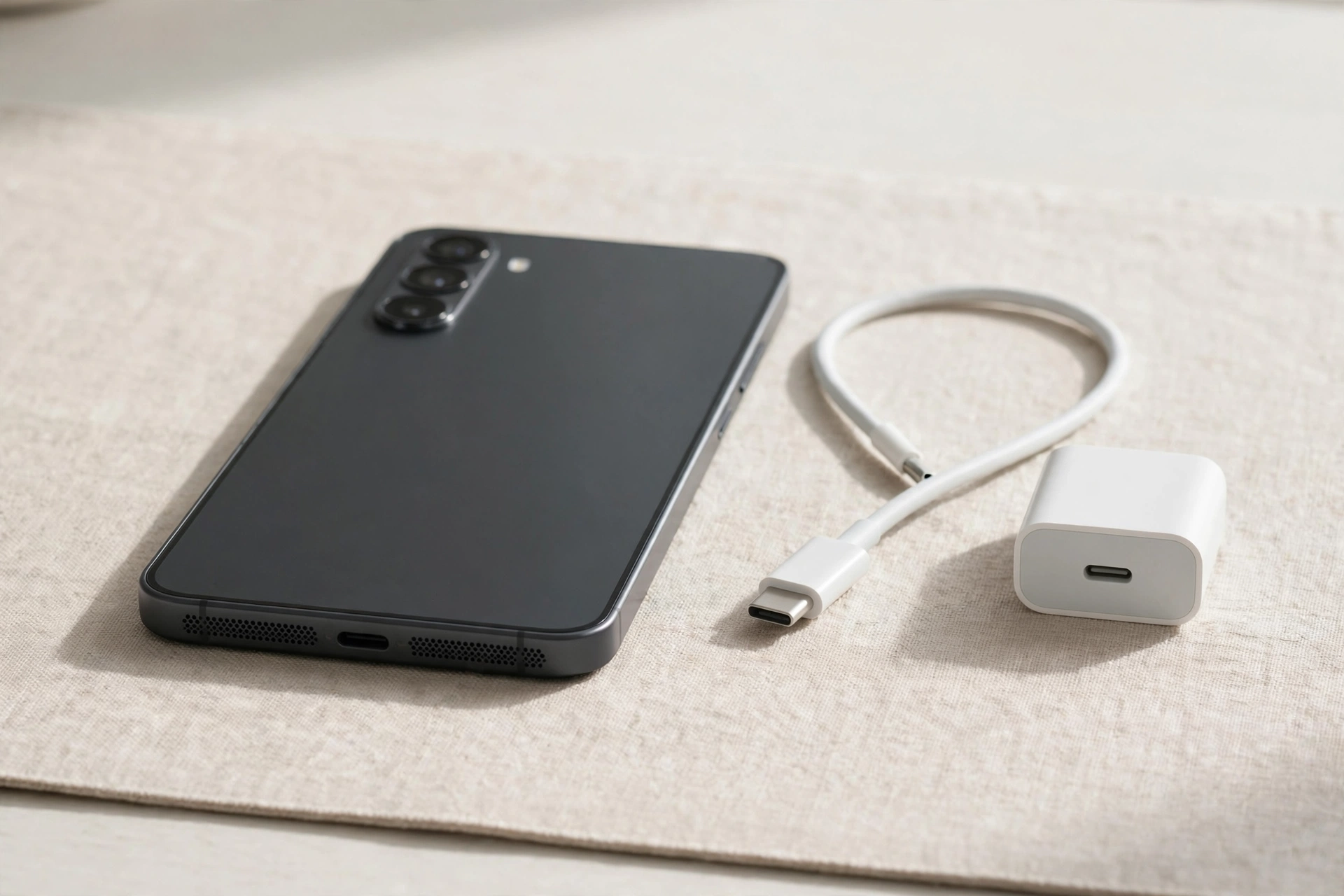
The S24 FE routes all wired audio through its USB-C port, which makes that port the most common cause of a silent speaker. A USB-C to 3.5mm adapter left plugged in tells the phone to send sound to headphones that are not there, and the speaker stays quiet even though nothing is wrong with it. The same happens with a USB-C headset left connected.
Unplug everything from the USB-C port and test the speaker immediately. If the sound comes back, the adapter was the cause — and if you use an adapter regularly, check that it is a proper digital one, since cheap passive adapters can leave the phone stuck in headphone mode even after you unplug them. Restarting the phone after unplugging clears that stuck state.
Then look inside the port. The S24 FE’s speaker sits on the bottom edge beside the USB-C port, and the port collects pocket lint that can press against the contacts and confuse the audio routing. Shine a light inside: if you see a grey mat of lint, switch the phone off and pick it out gently with a wooden toothpick — never use a metal pin, which can short the contacts. Once the port is clean, brush the speaker grille beside it with a soft, dry toothbrush and test a video.
Run the Samsung Members speaker diagnostic
Guessing wastes time, so confirm whether the speaker hardware works before changing more settings. The S24 FE ships with a diagnostic in the Samsung Members app: open it, tap Support, then Phone diagnostics, then Speaker. The test plays a tone and asks whether you heard it — answer honestly, because a tone you barely hear is a different result from one you never hear.
Or use the dialer code: open the Phone app, dial *#0*#, then tap Speaker for the loudspeaker test and Receiver for the earpiece. A clear tone means the speaker is healthy and the fault is in software or routing. A silent or badly distorted tone in both tests means the speaker or its connection is faulty — skip ahead to the repair section.
Reset the audio settings that mute the FE
First, press a volume button and tap the three dots to open the full volume panel — raise Media, Ringtone, and System volume separately, since one stream can be muted while the others play fine. Then open Settings, then Accessibility, then Hearing enhancements, and make sure Mute all sounds is switched off.
Next, open Settings, then Sounds and vibration, then Sound quality and effects. Switch off Dolby Atmos and test, then switch off Adapt Sound and test — a glitch in either can muffle the speaker or kill the output. Also switch off Separate app sound if it is routing an app to another device; a setup from months ago can still be sending one app’s audio to a Bluetooth speaker you no longer own.
Finally, check Bluetooth. Open Settings, then Connections, then Bluetooth, and turn it off before testing. The S24 FE reconnects to paired earbuds automatically, and earbuds sitting in a drawer in another room are a classic reason for a phone that looks broken but is playing to the wrong device.
Clear the cache partition
If the speaker died right after a software update, corrupt temporary files are a strong suspect. Wiping the system cache partition removes them without touching your photos, apps, or accounts — it is one of the safest resets on the phone, and it fixes audio faults that survive restarts and settings changes.
Turn the phone off, connect it to a computer with a USB-C cable, then press and hold Volume Up and the Side button until the Samsung logo appears. Select Wipe cache partition, then Reboot system now. Once the phone restarts, play a video and a ringtone to confirm both are back.
If the speaker is still silent, restart in Safe Mode to rule out a third-party app: press and hold the Side button and Volume Down together, long-press Power off, then tap Safe mode. In Safe Mode only Samsung’s own apps run, so if the speaker works there, an installed app is muting it — most often a volume booster or equaliser. Restart normally to exit, then uninstall recent audio apps one at a time.
Check for a One UI software patch
The S24 FE runs on the Exynos 2400e with One UI, and Samsung has shipped audio bugs in One UI updates before — distorted call audio, lost bass, and silence with certain accessories — followed by a patch days later. If your speaker went quiet the day an update installed, a patch may already be waiting.
Open Settings, then Software update, then Download and install. If an update is available, install it over Wi-Fi with the phone charged, then test the speaker. A restart helps too: hold the Side button and Volume Down together, tap Restart, and test a video once the phone is back.
If the phone got wet, give it drying time before concluding anything. Water in the speaker chamber muffles the sound until it clears, so leave the phone speaker-down in a ventilated spot, then run the free speaker-cleaning tool at Fix My Speaker a few times with the volume all the way up. The tone vibrates trapped water and dust out — check whether the sound gets clearer after each run.
When to take the S24 FE in for repair
Take the phone to Samsung or a trusted repair shop if the diagnostic tone and a speakerphone call are both silent, if the speaker died right after a hard drop, or if the sound went away after the phone was submerged and never came back. A drop can loosen the speaker connector and water can corrode the contacts, and both need the phone opened up. Back up your files first, and tell the shop the diagnostic result.
Frequently Asked Questions
Why is my Galaxy S24 FE speaker not working with a USB-C adapter?
The S24 FE has no headphone jack, so all wired audio goes through USB-C. An adapter left plugged in routes sound to headphones that are not there. Unplug it, restart the phone, and test the speaker again.
How do I test the speaker on my Galaxy S24 FE?
Open Samsung Members, tap Support, then Phone diagnostics, then Speaker, and follow the test. You can also dial *#0*# in the Phone app and tap Speaker. A clear tone means the hardware is healthy.
Can a One UI update break the Galaxy S24 FE speaker?
Yes. One UI updates have shipped audio bugs before, followed by a patch days later. Check Settings, then Software update, then Download and install for a fix before assuming the speaker is broken.
Does wiping the cache partition delete anything on the S24 FE?
No. Wiping the cache partition only removes temporary system files — your photos, apps, and accounts are untouched. It is a safe step when the speaker breaks after a software update.