
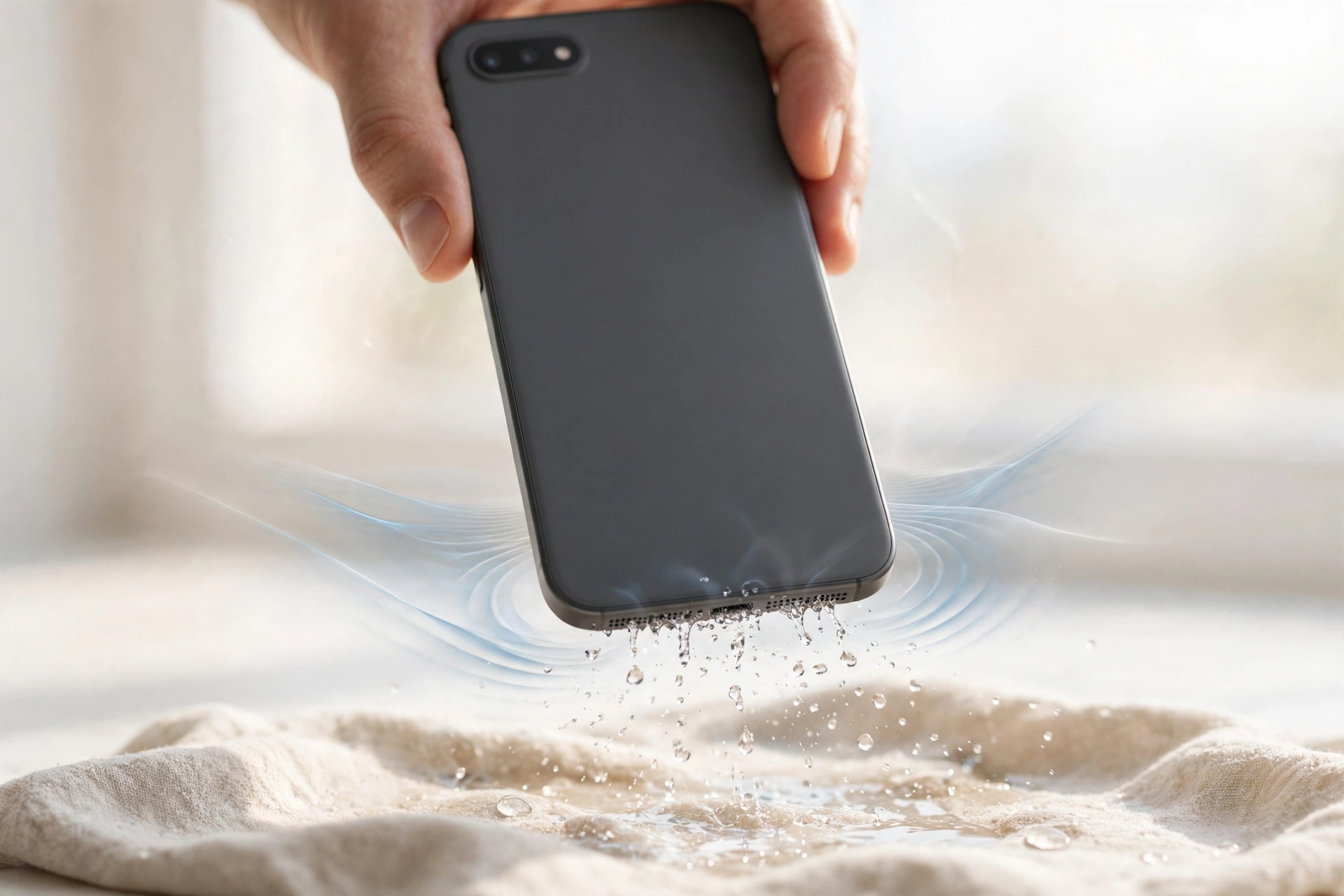
How to Eject Water From a Xiaomi Speaker
To eject water from a Xiaomi speaker, check first whether your phone has Xiaomi’s built-in Clear speaker feature, because that is the fastest and safest route. If it is there, run it two to five times with the speaker pointing down. If your model does not have it, use a browser-based speaker cleaning tone instead.
The order matters. A tone played through a wet speaker pushes water out of the grille. Charging a wet phone, or blasting it with hot air, can turn a small problem into a dead speaker or a dead charging port. So the method below is built around one decision you make in the first minute, and everything after it follows from that answer.
First Step to Eject Water From a Xiaomi Speaker: Check for Clear Speaker
Xiaomi, Redmi, and POCO phones have a built-in tool called Clear speaker that plays a tone through the speaker to push out dust and water. It has been part of Xiaomi’s software since the Redmi Note 8 series, which introduced an auto-cleaning speaker that purges dust from the speaker cavity with low-frequency sound waves, and it is still present on many phones running HyperOS today. But it is not on every model, and it is not in the same menu on every build, so the first job is to find out whether your phone has it.
| Your answer | What to do next |
|---|---|
| Clear speaker is in Settings | Run the built-in tool, repeat 2 to 5 times, speaker pointing down |
| Settings search finds “clear speaker” | Open it from the search result and run it the same way |
| No result anywhere in Settings | Your build does not include it: use the browser cleaning tone below |
| You have a Redmi Note 15 Pro | Use the phone’s one-touch speaker water removal instead |
How to Find Clear Speaker on Your Phone
- Open Settings.
- Tap Additional settings.
- Tap Clear speaker.
- If it is not there, go back and type clear speaker into the search bar at the top of Settings. On newer phones running HyperOS, menus have been shuffled more than once, so the search bar is the reliable way to find it.
If the search finds nothing, your build does not include the feature. That is normal: some models and some regions do not have it. Skip to the browser-tool section below.
Run the Built-In Clear Speaker Tool
Once you have found it, the run itself is simple. Turn the volume up to maximum first, because the tone needs full power to move water out of the grille. Then start the tool and hold the phone with the speaker pointing down, shaking it gently while the tone plays. Each run takes about 30 seconds.
Xiaomi’s guidance is to repeat the process two to five times while shaking the device with the speaker pointing down. One run may loosen the water without fully clearing it, and the shaking between runs lets the loosened droplets fall out of the grille instead of settling back inside. After each run, listen to a short voice note or a video clip: if the sound is still muffled or crackly, run it again. Stop when the sound is clear, or after five runs if it is not improving.
A few practical points make the difference between a run that works and one that does not. Hold the phone speaker-down over a towel or a sink so the water has somewhere to go. Do not cover the grille with your hand while it plays, because your palm traps the water inside. Do not plug anything into the charging port while the speaker is wet.
No Clear Speaker? Use the Browser Cleaning Tone
If your phone does not have the built-in tool, you lose nothing, because a browser-based cleaning tone does the same job: it plays a sweeping tone through the speaker that vibrates trapped water out of the grille. Open the free speaker cleaner on the MyFixSpeaker homepage in your phone’s browser, turn the volume to maximum, and hold the phone speaker-down while the tone plays.
Run the tone in cycles of about 30 seconds, shaking the phone gently between cycles, exactly as you would with the built-in tool. Two or three cycles are usually enough for a splash or a brief dunk; a phone that spent longer underwater may need four or five. Test the sound after each cycle with a short voice note, and stop when it sounds clear.
What Kind of Water Got In? It Changes the Fix
Not all water is equal, and the kind that got into your speaker decides how urgent the drying is and whether a tone alone is enough. Fresh tap water is the easiest case. Salt water, soapy water, and chlorinated pool water all leave residue behind as they dry, and that residue can corrode contacts and clog the grille long after the phone looks dry.
| Water type | Risk level | What to do |
|---|---|---|
| Fresh tap water | Low | Run the tone 2 to 3 times, let it air-dry |
| Rainwater | Low | Same as fresh water, then check the charging port |
| Pool water (chlorine) | Medium | Rinse the grille gently with fresh water first, then run the tone |
| Soapy water or shampoo | Medium | Rinse the grille gently with fresh water first, then run the tone |
| Salt water (sea, beach) | High | Rinse the grille with fresh water at once, run the tone, dry fully, watch for corrosion |
| Sugary drinks or juice | High | Rinse the grille with fresh water at once, run the tone, and expect a service check if sound stays muffled |
The rinse step surprises people, because adding more water to a wet phone sounds wrong. But a gentle rinse with fresh water is the correct first move for salt, soap, or sugary liquid: it washes the corrosive or sticky residue out before it dries and hardens inside the grille. Use a small splash, not a stream, and only on the outside of the grille. Then run the tone to push the rinse water out, the same as before.
Which Xiaomi, Redmi, and POCO Phones Have the Built-In Tool?
The built-in Clear speaker feature has spread across Xiaomi’s ranges over the years, but it has never been universal. Software version matters as much as the model: a phone that shipped with an older MIUI build may have gained or lost the feature in an update, and some regional builds never had it at all.
| Phone line | Built-in Clear speaker | Notes |
|---|---|---|
| Xiaomi flagship (Mi and Xiaomi numbered series) | Usually yes | Search Settings for “clear speaker” if the menu path differs |
| Redmi Note series | Usually yes | The feature debuted with the Redmi Note 8 series |
| Redmi Note 15 Pro | Yes, plus one-touch removal | IP68 rated, with a dedicated one-touch speaker water and dust removal mode that uses high-frequency vibration |
| Redmi (numbered, non-Note) | Often yes | Check Settings search; budget builds vary by region |
| POCO X and F series | Usually yes | POCO phones run Xiaomi’s software, so the same menu applies |
| POCO budget models | Sometimes | Check Settings search first; use the browser tool if absent |
| Older models before the Redmi Note 8 series | No | Use the browser cleaning tone |
The Redmi Note 15 Pro goes further than the standard Clear speaker. It carries an IP68 rating, and Xiaomi lists a one-touch speaker water and dust removal feature for it: high-frequency vibration drives residual water from the speaker and ports to restore the original sound quality. If you own one, look for that feature first. Note that the IP68 rating was earned under laboratory conditions, and it does not mean the phone is guaranteed against water damage in everyday use, or that liquid damage is covered by warranty.
Check the Speaker Properly: Xiaomi’s Own CIT Hardware Test
After the tone runs, you need to know whether the speaker itself is healthy or damaged. Guessing from a song is unreliable, because music hides distortion. Xiaomi’s own support pages point to a built-in hardware test for exactly this.
Open the Phone dialer and enter *#*#6484#*#* to open the CIT hardware test menu, then select Speaker Test. If the code does nothing, open Settings, go to About phone, then Detailed info and specs, and tap Kernel version five times to open the same menu. Some older builds accept *#*#64663#*#* instead.
Run the test in a quiet room. A clean tone means the speaker hardware is working and the remaining problem is water still in the grille, so run the tone again. A buzzing or crackling tone means the speaker itself is damaged, and no cleaning tone will fix it.
Dry the Phone Out the Right Way
The tone pushes water out of the speaker, but the rest of the phone needs drying time too. Power the phone off if it was fully submerged, and leave it speaker-down on a dry towel in a ventilated room. Airflow matters more than heat: a fan blowing room-temperature air across the phone dries it faster and more safely than any source of heat.
Do not charge the phone until the charging port is dry. Most Xiaomi phones will warn you about moisture in the port, and you should heed that warning. Charging a wet port can corrode the contacts, and corrosion is permanent in a way that a wet speaker is not. Wait at least a few hours after a splash, and a full day after a proper dunk, before plugging in a cable.
Do not put the phone in rice. Rice does not dry a phone’s insides in any meaningful way, rice dust gets into the speaker grille and the charging port, and the phone dries at the same speed sitting on a towel.
Still Muffled After Drying? Check These Xiaomi Settings
If the speaker sounds muffled after the tone runs and the phone has dried, the water may be gone and a setting may be the real problem. Xiaomi’s own support pages list a short sequence of checks for a phone with no sound, and they are worth running before you assume hardware damage.
- Silent or Do Not Disturb mode: check that both are off, then test the speaker again.
- Bluetooth: disconnect any paired headphones, earbuds, or speakers. Audio can be routed to a device you forgot about, and disconnecting forces sound back to the phone speaker.
- Headphone icon stuck on screen: if the status bar still shows a headphone icon with nothing plugged in, the port may think headphones are connected. Plug headphones in and out a few times to reset it.
- Per-app sound: on recent Xiaomi software, each app can have its own volume under Settings, then Sound & vibration, then Additional settings. If one app is silent while others are fine, check whether that app’s volume was turned down separately.
- Safe Mode: restart into Safe Mode and test a video. If the sound returns, a third-party app is interfering with audio.
If the sound is still muffled in every app after all of these, and the CIT speaker test still sounds distorted, the speaker mesh or the speaker itself is likely damaged. Take it to a service centre and describe exactly what happened: the water type, how long the phone was wet, and what you already tried.
Tested on: Run This Check Yourself
Run the protocol below on your own phone and record the result at each step. Each step has a clear pass or fail, so you will know whether the water is out or the speaker needs help.
- Search Settings for clear speaker. Pass: the feature appears, so use the built-in tool. Fail: no result, so use the browser cleaning tone instead.
- Run the tone with the volume at maximum and the speaker pointing down, shaking gently. Pass: you can see or hear water leaving the grille. Fail: nothing changes after three runs, so move to the drying steps.
- Play a short voice note at full volume. Pass: the voice sounds clear. Fail: it still sounds muffled or crackly, so run the tone two more times.
- Open the dialer, enter
*#*#6484#*#*, and run the Speaker Test in the CIT menu. Pass: a clean tone, so the hardware is healthy. Fail: buzzing or silence, so the speaker needs a repair check. - Leave the phone speaker-down on a towel for at least a few hours, then test again. Pass: sound is back to normal. Fail: still muffled after drying, so check the Xiaomi settings above and then visit a service centre.
Frequently Asked Questions
How do I eject water from a Xiaomi speaker without an app?
Use the built-in Clear speaker tool under Settings, then Additional settings, then Clear speaker. It plays a tone for about 30 seconds. If your phone does not have it, use a browser-based speaker cleaning tone instead.
How many times should I run Clear speaker on my Xiaomi phone?
Xiaomi’s guidance is to repeat it two to five times while shaking the phone with the speaker pointing down. Stop when the sound is clear, or after five runs if it is not improving.
Can I charge my Xiaomi phone after it got wet?
Not until the charging port is dry. Wait at least a few hours after a splash and a full day after a proper dunk. Charging a wet port can corrode the contacts permanently.
What does the CIT test code do on a Xiaomi phone?
Dialling *#*#6484#*#* opens the CIT hardware test menu. Select Speaker Test to play a tone through the main speaker and check whether the hardware itself is healthy or damaged.
Related Guides
- Test your phone speaker with the free speaker cleaner
- Does water eject sound really work? The honest answer
- What frequency cleans a phone speaker?
- Phone dropped in water? First aid steps that save it
- IP67 and IP68 ratings explained simply
- Xiaomi 15 speaker not working? Fix it step by step
To eject water from a Xiaomi speaker, start with the built-in Clear speaker tool if your phone has it, or a browser cleaning tone if it does not, repeat the tone until the sound runs clear, and let the phone dry before charging. If the free speaker test on the MyFixSpeaker homepage still sounds muffled after all that, the speaker needs a repair check rather than more tones.