
Why Does My iPhone 17 Air Speaker Crackle?
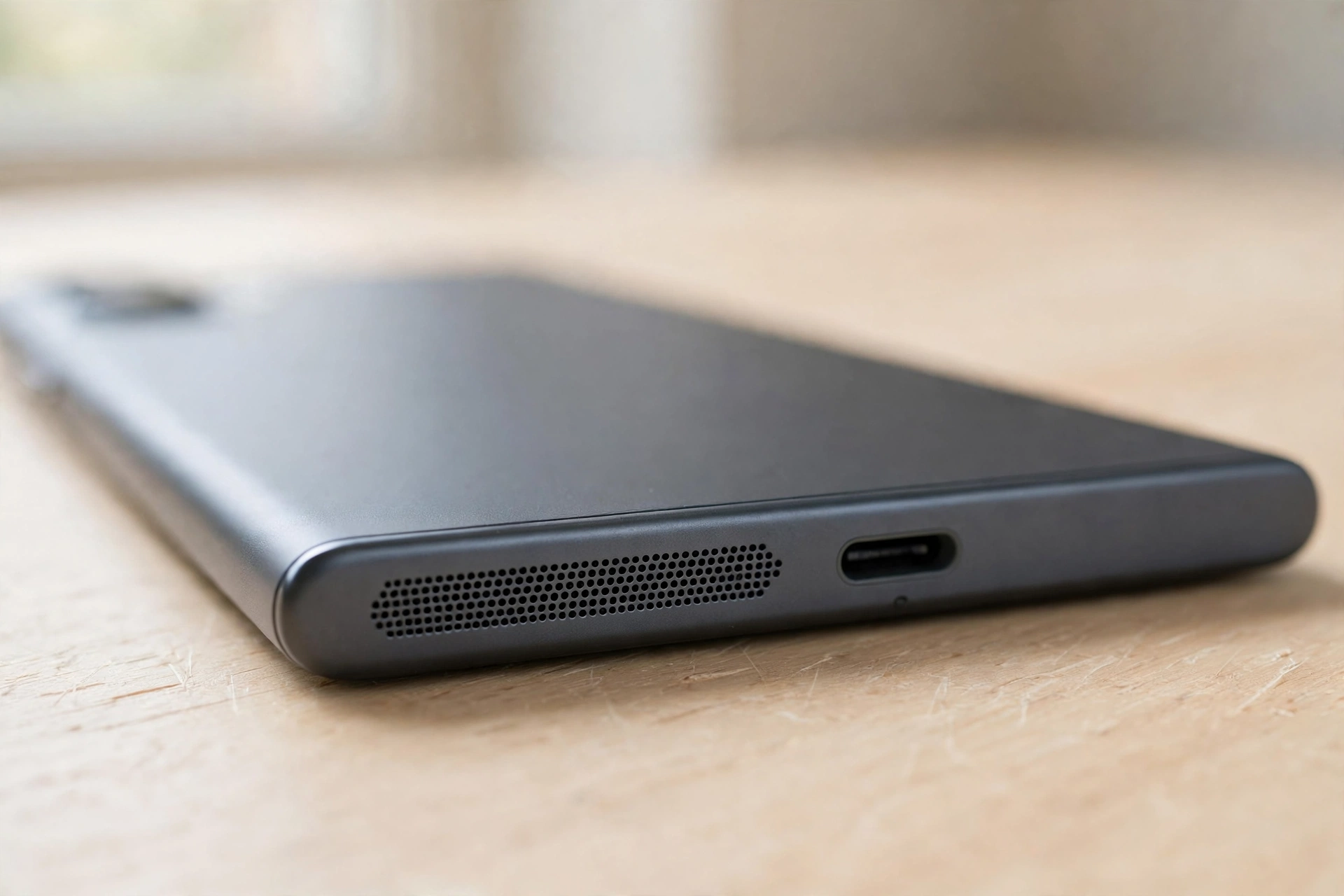
If your iPhone 17 Air speaker crackles or distorts, you are probably hearing a real hardware pattern, not a settings mistake. The Air has a single bottom speaker, so every sound the phone makes comes through one grille — and owners report distortion that shows up mainly above roughly 60% volume and on tones above about 600 Hz. The split test below tells you in a minute whether the fault is the speaker, an app, or a setting.
Is It Crackle or Silence? The 60-Second Split Test
Play the same sound in three different places and compare what you hear:
- Play a ringtone in Settings > Sounds & Haptics above halfway volume.
- Play a video in two apps, for example Safari and YouTube, at the same volume.
- Make a test call on speakerphone and listen to the other person’s voice.
Crackle in all three points to the speaker. Crackle in one app only points to that app — reinstall it or try different content. No sound at all, rather than distortion, means checking Silent mode and the Action Button first.
Why the Single Bottom Speaker Matters
Most recent iPhones split sound between an earpiece and a bottom speaker. The Air has only the bottom one, so there is no second speaker to mask a flaw — distortion that might go unnoticed elsewhere is obvious here.
| What you hear | Most likely cause | What to do |
|---|---|---|
| Crackle only above ~60% volume | Speaker distortion at high output | Lower the volume and record the crackle for Apple Support |
| Crackle on high tones only | Driver distortion at higher frequencies | Test with a tone sweep below |
| Crackle in one app only | App or audio file problem | Reinstall the app or try different content |
| No sound at all | Silent mode, Focus, or Bluetooth routing | Check the Action Button and Bluetooth |
| Muffled sound, no crackle | Blocked or dirty grille | Clean the grille as described below |
Clean the Only Grille You Have
With one grille, a partial blockage affects everything the phone plays. Pocket lint and dust collect in the small holes along the bottom edge, and the result is muffled or buzzy audio that owners sometimes mistake for a hardware fault.
Brush the grille gently with a soft, dry toothbrush so debris falls out, then use a short burst of compressed air held at an angle. Do not poke anything sharp into the grille, and do not use liquids. Apple Support’s guidance on distorted sound from your iPhone recommends removing any case or screen protector covering the speaker, then checking again — a tight case lip can press on the grille and change how it sounds.
Check Silent Mode and the Action Button
The iPhone 17 Air has no mute switch. Silent mode is controlled by the Action Button, and a long press toggles it — easy to trigger by accident in a pocket or a bag.
- Look for the orange bell icon in the status bar, or press the Action Button and watch for the Silent mode banner.
- Go to Settings > Action Button and confirm what the button is set to do.
- Check Settings > Focus — Do Not Disturb can silence alerts.
- Check Settings > Bluetooth — the phone may be sending audio to forgotten headphones or a car stereo.
If sound returns after any of these checks, the speaker was fine all along — the phone was simply told to stay quiet.
Update iOS and Record the Crackle
Go to Settings > General > Software Update and install any update waiting, restart the phone, then repeat the split test at the same volume.
If the crackle survives the update, record it — a recording turns a vague complaint into evidence a technician can hear.
- Use a second phone to record video of your Air playing a tone.
- Play a steady tone at the volume where the crackle appears.
- Note the volume level, the app, and whether pressing the back of the phone changes the crackle.
Take that recording to Apple Support or an Apple Store. Owners in a long MacRumors discussion thread report that Apple engineers are investigating the crackling and that replacement phones have shown the same issue — pointing toward a design or batch problem rather than a one-off defect. One user-observed pattern in that thread links the crackle to the screen supplier, but that is an observation from owners, not a confirmed cause, so treat it as a clue to mention to Apple rather than a diagnosis.
If the crackle is present at normal listening volumes, shows up in every app, and survives a clean grille and an iOS update, back up the phone and book a warranty check. Do not open the phone yourself — the Air is a sealed device, and opening it voids the warranty. If Apple offers a replacement, test the new phone with the same tone sweep before you leave the store, since owners report replacements can show the same crackle.
Tested on
You can reproduce the crackle pattern without any special equipment. Open the free speaker test on myspeakerfix.com and run a tone sweep from low to high frequency, raising the volume gradually to about 70%. Note the volume and tone where a clean tone turns buzzy or rattly. If the tone distorts but music at moderate volume sounds clean, the problem is limited to high output — which matches what owners describe. Repeat the sweep after cleaning the grille — if the distortion point moves, debris was part of the problem.
Frequently Asked Questions
Why does my iPhone 17 Air speaker crackle only at high volume?
The single bottom speaker distorts when pushed hard, especially above roughly 60% volume and on tones above about 600 Hz. Lower the volume, clean the grille, and if the crackle stays, record it for Apple Support — owners report replacement phones can crackle too.
Is the iPhone 17 Air speaker crackle a software problem?
Probably not for most owners. The crackle survives restarts and iOS updates in owner reports, and Apple engineers are reportedly investigating it. Still, install any pending update first — it is the cheapest fix to rule out before a warranty claim.
Can cleaning the speaker grille fix the crackling?
It can fix muffled or buzzy sound caused by lint and dust, which is common with a single grille. Brush gently with a soft dry toothbrush and use angled compressed air. If the crackle is unchanged after cleaning, the cause is inside the speaker, not the grille.
Should I get my iPhone 17 Air replaced for speaker crackle?
If the crackle is audible at normal volumes in every app after cleaning and updating, book a warranty check and bring a recording. Test any replacement with a tone sweep before leaving the store, since owners report some replacements crackle too.
Related Guides
- How to test your phone speaker with a tone sweep
- Fix a crackling phone speaker step by step
- How to clean your phone speaker safely
- Fix your iPhone speaker with the free tool
- Try the free speaker cleaner and tone test
If your iPhone 17 Air speaker crackles at high volume, run the split test, clean the single grille, and record the distortion before contacting Apple — a recording and a clear volume threshold strengthen the warranty case. Find where the crackle starts with the free test at myspeakerfix.com.