
How to Clean Your Phone Speaker Without Wrecking It
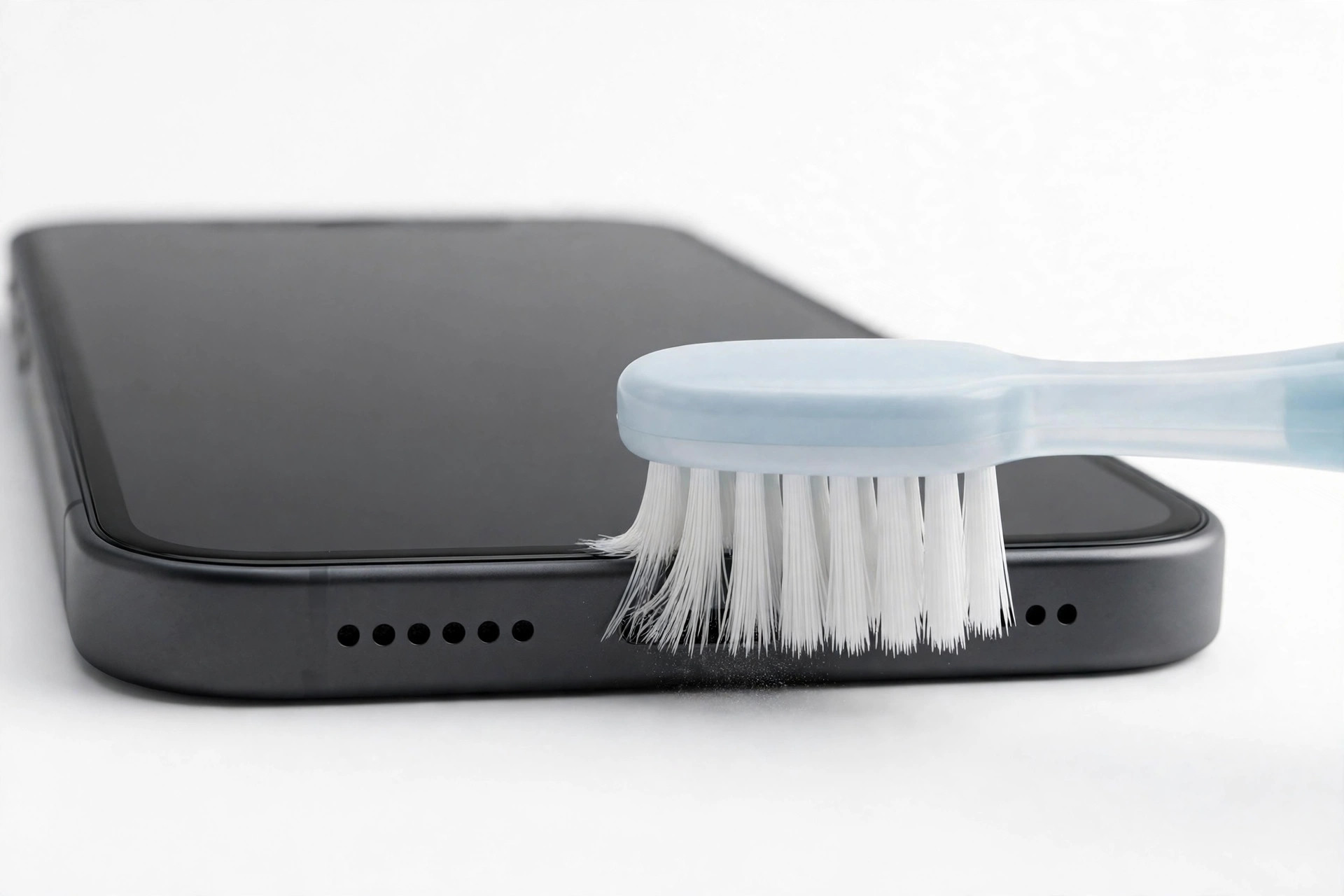
Yes, you can clean your phone speaker safely at home — with a clean, dry, soft-bristled toothbrush, held speaker-side down, brushing gently in one direction so dust falls out instead of getting pushed in. The grille hides a paper-thin membrane, so the difference between cleaning it and wrecking it comes down to pressure, moisture, and what you stick in there.
What You’re Actually Cleaning
Before you touch anything, it helps to know what’s under the grille: tiny holes, and behind them the membrane — a thin diaphragm that vibrates to make sound. Between the outside world and that membrane, there’s almost nothing, which is why the grille clogs so easily and why it’s so easy to damage. Your phone lives in pockets, bags, and on dusty tables, and over months lint, dust, and crumbs build up in those tiny holes into a felt-like layer. The result is quieter, duller audio, even though nothing is actually broken. A gentle cleaning removes that layer.
The Toothbrush Method, Done Right
The dry soft-bristled toothbrush is the most common DIY method, and it works — if you do it right. You need a clean toothbrush with soft bristles, completely dry; a new one is best, since an old one can carry toothpaste residue and moisture. Power the phone off first — optional, but safer. Hold the phone speaker-side down, so debris falls out instead of settling deeper inside, and use light, short strokes in one direction only. Don’t scrub back and forth — that pushes dust deeper. Brush for fifteen or twenty seconds, then tap the phone gently against your palm, grille down. Play a test sound: if the volume improved, you’re probably done. If it’s better but not quite right, repeat once more. If you’re pressing hard enough to bend the bristles flat, that’s too hard.
Tape and Putty: the Gentle Lift
For sticky grime and compacted lint, the toothbrush sometimes isn’t enough. That’s when tape and poster putty earn their keep — they lift debris out instead of pushing it around. Wrap a small piece of masking tape around your fingertip sticky-side-out, press it lightly over the grille for a couple of seconds, then peel it away; use a fresh section and repeat two or three times. Poster putty works the same way and reaches slightly better into the grille — warm a small piece in your hands until it’s soft, press it gently over the grille, and peel it away slowly. Use only clean putty: old, crumbly putty leaves residue behind, and residue in a grille is worse than the dust you started with.
Compressed Air Without the Disaster
Canned compressed air can blow fine dust out of a grille, but most people use it wrong and drive the debris deeper instead. Hold the can upright at all times — tilt it and you risk spraying freezing liquid propellant onto the phone. Keep the nozzle at least six inches from the grille, use short bursts of less than a second, and aim across the grille, not straight into it. A direct blast at close range forces dust past the grille and onto the membrane. If you’re not sure you can control the can that precisely, skip this method.
The Sound Trick for Dust You Can’t Reach
Some dust works its way just past the grille, where no brush or putty can reach. That’s where sound comes in: a low-frequency tone vibrates the membrane hard enough to shake loose particles free, and gravity does the rest if you hold the phone speaker-down. Turn the volume all the way up and play a tone around 165Hz for thirty to sixty seconds. The free Fix My Speaker tool plays exactly this kind of tone, and there’s a dedicated dust-cleaning version if the regular one doesn’t shift things. Wipe the grille and repeat once or twice.
Four Things That Will Damage Your Speaker
Some cleaning ideas sound sensible and end in a repair bill — keep these away from your phone.
- Pins, needles, or SIM ejector tools. The membrane behind the grille is paper-thin, and one poke can puncture it — permanent distortion or no sound at all.
- Liquids, including rubbing alcohol. Liquid seeps past the grille, corrodes the contacts, and leaves residue on the membrane. Even quick-drying alcohol is risky around the adhesives inside.
- Your own breath. Blowing into the grille feels natural, but your breath carries moisture — exactly what you don’t want near speaker electronics.
- Hard-bristled or wire brushes. Stiff bristles can scratch the grille coating and deform the membrane — if they don’t bend easily under your finger, don’t use them on your phone.
iPhone, Samsung, and Pixel: Small Differences That Matter
The methods above work on every phone, but a few model details matter. iPhones have their speaker grille along the bottom edge, next to the charging port, and the holes are small and closely spaced — light strokes only. Samsung Galaxy phones often have a single bottom-firing speaker with a slightly wider grille, but many models also use the earpiece as a second speaker, so clean that slit too if calls sound muffled. On some Pixels the speaker sits very close to the USB-C port — keep the brush away, and never let putty or tape near it. Water resistance changes nothing here: an IP68 rating means your phone survived a dunk in a lab, not that you can rinse the grille under a tap.
When Cleaning Won’t Help
If your speaker still sounds muffled, crackly, or quiet after a proper cleaning, the problem probably isn’t dirt. Distortion at all volume levels often means a damaged membrane; sound that cuts in and out when you move the phone suggests a loose connection; no sound at all after water exposure may mean corrosion. No amount of brushing will help now. Take the phone to a repair technician and tell them what you’ve already tried — it saves everyone time. Cleaning only fixes blockage, not hardware damage, and knowing which one you’re dealing with is half the fix.
Frequently Asked Questions
Can I use an electric toothbrush on my phone speaker?
No. Electric toothbrushes vibrate far too aggressively, and the brush heads are too large to control precisely. Stick to a manual soft-bristled brush.
Is it safe to clean my phone speaker with a slightly damp cloth?
Wiping the outside of the grille with a barely damp cloth is fine, but never let moisture enter the holes. The speaker cavity should stay completely dry.
How often should I clean my phone speaker?
Every two or three months for most people, or monthly if you work in dusty places or keep your phone in linty pockets. If the volume drops gradually, that’s your cue.
Will cleaning fix a speaker that sounds distorted?
Only if dirt is the cause. Try the safe methods above first. If distortion persists after the grille is visibly clean — especially crackling at low volume — the membrane may be damaged.