
Where Is My Phone Speaker, and Why Does It Matter?
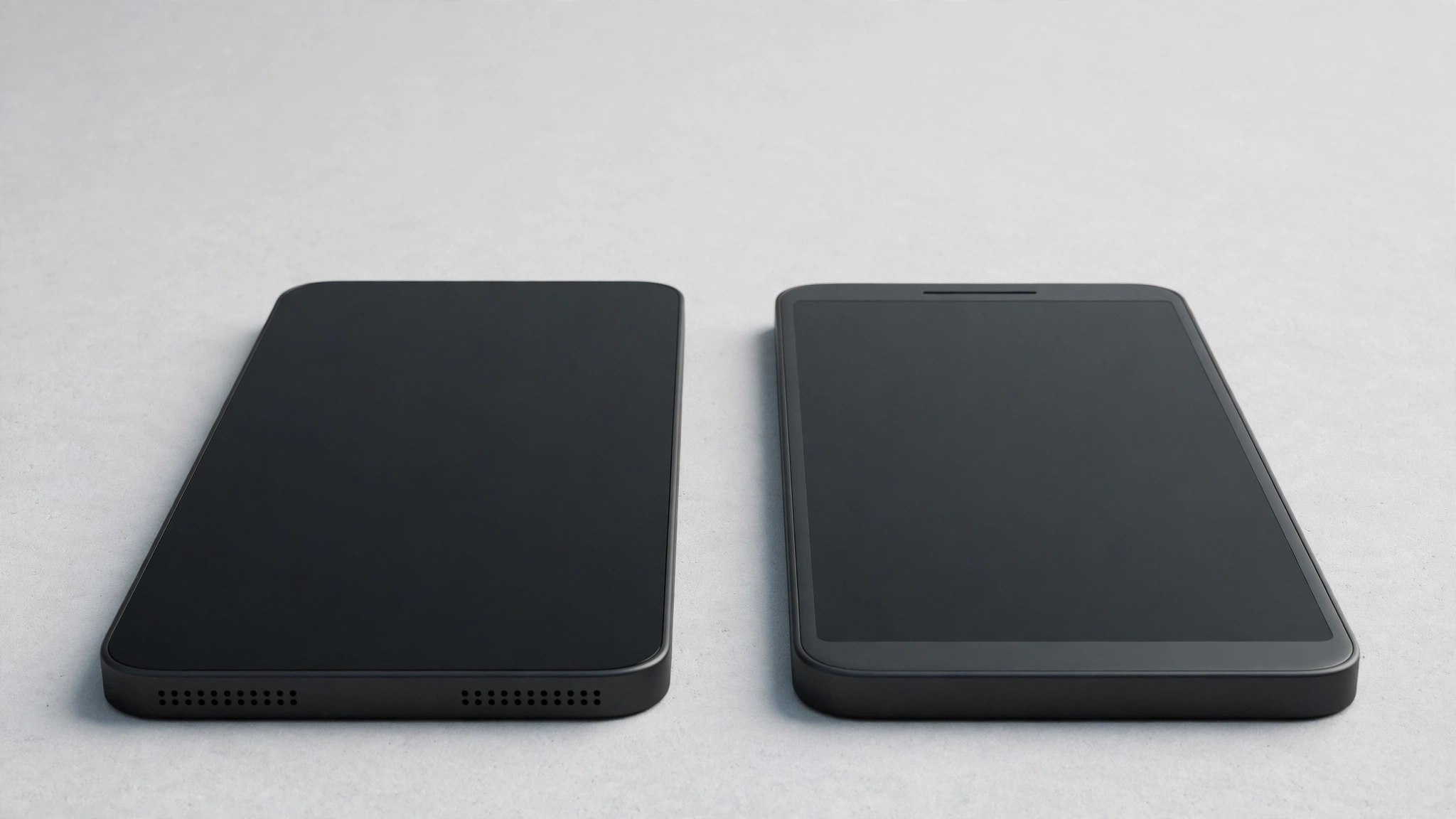
The main speaker is the row of small holes along the bottom edge, beside the charging port, and the thin slot at the top of the screen is the earpiece. Together they usually work as a stereo pair — once you know which holes are speakers and which are microphones, the layout makes sense.
Your Main Speaker Sits on the Bottom Edge
On nearly every modern smartphone, the main speaker fires downward from the bottom edge, right next to the charging port. Look at that edge and you’ll spot a row of small, evenly spaced holes on one side of the USB-C or Lightning port — that’s your primary speaker.
The holes sit in a neat line or a tight little cluster, all the same size — the visual signature of a speaker grille. Sound pours out of these holes and bounces off your hand or the table, which is why your phone often sounds louder face-down on a desk. If your sound went quiet, check this grille first.
The Earpiece Up Top Does Two Jobs
The second speaker is the slim slot at the very top of your screen — the earpiece you press against your ear during calls. On most modern phones, it pulls double duty: during a call it’s your private listening slot, and during music or video it plays one stereo channel while the bottom speaker plays the other.
On iPhones, the earpiece is the thin horizontal slot at the top of the notch or Dynamic Island area. On plenty of Android phones, it’s a slim slit in the top bezel or a tiny slot just above the display. It’s much smaller than the bottom grille, but it’s a full speaker in its own right, and covering it changes how music sounds.
iPhone vs Samsung vs Pixel
Here’s how the big three stack up:
iPhone
Hold your iPhone with the screen facing you and glance at the bottom edge. The speaker grille — a row of round holes — sits on the right side of the charging port, while the holes on the left are microphones, not speakers. Up top, the earpiece slot lives in the notch or Dynamic Island area. Together they form a stereo pair: the bottom-right speaker plays one channel, the earpiece the other.
Samsung Galaxy
On Galaxy S phones, the main speaker grille is on the bottom edge too, usually to the right of the USB-C port. The earpiece is the slim slot at the top of the display, and from the S9 onward the two team up as a stereo pair. You’ll also notice a single tiny pinhole near the bottom edge — a microphone, not part of the speaker.
Google Pixel
Pixels follow the same pattern: the primary speaker is the row of holes on the bottom edge beside the USB-C port, usually to the right when the screen faces you, and the earpiece slot at the top serves as the second stereo speaker. Like Samsung, there’s a separate single pinhole nearby for the microphone.
Speaker Holes vs Microphone Holes: One Simple Rule
This is the question behind most “where is my speaker” searches, since mic holes and speaker holes sit side by side. The rule is easy to remember:
- Speaker = many identical holes. A row, cluster, or slot of uniform openings is always a speaker grille — speakers need area to move air, so they get multiple holes.
- Microphone = one tiny pinhole. A single small hole — on the bottom edge, the top edge, or near the camera — is a microphone. Phones carry several — for calls, noise cancellation, and video recording.
On iPhones, the bottom-left holes that mirror the speaker grille are really a mic array — the most confusing spot on any phone. Remember “many holes = speaker, one hole = mic” and you’ll never mix them up.
A 30-Second Test That Settles It
Once you know where to look, prove it with a quick test. Play some music or a video, then press your thumb firmly over the bottom grille — the sound should get noticeably quieter and thinner, with what’s left coming from the top earpiece. Lift your thumb and the full sound comes back.
Now make a call and hold the phone to your ear — the voice comes from the earpiece slot alone. Switch to speakerphone mid-call and the voice jumps to the bottom speaker. If you suspect water or dust is trapped in a grille, run a low-frequency water-eject tone from the free speaker tool and watch which grille sputters — that’s the blocked one, and the tone helps push the moisture out.
What Never to Poke Into a Grille
Speaker holes and mic holes are both fragile, but the single mic pinholes are the most delicate — a pin pushed into a microphone hole can wreck the tiny microphone behind it for good. Speaker grilles have a protective mesh, yet sharp objects can still puncture it or dent the driver.
Safe cleaning only: a soft, dry brush swept across the holes, or sticky tape pressed on and peeled off. Never use pins, needles, toothpicks, or compressed air at close range.
Frequently Asked Questions
Which side is the speaker on an iPhone — left or right of the charging port?
Right, when the screen faces you. The holes on the left of the port are microphones. This left-is-mic, right-is-speaker layout goes back to the earliest iPhones, and it’s the most common source of confusion about iPhone speakers.
Is the earpiece a speaker, or just for calls?
It’s both. On most modern phones the earpiece works as the call speaker during phone calls and as the second stereo speaker for music and video. That’s why covering it changes how music sounds.
How many speakers does my phone actually have?
Most current phones have two: the bottom-firing main speaker and the earpiece at the top, working as a stereo pair. A few older or budget phones have only the single bottom speaker. If music sounds the same with your thumb over the top, you likely have just one.
Why are there holes on both sides of the charging port?
Because one side is the speaker and the other is the microphone array. Manufacturers often make them look symmetrical for design reasons — which is why so many people ask where the speaker is. The multi-hole row is the speaker; single pinholes are mics.