
Blown Speaker or Just Dirty? Five Tests That Give You the Answer
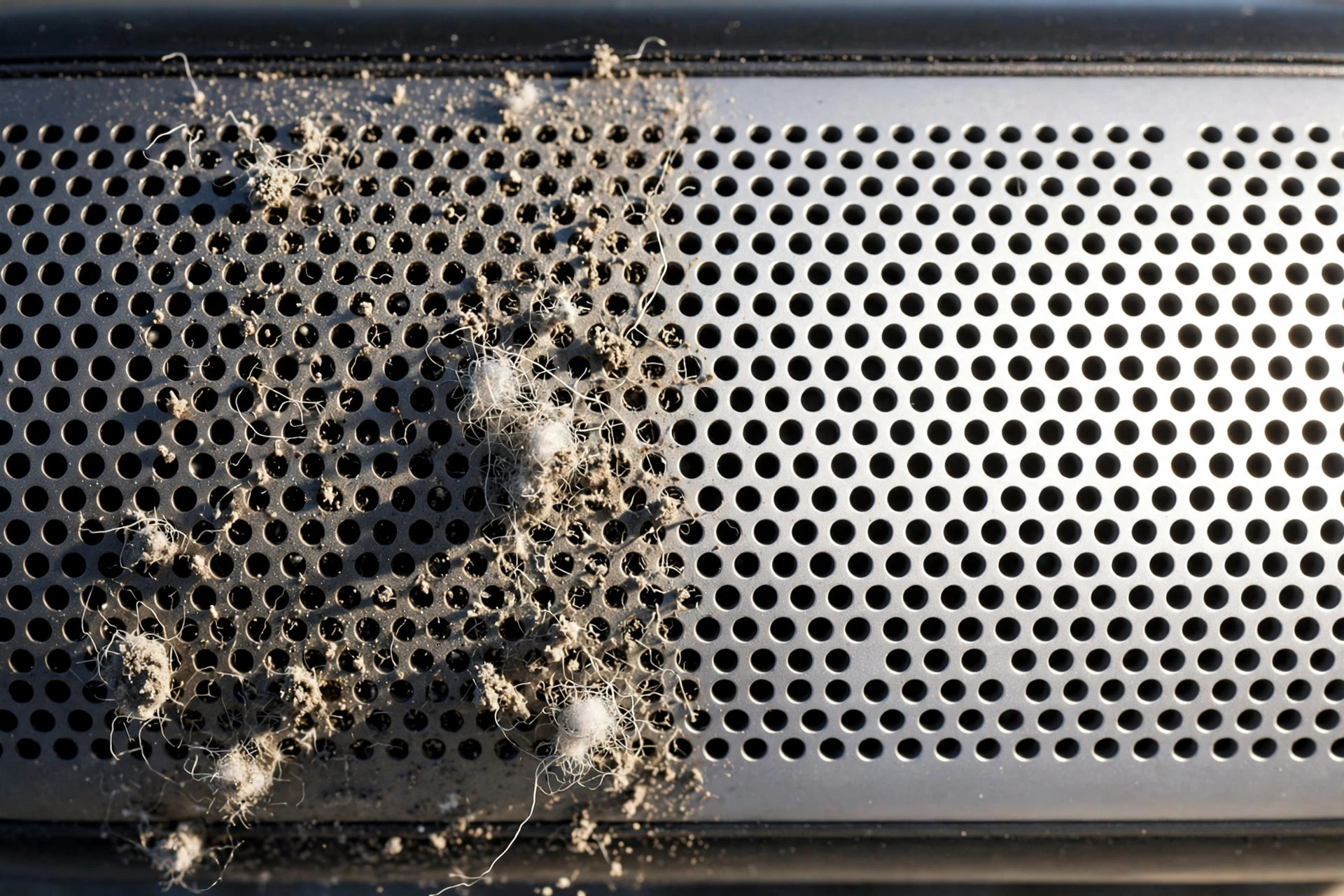
A blown speaker distorts at every volume and usually fails suddenly, right after a drop, a splash, or one extremely loud blast. A dirty speaker fades gradually, sounds muffled rather than broken, and perks up after a clean. Run the five tests below before you panic — most “dead” speakers turn out dirty, not destroyed.
The One Question That Settles Most Cases
Think back to when the problem started. That single detail tells you more than any app can.
If the sound faded gradually over days or weeks — calls getting quieter, music sounding duller — that’s dust, lint, or skin oils building up in the grille. If it died suddenly, right after a drop, a swim, a fall into a puddle, or one extremely loud notification, that’s hardware damage or trapped liquid. And if it was fine yesterday and dead today with no incident at all, that’s usually software — a glitch, a setting, or an update gone wrong.
Rule Out Software Before You Blame the Hardware
A surprising number of “blown speaker” reports are just settings. Run through these checks before you touch the speaker itself.
Restart the phone first — that clears audio driver glitches that can mute or distort the sound entirely. Then switch Bluetooth off; your phone may be routing audio to earbuds you forgot about. Check Do Not Disturb and silent mode, turn off the equalizer and sound effects (an aggressive EQ preset can mimic a blown speaker), and try a different app — if the distortion only happens in one app, it’s the app. Finally, install any pending OS updates; audio bugs get fixed in updates more often than people realise. If the problem survives all of this, test the hardware.
Test the Earpiece and the Loudspeaker Separately
Your phone has two sound paths: the loudspeaker at the bottom and the earpiece at the top, which you use for calls. Testing them separately narrows the diagnosis.
Play a song through the bottom loudspeaker at medium volume and listen for distortion, rattling, or quietness. Then make a call on regular mode — not speakerphone — and hold the phone to your ear to test the earpiece. If only the earpiece sounds bad, the fix is often simple: its mesh clogs with skin oils and dust, and a gentle clean usually sorts it. Then play a spoken-word clip, like a podcast, at low, medium, and high volume — speech reveals distortion far more clearly than music. Finally, cover each grille with your finger one at a time to confirm which one is misbehaving.
It Sounds Dirty When…
Dirty speakers have a recognisable personality — see how many of these match what you’re hearing:
- The sound is muffled or quiet, but not crackling or distorted.
- The volume changes when you tilt the phone or tap the back.
- The problem built up gradually over weeks.
- The sound improves after you brush the grille or play a cleaning tone.
- Distortion only appears at maximum volume, not at 70 to 80 percent.
If three or more fit, your speaker is dirty, not blown. Brush the grille gently with a soft, dry toothbrush, then play a low-frequency cleaning tone with the speaker facing down so the vibration pushes the debris out. The free speaker-cleaner tool on our site plays the right tone — search for Fix My Speaker and you’ll find it. For water, our water removal guide walks through it.
It Sounds Blown When…
A blown speaker means the diaphragm or voice coil is physically damaged, and it behaves very differently from a dirty one:
- Distortion shows up at all volume levels, even very quiet ones — the classic sign, since a dirty speaker usually clears up at lower volumes.
- You hear rattling or buzzing on bass notes and low voices, like something loose vibrating inside.
- One speaker produces no sound at all while the other works fine, and software is ruled out.
- The sound turned harsh and tinny in a single moment, right after a drop or something extremely loud played through it.
- The speaker pops or clicks when audio starts and stops.
No app, cleaning tone, or setting can repair a torn diaphragm. If the sound matches this list, stop trying to fix it with software and start thinking about a repair. Don’t keep blasting it at full volume — it only makes things worse.
Water Damage: The Third Suspect
There’s a third possibility between dirty and blown: water damage. A phone that went for a swim might sound muffled at first, then crackly, then fine again as it dries — or it might slowly get worse as corrosion spreads.
Salt water and sugary drinks are the dangerous ones. Fresh water usually dries out harmlessly, but salt and sugar leave residue that keeps corroding the metal. If your phone met either, get it checked even if the sound seems okay now.
For ordinary fresh water, hold the phone speaker-down and play a water-eject tone at maximum volume for 30 to 60 seconds, repeating it two or three times, then leave it speaker-down for an hour. If the sound improves steadily as it dries, it was water. If it stays distorted at every volume once dry, the water probably damaged the speaker itself.
What to Do Next
If your tests point to dirt, clean the grille, run the tone, and retest at a few volumes. Give it a day — moisture needs time to evaporate, and the sound can keep improving for hours.
If your tests point to a blown speaker, book a repair. Speaker replacement is usually one of the cheapest phone repairs, often done in under an hour. Tell the technician exactly when the problem started and what happened just before it — that timeline helps them confirm the diagnosis fast.
Frequently Asked Questions
Can a blown phone speaker fix itself?
No. A damaged diaphragm or voice coil does not heal. If the sound is improving on its own, it wasn’t blown — most likely moisture evaporating or a glitch resolving.
Can playing loud sounds blow my phone speaker?
Rarely. Modern phones have limiters that protect the speaker. What actually blows speakers is a hard drop that tears the diaphragm, or liquid that corrodes the coil.
How do I clean a dirty phone speaker safely?
Gently brush the grille with a soft, dry toothbrush, then play a low-frequency cleaning tone with the speaker facing down so vibration ejects the debris. Never poke the grille with pins or needles.
My speaker sounds fine on calls but distorted on music. Is it blown?
Probably not. Music’s bass exposes dirt and minor damage more than speech does. Clean the grille and retest — if the distortion vanishes at moderate volume, it was dirt.