
Bottom Speaker Dead? The Checks That Bring It Back
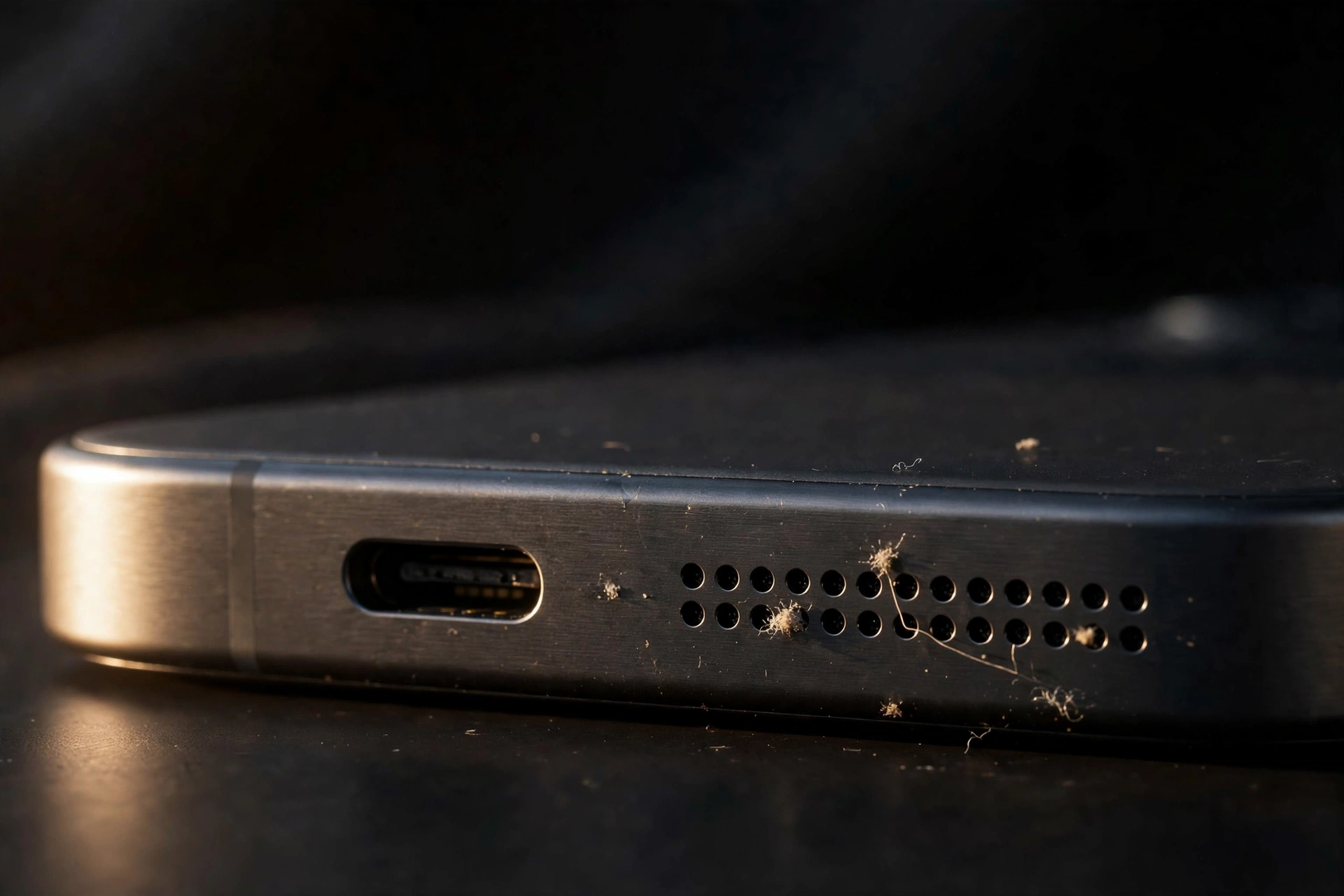
Your calls come through fine, but music, videos, and ringtones have gone silent. That’s a strange split, and it tells you something useful: the bottom speaker and the earpiece are two separate components. When the bottom one dies and calls keep working, you’re usually looking at lint, a software glitch, or water — all fixable without a repair shop visit.
First, Make Sure It’s Really the Bottom Speaker
Before you start fixing things, confirm the diagnosis. Play some music, then cover the bottom grille with your thumb. If the sound barely changes, the bottom speaker isn’t producing anything. Now cover the earpiece instead — if the music is still coming through, even faintly, that’s the earpiece doing the work alone, and the bottom speaker is confirmed dead.
Take the Case Off — Seriously, Start Here
This is the easiest check on the list, and it’s the one people skip. Pull the case off completely and test again. Thick rugged cases, wallet cases, and waterproof pouches can cover the bottom speaker cutout, and a case that shifted slightly in your pocket can seal the grille shut without you noticing.
While the case is off, look at the bottom edge itself. New phones often still have a bit of protective shipping film over the grille, and tape residue or dried mud can cap the holes just as effectively. Hold the phone up to a light — if any hole looks filled or covered, the cleaning step below will sort it out.
Lint Is the Usual Killer — Clean the Grille Properly
The bottom grille sits exactly where pocket lint collects, and a clogged grille is the single most common reason the bottom speaker goes quiet or dies outright. The holes are tiny, so compacted lint can seal them almost invisibly.
Power the phone off first. Then sweep a clean, dry, soft-bristled brush — a toothbrush is ideal — gently across the grille with outward strokes. For lint that’s really packed in, press cleaning putty against the grille and peel it away, repeating with a fresh surface. Grey lint often comes out even when the grille looked clean from the outside, so don’t stop after one pass. If sound returns even partially, keep going; deep clogs sometimes need two or three rounds.
A few hard rules: never insert pins, needles, toothpicks, or SIM ejector tools — one slip can puncture the speaker membrane underneath. Don’t blow into the grille with your mouth, because breath moisture makes the clog worse. If you use compressed air, stick to short bursts from several inches away, never a sustained blast.
The Software Side: Restart, Volume, and Balance
A surprising number of “dead speaker” cases are software state, not hardware. Start with a full restart — not just locking the screen — which clears stuck audio routing. Then press volume-up while media is playing, not while you’re on the home screen, which may adjust the ringtone volume instead.
Next, check the audio balance. On Android, go to Settings, then Accessibility, then Audio; on iPhone, it’s Settings, then Accessibility, then Audio and Visual, then Balance. Make sure the slider sits dead centre. Also confirm Do Not Disturb hasn’t muted media, and on Samsung check that “Mute all sounds” is off under Accessibility, then Hearing enhancements. A balance slider shoved to one side can silence a speaker so completely that it feels like hardware failure.
Safe Mode Tells You Whether an App Did It
If the bottom speaker died right after you installed something, or it works for calls but not for media, a third-party app may be hijacking the audio output. Equalizer apps, call recorders, “volume booster” apps, and some games take control of the audio stream and don’t always give it back cleanly.
Boot into Safe Mode, which loads only system apps. On most Android phones, long-press “Power off” until the Safe Mode prompt appears. On iPhone, force-restart and test before opening any apps. If the bottom speaker works in Safe Mode, an installed app is the culprit — uninstall recently added audio-related apps one by one, testing after each removal. If Safe Mode doesn’t help, the cause is system-level or hardware, not an app.
Water Sits at the Bottom — Eject It
The bottom grille is the lowest point of the phone, so it’s where water enters and where it sits. If the silence followed rain, a splash, or a sweaty pocket, suspect water before anything else.
Hold the phone speaker-down and play a low-frequency tone to drive the water out — the free speaker-cleaning tool on myspeakerfix.com plays a sound burst designed to eject water and dust from the speaker. Run it several times, let the phone air-dry for several hours, and don’t charge it while the bottom area may still be wet. Charging a wet port risks a short, and it’s not worth it. If the phone was fully submerged or shows other symptoms, get a repair shop to look at it rather than waiting it out.
When It’s Time to Accept a Hardware Fault
Install any pending OS update before you conclude the hardware is at fault. Audio driver regressions do happen, and manufacturers do fix them. If the problem started right after an update, a patch often follows quickly.
Then run the final test: music, speakerphone calls, ringtones, and voice-recorder playback. If the bottom speaker stays silent in every scenario after cleaning, Safe Mode, water ejection, and updates, you’re likely looking at hardware — a dead driver, a corroded contact, or a loose connector from a drop. A bottom speaker module replacement is usually quick and inexpensive.
Frequently Asked Questions
Is the bottom speaker the main speaker on my phone?
Yes. The bottom grille houses the main loudspeaker used for music, videos, ringtones, and speakerphone. The smaller earpiece speaker above the screen handles regular calls, which is why calls can work perfectly while the bottom speaker is dead.
Why do phone calls work but the bottom speaker doesn’t?
They use different speakers and audio paths. A clogged bottom grille, water in the bottom chamber, or an app hijacking media audio kills the bottom speaker while the separate earpiece keeps working.
Can pocket lint really kill a speaker completely?
Yes. The grille holes are tiny, and compacted lint can seal them almost airtight. The speaker may still be vibrating behind a wall of lint, producing little or no audible sound. Thorough cleaning with a soft brush and cleaning putty restores it in most cases.
When should I take my phone to a repair shop?
When it stays silent after cleaning, Safe Mode, water ejection, and updates — especially if it buzzes faintly, works only when pressed, or died after a drop or submersion. A module replacement is usually quick and inexpensive.