
Why Is My Samsung Galaxy S25 Edge Speaker Not Working?
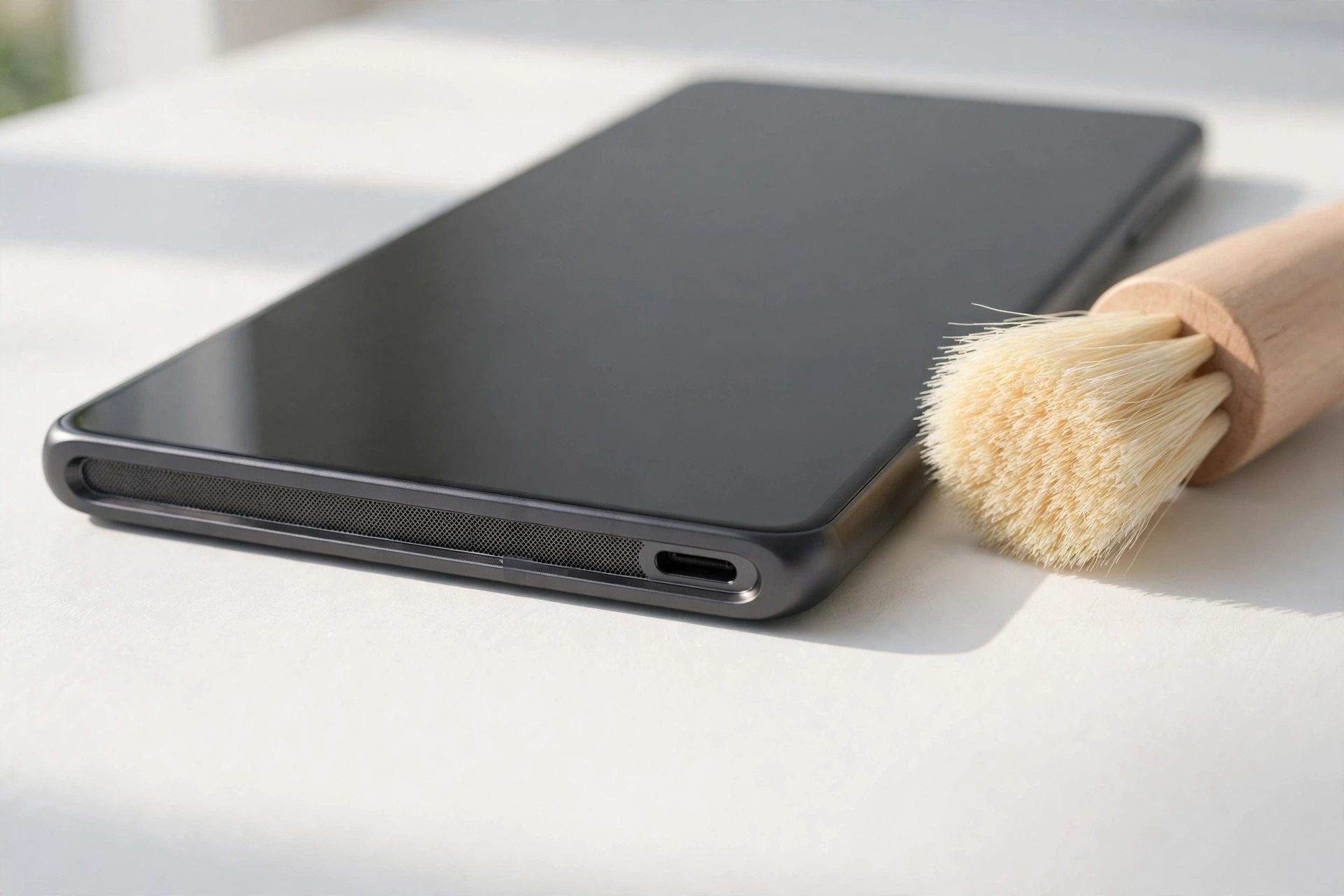
Why is your Galaxy S25 Edge speaker silent when everything else on the phone seems fine? The S25 Edge is Samsung’s thinnest flagship, and that slim body is part of the story: it has a single bottom grille where pocket lint collects, and One UI 7 can quietly send your audio to a Bluetooth device that is no longer there. A Samsung Galaxy S25 Edge speaker not working is therefore usually a blocked grille or a wrong audio route, and both are fixable at home in a few minutes.
Samsung Galaxy S25 Edge Speaker Not Working: Earpiece, Loudspeaker or Both?
Before touching anything, find out which speaker is actually silent: the fix is different for each one.
- Play a video: if there is no sound at all, the loudspeaker is the problem.
- Make a call on speakerphone: if you hear the caller through the loudspeaker but not the earpiece held to your ear, the earpiece is at fault instead.
- Play a left-right channel test video: if one side sounds weaker, a blocked grille is more likely than a dead speaker.
- If media is silent but ringtones and alarms still play, the fault is almost certainly a routing setting.
Write down what you found: “no media sound” sends you to Separate App Sound, while “nothing from the loudspeaker” sends you to the grille first.
Clean the Single Bottom Grille
The S25 Edge keeps its speaker behind one slim grille along the bottom edge, and because the phone is so thin, that grille clogs fast. Pocket lint and dust pack into the holes until the sound goes faint or disappears. Hold the phone under a bright light and look closely at the bottom edge, where lint often shows as a grey film across the grille holes. Take the case off first: cases trap lint against the grille. Use a soft, dry brush and sweep gently across the grille, working the bristles lightly into the holes without pressing hard. Never push a pin, needle or SIM ejector tool into the grille: the mesh and the driver behind it are fragile, and a pin can puncture them. Blow the loosened dust away with a short puff of air, then play a video again. If the volume jumps back, lint was the whole problem, so do not skip this step even if the grille looks clean.
Turn Off Separate App Sound
One UI 7’s Separate App Sound feature is the most common software cause of a silent S25 Edge. When it is on, sound from one app is sent to a chosen audio device, and if that device is earbuds sitting in a drawer, you hear nothing at all. Go to Settings, then Sounds and vibration, then Separate App Sound. If it is on, check which app and device it is routing to, then turn it off completely and play a video. While you are there, confirm the phone is in Sound mode and the media volume is turned up: press Volume Up during a video and make sure the media slider moves, not just the ringtone one. If the sound comes back the moment it goes off, you have found it. Leave it off unless you need one app routed to a different device.
Check Do Not Disturb and “Mute All Sounds”
Two quiet settings can silence a phone while looking innocent. Swipe down and look at the quick panel: if Do Not Disturb is on, turn it off and test again. Go to Settings, then Accessibility, then Hearing enhancements, and look for Mute all sounds. If it is on, every sound on the phone is blocked, including media, so turn it off. In the same menu, check that left-right sound balance is centred, since a balance slider pushed fully to one side can make a single-grille phone sound dead.
Restart, Safe Mode and the App Test
If the grille is clean and the routing is right, find out whether an app is holding the audio. Force restart by holding Volume Down and the Side key together for about ten seconds, until the Samsung logo appears, then test the speaker. If it is still silent, boot into Safe Mode by holding the Side key, long-pressing Power off, and tapping Safe Mode, which runs only Samsung’s own apps. Play a video in Safe Mode: if the speaker works there, a third-party app is interfering, so uninstall recently added audio apps one at a time. If the speaker stays silent in Safe Mode, the fault is in the system or the hardware, not an app. Restart normally to leave Safe Mode and check for a software update. Samsung’s own guidance on speaker and sound issues on a Galaxy device follows the same order, and a detailed walkthrough for this exact model is available in this Galaxy S25 Edge speaker fix guide.
When Calls Crackle: the Earpiece Speaker
There is one fault the steps above will not fix. If music and videos play fine but calls are staticky, crackling or silent through the earpiece, the earpiece speaker itself is failing, a separate component from the loudspeaker. Try a call on speakerphone first: if the caller sounds clear there, the earpiece is the problem. Clean the earpiece slot gently with a soft brush in case lint is muffling it, then test a second call. If the crackling stays, the earpiece needs replacing, and a repair shop can swap the part. Because the phone is so thin, this is not a good first repair to attempt yourself, so get a quote from a Samsung service centre first, and check the warranty before paying anything.
Tested on: A reader can check this phone’s speaker with a simple tone test. Open the free speaker test on the Fix My Speaker tool page and play a mid-range tone, then a low tone, listening for whether the sound is steady, faint, rattling or missing. Try it with the case on and off, and after brushing the bottom grille, so you can tell whether the case or the lint was muffling the sound. A tone that jumps back after a brush-clean proves the grille was blocked. This describes a test any reader can run, not a claim about a physical S25 Edge in hand.
Frequently Asked Questions
Why is my Galaxy S25 Edge speaker suddenly silent?
Usually pocket lint has blocked the single bottom grille, or Separate App Sound is sending audio to a disconnected Bluetooth device. Clean the grille and turn it off, then test again.
How do I turn off Separate App Sound on the S25 Edge?
Go to Settings, then Sounds and vibration, then Separate App Sound, and switch it off. Play a video straight after; if the sound returns, that was the cause.
Can I clean the speaker grille with a pin?
No. A pin or needle can puncture the speaker mesh and the driver behind it. Use a soft dry brush and gentle puffs of air, and take the case off first.
What if only calls crackle but music sounds fine?
That points at the earpiece speaker, not the loudspeaker. Test a call on speakerphone; if it sounds clear, the earpiece is failing, so check the warranty and get a repair quote.
Related Guides
- How to clean a phone speaker safely
- How to make your phone speaker louder
- No sound on my phone
- Earpiece volume too low
Start with the grille and Separate App Sound: those two fix most silent S25 Edge speakers in minutes. If the tone test sounds faint after cleaning, run Safe Mode to rule out an app.