
Why Is My Nothing Phone 3 Speaker Not Working?
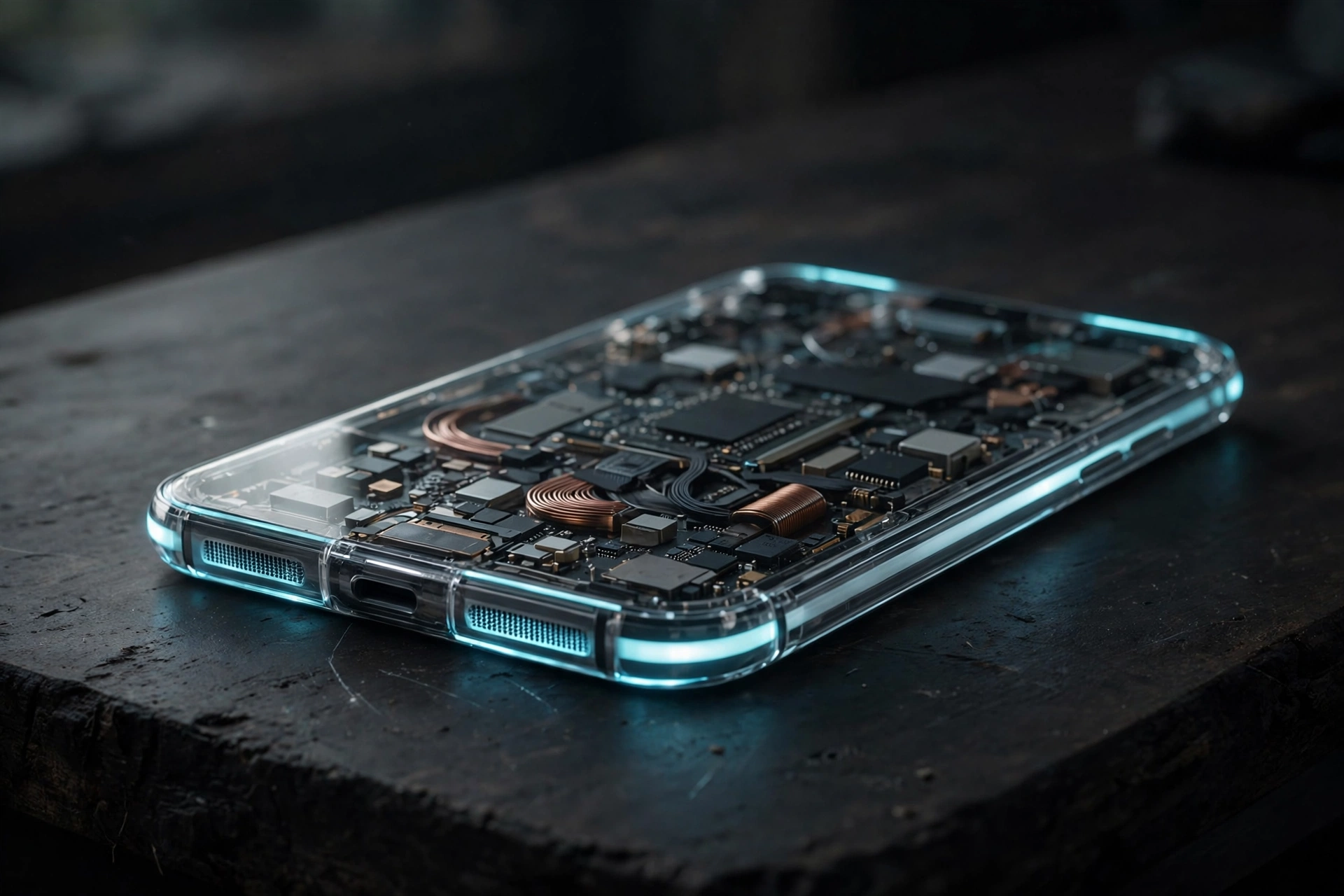
Your Nothing Phone 3 can go silent for reasons that have nothing to do with a broken speaker. Its narrow speaker cutouts collect pocket lint fast, and Nothing OS gives your audio several quiet exits — a paired Nothing Ear bud, a muted media stream, or a Glyph setting that has taken over notifications.
The Glyph lights up but nothing plays
This is the most confusing Nothing Phone 3 symptom: the Glyph Interface flashes for a call or a notification, the screen wakes, and yet no sound comes out.
Start in the Glyph settings. Open Settings, then Glyph Interface, and check what is assigned to the alert you are missing. Glyph can be set to replace sound for some contacts or apps, and Essential Notifications can quietly filter the rest.
Then check the sound itself. Press a volume button while a video is playing and look at the media slider — Nothing OS keeps media, ringtone, notification, and alarm volumes separate, so a loud ringtone tells you nothing about your videos. Open Settings, then Sound and vibration, and confirm the phone is not on Silent or Vibrate, and that Do Not Disturb is off, including any schedule that switches it on at night.
Only some apps are silent
If videos play sound but your music app does not, or a game is quiet while calls are loud, the speaker is working and one app has lost its audio.
First, check the app itself. Open the app’s own settings and look for a mute switch, a volume slider, or a sound-effects toggle that got turned off. Then check Nothing OS’s per-app controls: open Settings, then Apps, choose the silent app, and confirm its notifications are allowed and that it is not restricted in the background.
If the app has its own cache, clear it — Settings, then Apps, then the app, then Storage, then Clear cache — and test again. If the problem started right after an app update, uninstall the update or reinstall the app, and check whether other apps on the same phone are affected before you blame the speaker.
Nothing Ear buds are stealing the sound
The Nothing Phone 3 is built to pair with Nothing Ear buds, and that tight integration is also the fastest way to lose your speaker sound. The buds can hold a connection while they sit in their case, in a bag, or in another room, and the phone will happily send every video, call, and ringtone to them while its own speaker stays quiet.
Turn Bluetooth off and play a video immediately. If the sound returns, the buds were the cause. Then open Settings, then Connected devices, and look at what is actually connected: the list can surprise you, because a device you paired once can reconnect on its own the next time it is in range. Put the Ear buds in their case and close the lid, or forget them from the list and pair them again fresh, then test the speaker with Bluetooth back on.
Lint in the narrow speaker cutouts
The Phone 3’s transparent design means the speaker openings are precise, narrow cutouts along the bottom edge rather than a broad grille — and narrow openings clog faster. A few weeks in a pocket is enough to pack lint into them, and the result is sound that fades, goes muffled, or seems to vanish, especially at low volume. The speaker underneath is usually fine; it is simply playing through a blocked hole.
Take the case off first. Hold the phone with the speaker facing down and brush the openings gently with a soft, dry toothbrush, using short, light strokes so the dust falls out instead of being pushed deeper. Do not use a pin, a needle, or a SIM tool: the mesh behind the cutouts is delicate, and one poke can tear it and turn a cleaning job into a repair.
If the phone got wet, let it dry fully in a ventilated spot before you test again, and do not charge it while it is wet. Once it is dry, run the free speaker-cleaning tool at Fix My Speaker a few times with the volume turned up — the tone helps push trapped water and dust out of the narrow openings.
Nothing OS update, Safe Mode, and the reset that keeps your data
A speaker fault that starts the day after a Nothing OS update is usually software, not hardware. Open Settings, then System, then System update, and check for a newer version — a follow-up update often carries the audio fix. Install it over Wi-Fi with the battery charged, restart, and test the speaker with a video, a ringtone, and a speakerphone call.
If the update does not help, test in Safe Mode. Press and hold the power button until the power menu appears, then press and hold Power off until the Safe Mode prompt shows, and tap OK. If the speaker works in Safe Mode, a downloaded app is interfering. Restart to leave Safe Mode, then uninstall recent audio apps one at a time, testing after each removal.
Before any reset, try resetting just the system settings: Settings, then System, then Reset options, then Reset Wi-Fi, mobile and Bluetooth, followed by a test. This clears bad routing without deleting your photos or messages, though you will need to reconnect to Wi-Fi and Bluetooth devices afterwards. Only consider a factory reset after a full backup, and only if the speaker is still silent in Safe Mode after an update.
When the Phone 3 needs a repair
Book a repair if the speaker is silent in Safe Mode and after an update, if it crackles or distorts at every volume, if it died right after a hard drop, or if water got inside and the sound never recovered. The transparent back makes a drop easy to spot — look for cracks or a loose frame near the bottom edge — and a drop can loosen the speaker connector inside. Back up your files first.
Frequently Asked Questions
Why does my Nothing Phone 3 Glyph flash but make no sound?
The Glyph shows the alert arrived, so the fault is usually Silent mode, Do Not Disturb, or a Glyph setting that replaced the ringtone. Check Sound and vibration, turn Do Not Disturb off, and review the Glyph assignment for that contact or app.
Can my Nothing Ear buds silence my Phone 3 speaker?
Yes. The buds can stay connected while they sit in their case or another room, and the phone will send all audio to them. Turn Bluetooth off and test a video — if the sound returns, the buds were claiming the audio output.
How do I clean the Nothing Phone 3 speaker cutouts?
Remove the case, hold the phone speaker-down, and brush the narrow cutouts gently with a soft, dry toothbrush so dust falls out. Never push a pin or SIM tool into the openings — the mesh behind them tears easily.
Will a Nothing OS update fix my Phone 3 speaker?
It can, if the fault started after an update — follow-up updates often carry the audio fix. Check Settings, then System, then System update, install any newer version, restart, and test a video, a ringtone, and a speakerphone call.