
Fix Samsung Galaxy S24 Ultra Speaker Not Working Fast
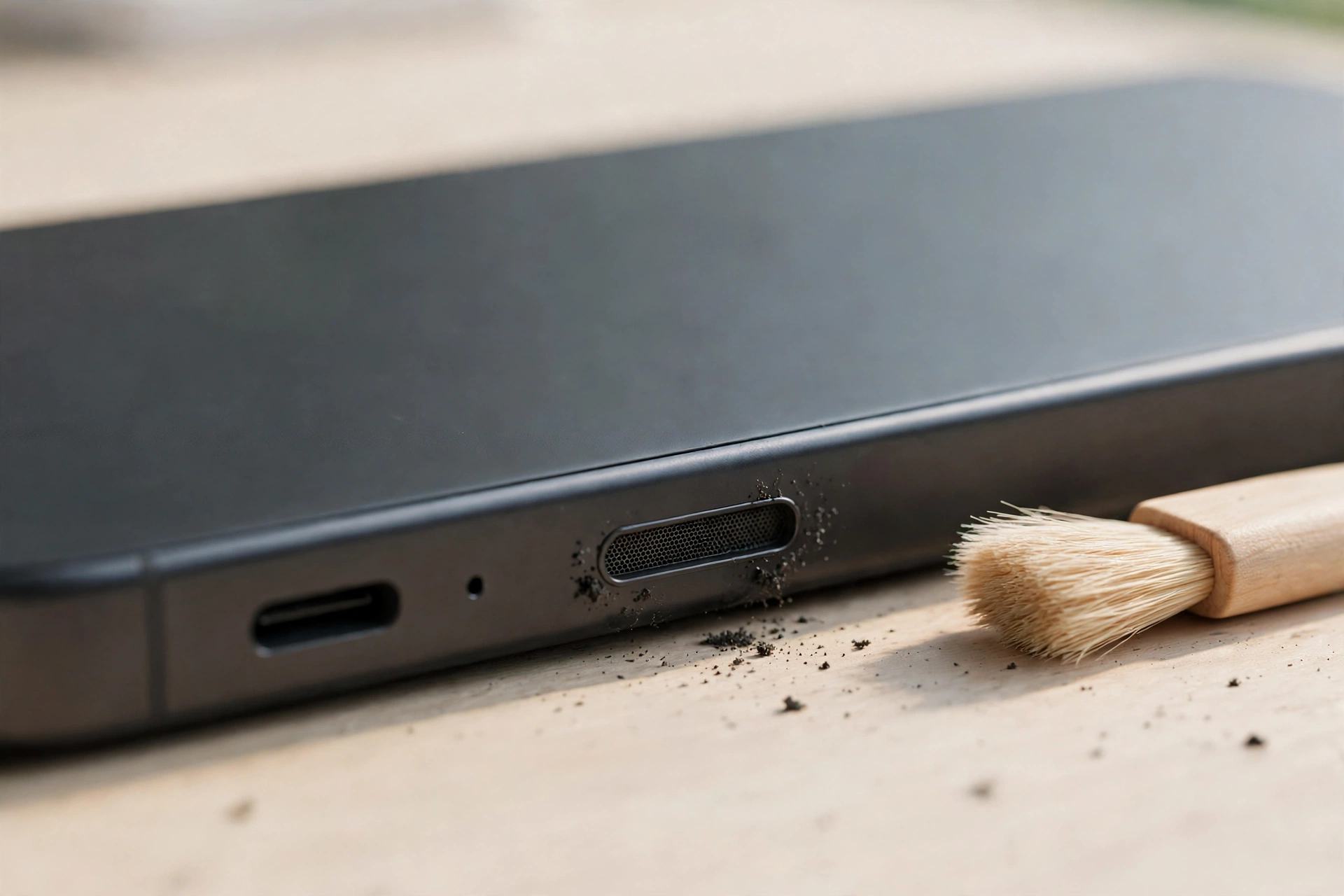
A Samsung Galaxy S24 Ultra speaker not working usually has one of two Ultra-specific causes: iron dust trapped in the phone’s single speaker opening, or a Bluetooth audio fault that arrived with the One UI 8 update. Both can leave the phone muffled, crackly, or silent — and each needs a very different fix. Quiet after a workshop day points to dust; quiet after an update, with Bluetooth involved, points to the update.
Cause 1: iron dust stuck in the single speaker cutout
The S24 Ultra’s main speaker sits on the bottom edge and fires through one single pill-shaped cutout, not a row of small holes. That matters because a phone speaker is built around a strong magnet, which attracts tiny iron filings and metal dust. The cutout collects iron dust from machine shops and metal workshops, and the particles get pulled inside and held there. Once enough builds up, it stops the speaker cone moving, so sound comes out muffled or distorted. The clue is the timing: quiet after a day near metal dust, grinding, or welding points straight at this fault.
Clean it gently, because pushing debris further in makes things worse. Hold the phone speaker-down so anything loose falls out. Brush the cutout lightly with a soft, dry brush — a clean, dry soft toothbrush works. Never push a pin, needle, or SIM ejector tool into the cutout: a sharp object can puncture the speaker membrane or damage the contacts behind it. Then play a song at full volume and repeat if it sounds clearer.
If the sound stays muffled or silent after a careful clean, and the software tests below also fail, the fault has moved past cleaning. The loudspeaker module, or the small contact pins connecting it to the phone’s board, may have failed. That is a repair-shop job.
Cause 2: the One UI 8 Bluetooth fault
The second Ultra-only cause has nothing to do with dust. Samsung Community threads describe Bluetooth audio problems on S24 Ultra phones after the One UI 8 update — sound dropping, calls routing oddly, or audio simply not reaching a paired device. In one thread a Samsung moderator called the case a likely systemic bug, so the fault sits in the software rather than in any single phone. No official fix was announced, but the moderator shared a workaround.
Open Settings, then Connections, then Bluetooth, and tap the gear icon next to the misbehaving device — your earbuds, headphones, car stereo, or Bluetooth speaker. Make sure BOTH “Calls” and “Audio media” are switched on for that device. On the affected phones, one of the two toggles can end up off after the update, so calls go one way and media goes nowhere, or the audio never leaves the phone at all. Turn both on, reconnect, and test a song and then a call.
If the sound comes back, the update’s Bluetooth routing was the problem. Keep checking for a newer software update afterwards: open Settings, then Software update, then Download and install. A later update is the most likely permanent answer.
Tested on: the split test that tells you which cause you have
Run this short protocol before booking a repair: Samsung’s own hidden diagnostic separates a hardware fault from a software fault in under two minutes.
Step 1 — the dust check. With Bluetooth off and volume at maximum, play a song. If it sounds muffled, hold the phone speaker-down, brush the cutout gently with a soft, dry brush, and replay the song. Pass: clearly louder or cleaner — the fault was dust. Fail: no change — move to step 2.
Step 2 — the split test. Open the Phone app and dial *#0*#, then tap the Speaker tile. It plays a test tone from the bottom speaker, then the top one. Pass: both tones sound clear and equal — the fault is software or routing. Fail on one side: one tone plays and the other does not — that speaker is the fault. Fail on both: neither tone plays — the loudspeaker path has failed.
Step 3 — the Bluetooth check. Play a video with Bluetooth off, then on with your usual device connected. Pass: the speaker works with Bluetooth off but the paired device stays silent — the fault is the Bluetooth routing, so use the “Calls” plus “Audio media” workaround above. Fail: the phone speaker is silent in both cases — the problem is hardware, not the connection.
Step 4 — the update check. Open Settings, then Software update, then Download and install. Pass: an update is waiting — install it and repeat step 2. Fail: no update is available — keep the workaround switched on and check again after the next patch.
What if your Galaxy S24 Ultra speaker still has no sound?
If every test above comes back clean but the speaker is still quiet, the usual settings suspects are already ruled out — Adapt Sound, Dolby Atmos, and Separate App Sound are covered in the companion Galaxy S24 guide and are not the cause here. Check the media volume, Do Not Disturb, and any case edge over the cutout. Restart once and run the split test again. If it stays silent in every test, the loudspeaker module or its contacts have failed and the phone needs a repair shop.
Frequently Asked Questions
Why is my Galaxy S24 Ultra speaker muffled after working near metal dust?
The bottom speaker’s single pill-shaped cutout attracts tiny iron particles from workshops, pulled in by its magnet. The dust traps the speaker cone, so sound turns muffled until the cutout is brushed clean.
Can I clean the S24 Ultra speaker with a pin?
No. Never push a pin, needle, or SIM tool into the speaker cutout — it can puncture the membrane or damage the contacts. Hold the phone speaker-down and brush gently with a soft, dry brush instead.
Why did my S24 Ultra Bluetooth audio break after the One UI 8 update?
Samsung Community threads report Bluetooth audio problems on S24 Ultra phones after One UI 8, and a Samsung moderator called one case a likely systemic bug. Enable both “Calls” and “Audio media” for the paired device, then check for a newer update.
How do I test which speaker is broken on my Galaxy S24 Ultra?
Open the Phone app and dial the Samsung diagnostic code, then tap the Speaker tile. It plays a tone from each speaker in turn — if one plays and the other does not, that speaker is the fault.
Related Guides
- Fix My Speaker — Free Speaker Cleaner Tool
- Samsung Galaxy S24 Speaker Not Working
- How to Fix Phone Speaker
- How to Test Phone Speaker
- No Sound on YouTube
A Samsung Galaxy S24 Ultra speaker not working is usually iron dust in the cutout or the One UI 8 Bluetooth fault — clean gently, switch on both audio toggles, and let the split test decide.
Run the free speaker-cleaning tool on Fix My Speaker after brushing to vibrate out dust left behind.
Author: Muzammil Shah