
Why Has Your Phone Speaker Gone Silent?
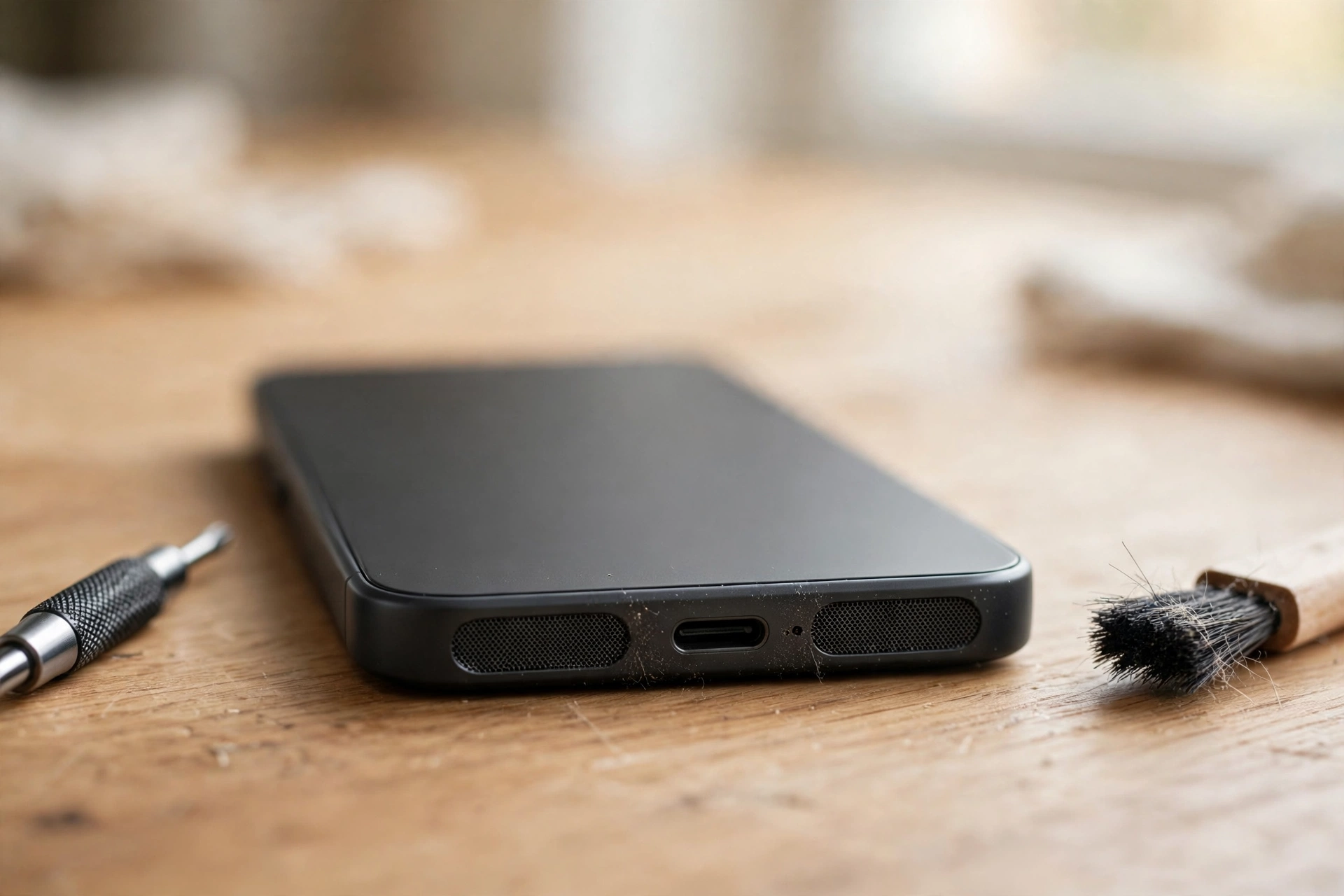
A phone speaker that suddenly goes silent is alarming, but most of the time the speaker itself is fine. The sound is usually being sent somewhere else, blocked by a setting, or muffled by dust in the grille. The fastest fix is to find out which of those three it is, which takes about a minute.
The 60-Second Diagnosis
Before touching any setting, run three quick tests. Together they narrow the fault down to one area, so you stop guessing.
| Test | What it tells you |
|---|---|
| Play a song, then a ringtone | If both are silent, the fault is system-wide. If only one is silent, check that sound type’s own volume. |
| Make a call on speakerphone | If the caller is audible, the loudspeaker works and the problem is elsewhere. If not, the speaker or its routing is the suspect. |
| Plug in headphones | If headphones play sound, the phone’s audio system is working and the fault is isolated to the speaker or its grille. |
If nothing plays anywhere, the cause is either routing, a mute setting, or the speaker itself — and the sections below take them in that order.
Sound Is Going Somewhere Else
The single most common cause of a “dead” speaker is that the phone is playing sound through another device. A Bluetooth speaker in another room, earbuds still in their case, a car stereo, or a smartwatch can all quietly take over the audio.
Turn Bluetooth off completely, then play a song. If the sound returns, the phone was routing audio elsewhere — open the Bluetooth settings and forget the device that was stealing it, or at least disconnect it when you are not using it.
iPhone users should also check the audio output in Control Centre: tap the AirPlay icon in the music panel and make sure it says iPhone, not an Apple TV or a HomePod. Android users should tap the media output option in the notification shade or the music player and confirm it says Phone speaker.
The Phone Thinks It Should Be Quiet
Phones keep separate volume levels for media, calls, ringtones and alarms, so one can be silent while the others work. Start a video, press the volume-up button, and open the full volume panel to check the media slider specifically — not just the ringer.
On iPhone, check the Ring/Silent switch on the side: if you can see orange, the phone is silenced. Then open Settings, then Sounds & Haptics, and make sure both the ringer and media sliders are raised. On Android, open Settings, then Sound, and confirm the media slider is up and that Do Not Disturb and silent mode are both off.
Something Is Blocking the Speaker
Dust, pocket lint and dried sweat collect in the tiny holes of the speaker grille and muffle the sound gradually, until one day the speaker seems dead. Hold the phone with the speaker facing down and brush the grille gently with a soft, dry toothbrush, using short strokes that flick debris out rather than pushing it in. Follow with a short burst of compressed air held at an angle, never straight into the holes.
Never poke the grille with a pin, a needle or a SIM tool — the speaker membrane sits just behind it and tears easily. Take the case off and test again, because a thick case or a screen protector that overlaps the speaker can muffle sound just as effectively as dust.
If the speaker sounds muffled after the phone got wet, a low-frequency tone can vibrate the water out. The free speaker-cleaner tool on myspeakerfix.com plays a tone made for exactly this — turn your media volume to maximum, place the phone speaker-side down on a dry towel, and run it for a few minutes. This only helps with water and loose dust; if the speaker crackles or stays silent, the problem is software or hardware.
The Software Reset Ladder
If the checks above found nothing, work up this ladder, testing the speaker after each rung:
- Restart the phone. This clears temporary glitches, especially after an app crash or a system update. On iPhones without a Home button, hold the side button and either volume button together, then slide to power off.
- Boot into Safe Mode (Android). If the speaker works in Safe Mode, a third-party app is the culprit — uninstall recently added apps one at a time until the sound returns.
- Update the software. Go to Settings, then Software Update, and install anything waiting. Audio bugs are a regular fix in updates, and so is the app that went silent — update it too.
- Reset all settings. On iPhone, go to Settings, then General, then Transfer or Reset iPhone, then Reset, then Reset All Settings. On Android, go to Settings, then System, then Reset, then Reset all settings. This keeps your photos and apps but clears Wi-Fi passwords and preferences, so note those down first.
When the Speaker Itself Is the Problem
A speaker that crackles, buzzes or distorts at every volume — even a low one — is usually damaged rather than misconfigured, and no setting will fix it. The same applies if the speaker stays silent after a reset and after Safe Mode, while headphones work perfectly. At that point the fault is the speaker module or a loose connection inside the phone, and it needs a technician. Do not open the phone yourself: besides the risk of further damage, it can void the warranty. A repair shop can test and replace a speaker module quickly, and it is usually one of the cheaper phone repairs.
Frequently Asked Questions
Why did my phone speaker suddenly stop working?
Most sudden failures are software or routing problems: a silent mode left on, a Bluetooth device taking the audio, or a glitch after an update. Hardware usually fails gradually, so if the speaker went quiet all at once, check volume, Bluetooth and restart first.
Why is my phone speaker so quiet but not silent?
Dust in the grille is the most common cause of a quiet speaker, followed by a low media volume or a case covering the speaker holes. Clean the grille gently, turn the media volume up, and try the phone without its case.
Can water damage my phone speaker permanently?
Yes, if water reaches the speaker membrane or the internal connections it can cause lasting damage, especially salt water or soapy water. Dry the phone fully before using the speaker, and get it checked if the sound stays distorted after a day of drying.
How do I know if my phone speaker is blown?
A blown speaker usually crackles, buzzes or distorts at higher volumes rather than going completely silent. If the sound is distorted even at low volume and cleaning does not help, the speaker is probably damaged and needs replacing.