
Getting Sound Back on an Alcatel Phone: A Clear, No-Jargon Guide
Your Alcatel phone has gone quiet, and you don’t need a manual full of jargon to fix it. You need a short list of checks, starting with the cheapest ones. Alcatel is a TCL brand, built around budget and mid-range phones: the entry-level 1 series, the balanced 3 series, and the higher 5 series.
Start with one simple test. Play a song, then make a call on speakerphone, then play a ringtone. Note which of the three makes a sound. If music plays but calls don’t, the problem is in the call path. If nothing plays at all, the speaker, the volume or a connected device is the likelier culprit.
Start with the cheapest fixes
Do the free checks first, because they fix most silent Alcatel phones. First, check the silent switch and the volume. Turn the media volume up with the side buttons while a song is playing, then turn the ringtone volume up, then the call volume while you’re on a call.
Second, check Do Not Disturb. Swipe down from the top of the screen and look for the icon. If it’s on, turn it off and test again. Third, check Bluetooth. If your earbuds, car system or speaker connected earlier and never let go, your phone may be sending all sound there. Turn Bluetooth off, play a song, and listen. Fourth, restart the phone.
Clean the grille before you blame the phone
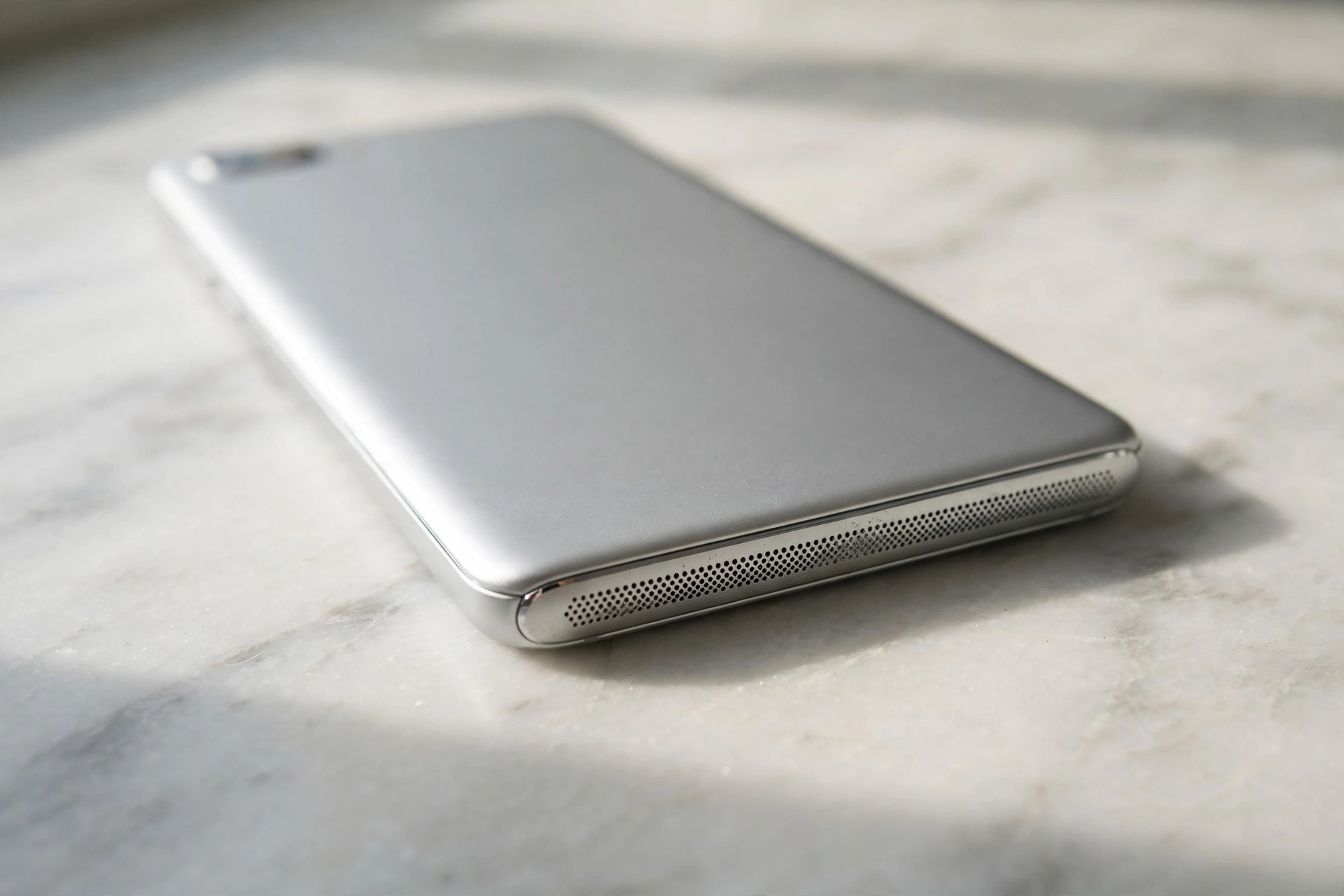
The speaker grille is a row of tiny holes, usually at the bottom edge of the phone, and on a budget phone it clogs easily. Dust and pocket lint build up there, and the sound gets quieter until it seems to vanish.
Clean it gently. Use a soft, dry toothbrush and brush lightly across the grille, not into it. Don’t push anything sharp into the holes, and don’t use a pin or a needle, because you can puncture the speaker mesh underneath. Test a song after each pass with the brush, or run the free Fix My Speaker tone test on this site. Then check the case. Some cases cover the speaker holes partly, so take the case off and test again.
Volume, Bluetooth and the silent-mode trap
If cleaning didn’t fix it, go back to the settings, and this time be systematic. Open Settings, then Sound, and look at each volume slider: media, ringtone, notifications and alarms. Turn each one up, and test it as you go.
Check the connected devices list as well. Go to Settings, then Connected devices or Bluetooth, and look at what’s paired. Forget any device you no longer use, especially a car system or a speaker that connects on its own when you’re nearby. If the speaker works fine with Bluetooth off, the problem was the connection, not the speaker.
Also check the app that’s silent. If only one app has no sound, check that app’s own settings and its notification permission. Go to Settings, then Apps, then the app, then Notifications, and make sure sound is allowed. If every app is silent, the fault is in the phone, not the app.
Safe mode: the five-minute test that tells the truth
Safe mode tells you fast whether an app is causing the problem. It starts your phone with only the built-in apps running. If the speaker works in safe mode, an app you installed is the cause. If it still doesn’t work, the cause is in the phone system or the speaker itself.
To enter safe mode on most Alcatel phones, press and hold the power button until the power menu appears, then press and hold Power off on the screen until the safe mode prompt appears, and tap OK. Once the phone restarts, you’ll see “Safe mode” in a corner of the screen. Play a song and make a test call. Then restart the phone normally to leave safe mode.
If the speaker worked in safe mode, think about what you installed just before the sound went away. A new app, a cleaner app or a volume booster can all grab the audio and hold it. Uninstall the most recent suspect first, restart, and test again.
When repair costs more than the phone
Here’s the honest part. Alcatel’s 1 series phones are entry-level devices, often sold for well under a hundred dollars or euros, and the 3 series sits in the budget range above them. A speaker repair at a shop, with parts and labour, can cost a large share of what the phone is worth. So before you pay for a repair, ask the shop for a quote, and compare it with the price of a replacement.
Try every free check in this guide first, and try a factory reset only as a last step, after backing up your photos, contacts and messages. A reset wipes the phone, so back up first, then go to Settings, then System, then Reset. If the speaker still stays silent after a reset, the speaker itself has almost certainly failed. If the phone is still under warranty, check that first, because a failed speaker should then be a free repair.
Tested on
Run this check on your own phone. It tells you whether the fault is dirt, a setting, an app, or the speaker itself.
- Play a song, make a call on speakerphone, and play a ringtone. Note which of the three makes a sound.
- Turn Bluetooth off, then play a song again. Note whether the sound comes back.
- Take the case off and look at the speaker grille in good light.
- Brush the grille gently with a soft, dry toothbrush, then play a song.
- Open Settings, then Sound, and turn each volume slider up in turn.
- Restart the phone, then play a song. Note whether the sound returns.
- Enter safe mode, play a song and make a test call, then restart normally.
- If nothing above helped, back up your phone, then consider a factory reset as a last step.
Frequently Asked Questions
Why is my Alcatel phone speaker so quiet?
Check the grille first. Dust and pocket lint clog the tiny speaker holes and muffle the sound. Brush it gently with a soft, dry toothbrush and test a song after each pass. Also check the media volume while a song is playing, and take the case off.
Why does my Alcatel speaker work for calls but not music?
Calls, media and ringtones use separate volume streams, so one can be muted while the others work. Play a song, then turn the volume up with the side buttons while it plays. Also turn Bluetooth off, since a connected device may be taking the media sound.
How do I know if an app is breaking my Alcatel speaker?
Use safe mode. It starts the phone with only the built-in apps running. If the speaker works in safe mode but not normally, an app you installed is the cause. Uninstall the most recent suspect first, restart, and test again.
Is it worth repairing an Alcatel phone speaker?
It depends on the quote and the phone. Alcatel’s 1 series phones are entry-level devices, often sold for well under a hundred dollars or euros, so a shop repair can cost a large share of what the phone is worth. Get a quote first, compare it with a replacement, and check whether the phone is still under warranty.