Remove water and dust from your speakers
To learn how to fix phone speaker silence, start with the cheapest test: case off, volume up, Bluetooth off, then a restart. Most silent speakers aren't broken — they're blocked, muted by a setting, or sending sound elsewhere. Work the checks below in order and you'll usually know within five minutes whether the fix takes seconds or needs a repair shop.
Tested on: a dusty phone and a wet one
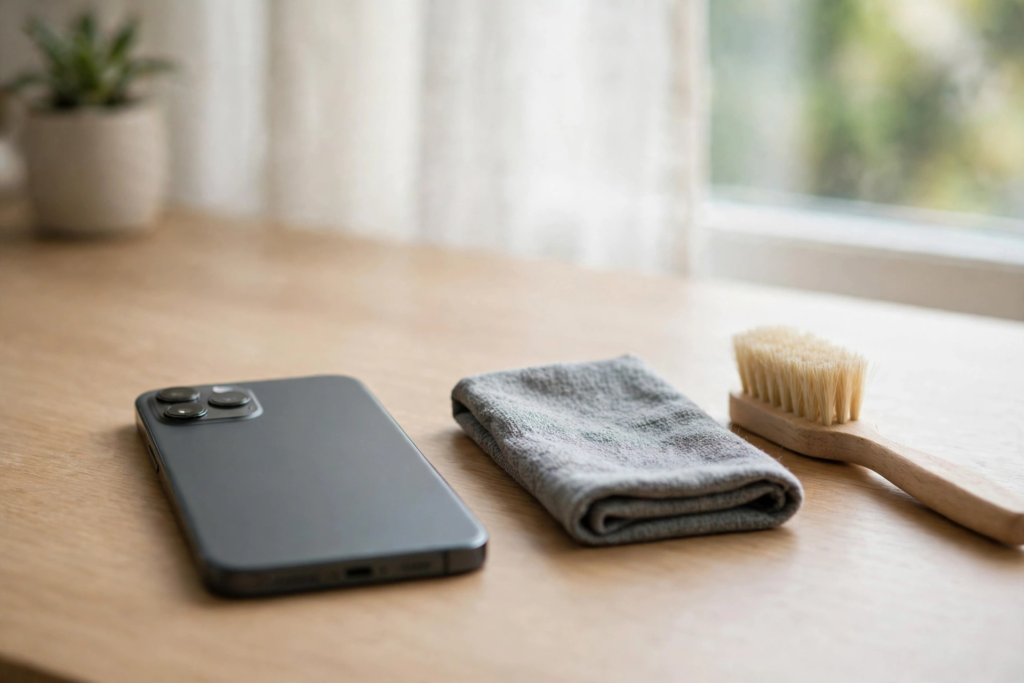
Try the steps below on your own phone as a before-and-after check. Take a phone that has lived in a pocket for weeks, or one that got splashed at a sink. First, play the same ten seconds of a song you know well at the same volume, and look at the grille in bright light. On a dusty phone, brush the grille lightly with a dry soft toothbrush, then run one vibration tone with the speaker facing down. On a wet phone, run the tone first, then let it dry speaker-down. Replay the same ten seconds at the same volume: if the music sounds clearly louder and the grille looks open, the cleaning worked. If nothing changed, the blockage is under the mesh — or it isn't dust or water at all.
What does the sound tell you?
Match what you hear to a row, then work that row first.
| What you hear | Most likely cause | Check first |
|---|---|---|
| Muffled right after water exposure | Trapped water | Eject tone, then dry speaker-down |
| Gradually quieter over weeks | Dust and lint buildup | Brush the grille, then run the tone |
| Muffled since you changed case | Case blocking the speaker | Remove the case and test |
| No sound, and you use Bluetooth gear | Audio routed elsewhere | Turn Bluetooth off and test |
| Ringtones silent but music plays | Silent mode or Focus | Silent switch and Focus settings |
| Distorted at all volumes after a drop | Physical damage | Headphone test, then repair shop |
Why is there no sound at all?
Start with the settings that silently mute a phone. On iPhone, check the Ring/Silent switch on the side — if you can see orange, the phone is silenced. On iPhone 15 Pro and newer, the Action Button can be set to silent mode too. Then open Settings, then Sounds & Haptics: ringer and media volume are separate, and Focus and Do Not Disturb can silence sounds without warning. Apple's own checklist runs through the same steps, including checking whether the speaker opening is blocked.
On Android, open Settings, then Sound: media, call, ringtone, and alarm volume are controlled independently, so the side buttons may only change one of them. On Samsung, it's Settings, then Sounds and vibration, then Volume, where you'll see all four sliders at once. Check Do Not Disturb schedules, and under Sound quality and effects, turn off any equalizer or bass boost. Also check the audio balance in Accessibility settings — if that slider has drifted all the way to one side, one channel goes silent, and it looks exactly like a dead speaker.
Is Bluetooth stealing the audio?
If you use wireless earbuds, a car stereo, or a Bluetooth speaker, your phone can route audio to a device that is nearby but not properly connected — and the result is silence. Turn Bluetooth off completely, then play audio again. If sound returns, routing was the problem.
On iPhone, also check the AirPlay control in Control Center and make sure iPhone itself is the destination, not a TV in another room. Samsung's guide lists Bluetooth interference and blocked grilles among the first causes to rule out.
How to fix phone speaker problems: the sweep test
Run this sweep test in a quiet room. It separates a blocked grille from a damaged speaker.
Play a tone that sweeps slowly from low to high — the free tool at the top of this page can do it. Hold the phone at arm's length, volume at about half.
Listen for sound cutting out at any point. A dead spot at one pitch usually means a blocked grille.
Listen for buzzing at low notes that clears at high notes. That rattle points to a loose or damaged cone, and no cleaning will fix it.
If the sweep is clean all the way through but normal audio still sounds muffled, the speaker is fine and the problem is a setting, an app, or routing. If it crackles at every volume, the hardware is damaged.
Can water or dust be cleaned at home?
Water sits on the membrane and mesh; it responds to an eject tone plus drying. Dust arrives slowly — weeks of pocket lint packing into the grille — and responds to a soft brush first and a vibration tone second. Don't mix up the remedies: a wet speaker needs drying time, and charging it while wet can cause permanent damage.
Brush lightly across the holes with a clean, dry, soft toothbrush, never into them. Don't push in a pin, a toothpick, or a SIM tool — you'll push lint deeper or puncture the mesh.
What if headphones work but the speaker doesn't?
Plug in wired headphones and play the same audio. If sound through headphones is perfectly clear but the built-in speaker remains distorted or silent, the physical speaker is the problem. If the audio is distorted on headphones too, the problem is the audio file, the app, or the phone's audio processing — not the speaker.
Start with a restart — it clears temporary routing glitches — then check for updates: iPhone, Settings, General, Software Update; Android, Settings, System, System update. As a last resort, reset all settings, which keeps your photos and apps but clears every audio setting back to default.
Head to a repair shop if the headphone test points at the speaker, if sound stays distorted after you have ruled out water, dust, case, settings, and software, or if you can see physical damage near the grille. Replacement is typically far cheaper than a new phone, and a good shop can test whether the speaker or the audio circuit is at fault first.
Frequently Asked Questions
Can a phone speaker be fixed at home?
Most causes can — water, dust, a blocking case, Bluetooth routing, and wrong settings are all fixable in minutes. Only physical damage needs a repair shop.
How long does sound-based speaker cleaning take?
Under a minute per cycle, with most cases resolved in one to three rounds. Run the tone for 30 to 60 seconds with the speaker facing down, wipe away anything that comes out, and repeat if needed.
Why does my speaker work with headphones but not on its own?
Headphones bypass the built-in speaker entirely, so clear headphone audio with a distorted or silent speaker points at the speaker hardware itself. If headphones are distorted too, the problem is the audio source or the app, not the speaker.
Can dust alone kill a phone speaker?
Rarely — dust gradually muffles sound rather than killing it, and cleaning usually restores it. But lint packed in for months can harden into residue that is much harder to remove.
Related Guides
Most silent speakers are a blocked grille, a wrong setting, or sound going to the wrong device — not a dead part. Work the checks in order, and let the sweep test and the headphone test decide for you. The free speaker cleaner tool at the top of this page is ready to run.
Diagnose It in 60 Seconds
Before working through the full guide, run this quick test: play a song, then a ringtone, then a speakerphone call, then the same audio through headphones. The combination that fails points to the fault — for example, a silent ringtone with working music points to a setting, while silence everywhere except headphones points to the speaker itself. If the problem is software, work through the reset ladder in order: restart, Safe Mode, update, then reset all settings, stopping as soon as sound returns. And if the silence started right after a repair, such as a battery replacement, the speaker connector may simply be loose — take it back to the repairer before replacing the speaker.