
Your Phone Speaker Crackles at High Volume — Here’s the Fix
Turn the volume down a notch and your phone sounds normal. Push it up again and the same song falls apart, crackling. That’s a strange fault, but a useful one. A speaker that’s truly dead doesn’t care about the volume slider. Yours does, which means something only fails when it’s asked to work hard.
Why the crackle only shows up past a certain volume
A phone speaker is a tiny thing doing a big job. Inside it sits a small cone, called a driver, that moves back and forth to push air and make sound. At low volume it barely moves. At high volume it has to move much further and faster, and that’s when its limits show up. Once the signal asks for more movement than the driver can give, the top of each sound wave gets flattened off, and your ears hear that as crackling.
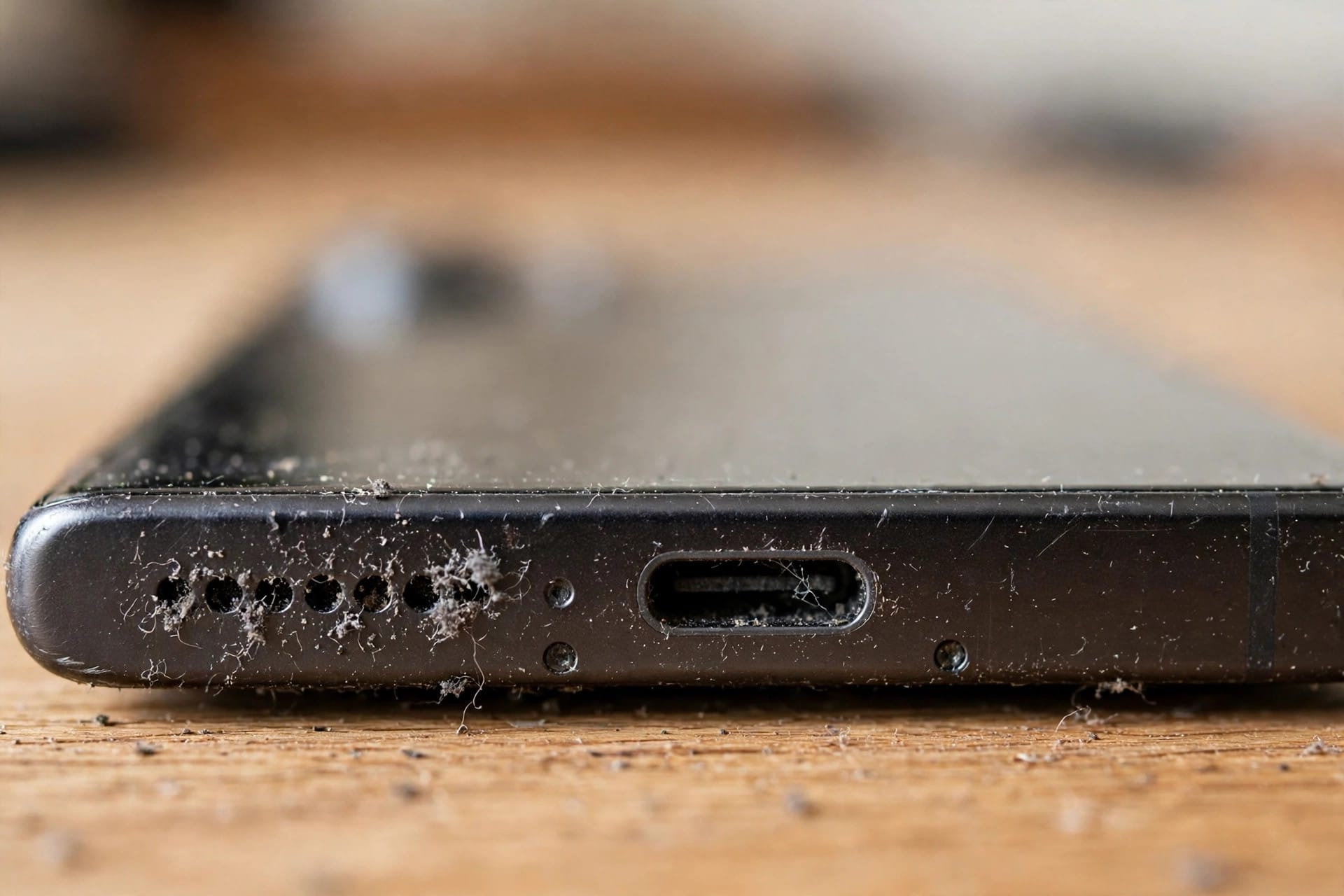
The amplifier has a limit too. Push past it and the signal clips, chopping the peaks off before they reach the speaker. Bass makes both problems worse, because low notes demand the biggest driver movement of all. Dust on the grille can add to it, vibrating only when the driver is working hard.
Find the exact volume where clean sound turns rough
Don’t guess at this. Note where things change, because that point tells you how serious the problem is and whether your fixes are working.
Pick a song you know well and play it through the phone speaker with nothing else connected. Start at about half volume, then raise it one step at a time until you first hear the crackle. Note where it happened, then turn it back down two steps and check that the sound is clean again.
Now try the same song at the same volume in a different app. If the crackle shows up at the same volume everywhere, the problem is in the phone, not the app. If it only happens in one app, that app’s own volume or equaliser is pushing the signal too hard. Try a spoken-word recording too. Voices have far less bass than music, so if voices stay clean at full volume while music crackles, bass is the main suspect.
Turn the bass down before you touch anything else
This fix solves the most cases, and it’s the one people skip because it feels too simple. Open your phone’s sound settings and look for the equaliser or any bass boost. If there’s an equaliser, pick a flatter preset or pull the lowest slider down. If there’s a bass boost, switch it off and test again.
Music apps have their own equalisers too, and they stack on top of the phone’s. Set the app equaliser to flat or off, then test again. Also check for volume-boosting apps you’ve installed and forgotten about. Anything that promises louder sound does it by pushing the signal harder, and on a small speaker that extra push is exactly what causes clipping. Turn those off one at a time and test after each one.
Clean the grille, then check for a rattle you can feel
If lowering the bass helps but doesn’t fully clear the sound, the grille is the next suspect. Hold the phone up to a bright light and look closely at the speaker holes along the bottom edge, where dust and lint build up slowly. Use a soft, dry toothbrush and brush gently across the holes, not into them, so you’re lifting debris away rather than pushing it deeper. Never poke anything metal or sharp into the holes, and never use water or cleaning spray on the grille.
After cleaning, play the same song at the same volume and listen again. If the buzz is gone, you’re done. If there’s still a rattle, take the case off and test again without it. A hard case can vibrate against the phone at high volume and sound exactly like a broken speaker. Rest a fingertip lightly on the back of the phone while it plays loud, and see if the vibration changes when you press on a loose part.
When the crackle means the speaker is wearing out
Most high-volume crackle is fixable with the steps above, but some of it is a warning. If the speaker crackles at every volume now, or even with the bass right down and the volume at half, the driver may be damaged. A torn or worn driver can’t move cleanly at any level.
Age matters here. A phone that’s been played at full volume for years, especially with bass-heavy music, wears its speaker out faster than one that’s lived at moderate volume. If your phone is old and the crackle keeps coming back after cleaning and adjusting the equaliser, a replacement speaker is the honest answer. It’s a common repair, and a shop can confirm it by testing a known-good speaker in your phone.
Tested on
Run this check yourself, in order, on your own phone. You only need a soft toothbrush, and you don’t need to open the phone.
Play a song you know well through the phone speaker, starting at half volume. Raise the volume one step at a time until you first hear a crackle, and note where on the slider it happened. Turn it back down two steps and check the sound is clean again.
Play the same song in a different app at the same volume, then a spoken-word recording at full volume. Note whether the crackle follows the volume in every app, and whether voices stay clean while music crackles.
Turn off any bass boost or equaliser preset in your phone’s sound settings and your music app’s settings, then play the song again at the volume where it used to crackle.
Take the case off, brush the speaker grille gently with a soft, dry toothbrush, and test again at the same volume. If the phone has been near water, run the free Fix My Speaker tone on this site and let the phone dry fully before testing again. If the crackle is still there, restart the phone, disconnect every Bluetooth device, and test once more.
Frequently Asked Questions
Why does my phone speaker only crackle at high volume?
Because the speaker driver and the amplifier both have limits that only show up when they’re working hard. At low volume the driver barely moves, so it sounds clean. At high volume it has to move much further, and if the signal asks for more than it can give, the sound gets clipped and you hear crackling.
Can turning the bass down really fix a crackling speaker?
Bass notes demand the biggest driver movement, so they’re the first thing to distort when a small speaker is pushed hard. Turning off a bass boost or flattening the equaliser takes the hardest work away from the driver.
How do I know if the crackle is the speaker or just one app?
Play the same song at the same volume in a different app. If the crackle appears everywhere, the problem is in the phone. If it only happens in one app, check that app’s equaliser or volume boost.
When should I get a crackling phone speaker repaired?
When it crackles at every volume, or still crackles after you’ve turned the bass down, cleaned the grille, removed the case, and restarted the phone. You’ve ruled out the easy causes, and the driver itself is the likely fault.