How to Get Water Out of a Charging Port (Without Damaging Your Phone)
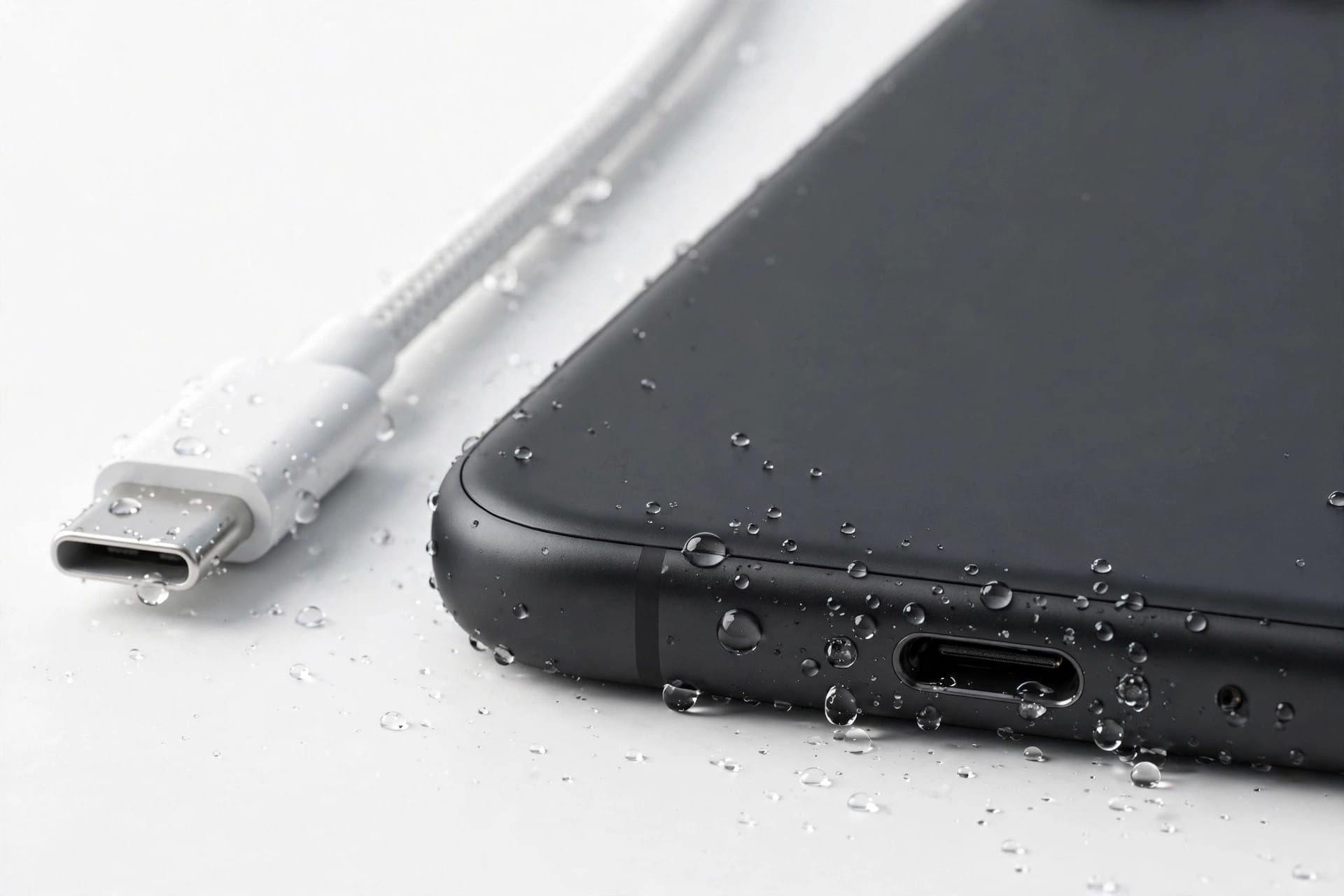
To get water out of a charging port, unplug the cable immediately, hold the phone port-down and tap it gently against your palm, then leave it in moving air for at least 30 minutes — up to 24 hours for a stubborn “liquid detected” warning. Never blow compressed air or insert anything into the port.
Why Your Phone Shows a “Liquid Detected” Warning
Modern Samsung and Apple phones have moisture sensors inside the charging port. When those sensors detect liquid, the phone blocks wired charging to protect the battery and internal circuits from a short. On Samsung Galaxy phones you’ll see a water-drop icon and a message like “Moisture detected in USB port.” On iPhone, the alert reads “Liquid Detected in USB-C Connector” or “Charging not available.”
This warning is a safety feature, not a fault. Charging through a wet port can corrode the metal contacts, damage the cable, and in the worst case short the charging circuit. The good news: in most cases the port just needs time and airflow to dry, and the warning clears on its own.
Step-by-Step: How to Dry the Charging Port Safely
Follow these steps in order. They use gravity and airflow only — nothing goes inside the port.
- Unplug the cable right away and power the phone down if it got properly soaked.
- Remove the case and, if your phone allows it, the SIM tray, so trapped moisture can escape.
- Hold the phone with the charging port facing down and tap it gently against your palm 10–15 times to shake loose droplets out.
- Place the phone in a dry spot with moving air — in front of a fan or near an open window works well. Cool air only.
- Leave it alone. Don’t keep plugging the cable in “to check” — every attempt while wet adds corrosion risk.
- After 30 minutes, try charging again. If the warning returns, give it several more hours.
What NOT to Do
Some popular “fixes” cause more damage than the water itself. Avoid all of these:
- No compressed air. Blasting air into the port pushes droplets deeper into the phone instead of out of it.
- No cotton swabs, pins, or SIM tools inside the port. The contacts are fragile; bending one can kill wired charging permanently.
- No hair dryer on heat. Hot air can warp seals and damage the battery. Cool airflow from a fan is the safe alternative.
- No rice. Rice does not pull moisture out of a port in any meaningful way, and rice dust and starch can lodge inside and make the problem worse.
- No charging through the warning. Overriding the alert repeatedly — some phones allow an emergency override — risks corroding the port contacts for good.
How Long Should You Wait Before Charging?
For a light splash, 30 minutes in front of a fan is usually enough. For a phone that was submerged or caught in heavy rain, plan on 5–6 hours, and up to 24 hours if the warning keeps returning. Apple suggests at least 30 minutes of drying before trying a cable, and up to a full day if the connector still reports liquid.
Humidity matters too. A port dries far slower in a steamy bathroom than in an air-conditioned room, so move the phone somewhere dry and ventilated for the wait.
Can You Charge Wirelessly While the Port Dries?
Yes — this is the safest workaround. Wireless charging doesn’t use the port at all, so a Qi or MagSafe charger can top up your phone while the connector dries. Just make sure the back of the phone is wiped dry first, and keep the phone out of the wet environment while it charges.
A few things to know:
- Wireless charging is slower and warms the phone slightly — normal, and harmless for drying.
- If your phone doesn’t support wireless charging, simply leave it powered off or in airplane mode to save battery until the port is dry.
- Don’t use a wired power bank “just for a minute” — it carries the same corrosion risk as a wall charger.
Water in the Speaker Too?
If the phone got wet, the speaker usually took water as well, which is why calls and music sound muffled afterwards. Once the phone is dry on the outside, you can run the free speaker-cleaner tool at https://myspeakerfix.com/ — it plays a special sound and vibration sequence that pushes water droplets out of the speaker grille, no app install needed.
What If the “Liquid Detected” Warning Won’t Go Away?
If the port is completely dry but the warning persists after 24 hours, something else is going on:
- Debris in the port. Pocket lint can hold moisture against the sensor or fool it. Shine a light in and look — if you see lint, a repair shop can clean it safely with proper tools.
- A humid environment. Moving from cold air conditioning into humid outdoor air can trigger condensation and a false warning that clears within an hour indoors.
- A corroded or damaged sensor. If the phone was exposed to salt water or the warning survives a restart and a full day of drying, the sensor or port may be damaged. Samsung and Apple service centers can test it — and salt water exposure is a good reason to book that check even if everything seems fine.
Restarting the phone once the port is dry can also clear a stuck alert, since the sensor re-checks on boot.
Frequently Asked Questions
Can I override the “liquid detected” warning and charge anyway?
Some Android phones offer an emergency override, but using it repeatedly while the port is wet can corrode the contacts and permanently damage wired charging. Use wireless charging instead and let the port dry fully.
Does putting my phone in rice dry the charging port?
No. Rice absorbs very little moisture from inside a port, and dust and starch from rice can get stuck in the connector and cause new problems. Airflow from a fan and time work far better.
How long does a charging port take to dry?
A light splash usually dries in about 30 minutes with airflow. A submerged phone can take 5–24 hours. If the warning is still there after a full day of drying, debris or sensor damage is likely.
Is wireless charging safe when the port is wet?
Yes. Wireless charging doesn’t use the port, so it avoids the short-circuit and corrosion risks of wired charging. Wipe the back of the phone dry first and charge it in a dry place.