
Your Pixel 8 Speaker Went Quiet — Here’s How to Bring It Back
Your Pixel 8 was playing sound fine, and then it wasn’t. No warning, no drop, no obvious reason. The first thing to work out is not how to fix it — it’s where the sound is actually going.
Follow the Sound: Where Is It Actually Going?
Start by asking a simple question: is the sound coming out of anything at all? Put your ear near the bottom speaker while a video plays. Nothing? Now check whether it’s coming out somewhere else instead.
Look at your status bar. Is the Bluetooth icon on? Is there a cast icon? A headphone symbol? Any of those means your Pixel 8 may be sending sound to another device while you stare at a silent phone.
Open Settings, then Connected devices, and look at what’s paired. If your earbuds are in their case but still connected, your phone will happily send sound to a closed case. Disconnect anything that shouldn’t be playing sound right now, then test a video again.
Next, check the cast route. If you cast a video to your TV earlier, the sound may still be routed there even after you stopped watching. Open the app you were casting from, tap the cast icon, and make sure it’s disconnected. Then swipe down your quick settings and check the media output tile — it shows where sound is currently going. If it doesn’t say “This phone,” tap it and change it back.
What Changed Just Before It Went Quiet?
Sound doesn’t usually stop for no reason. Something changed — an update, a new app, a new accessory, a splash of water. Think back over the last day or two. What did you do just before it went quiet?
If a system update installed, that’s a strong suspect. Pixel updates sometimes reset audio settings or introduce a bug that mutes media output. Check Settings, then System, then Software update, and see if there’s a newer patch waiting. Install it, restart, and test again.
If you installed a new app, especially a music app, a call recorder, a VPN, or anything that touches audio, try force-stopping it and test again. Some apps grab the audio focus and never give it back, so every other app goes quiet while they sit in the background doing nothing.
Test Both Speakers, Not Just One
Your Pixel 8 has two speakers: the main one at the bottom and the earpiece at the top, which doubles as a second speaker for stereo sound. Most people only ever notice the bottom one, but testing both tells you a lot.
Play a video and hold the phone so you can hear the bottom speaker. Then make a test call — call your voicemail, or a friend — and listen through the earpiece. If the earpiece works during a call but media sound doesn’t play, the media route is the problem, not the hardware.
Now play a stereo video and listen carefully. Is sound coming from one side only? Is it much quieter than usual? Is it distorted or crackly on one side? One-sided sound points to a blocked grille or a damaged speaker on that side. Even, quiet sound on both sides points more to a software or routing issue.
Clear the Grille and Dry Out Any Water
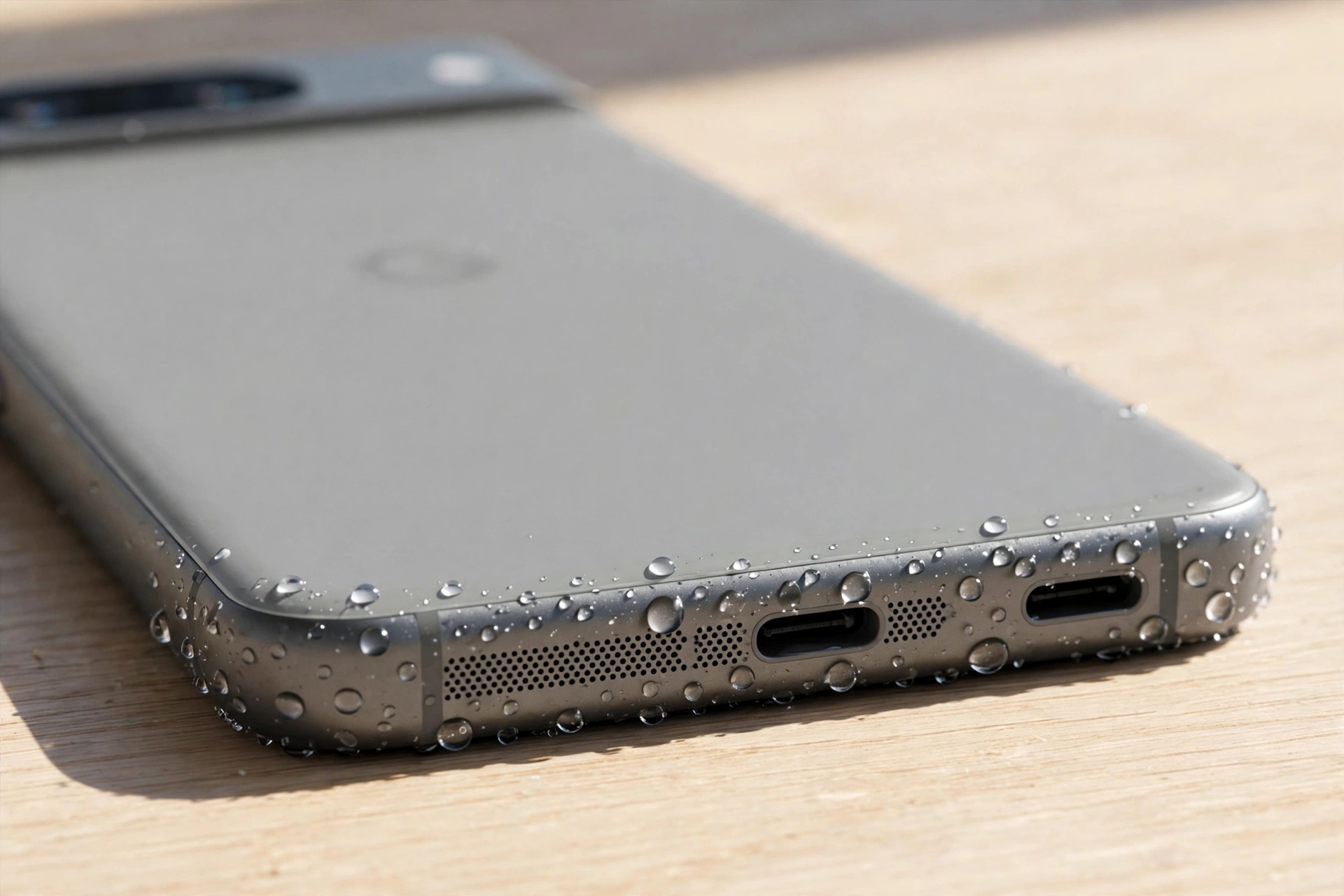
If the trace points to the speaker itself, look at the grille. Hold the phone under a bright light and check the small holes along the bottom edge. Lint, dust, and dried sweat build up in there quietly, and over time they can muffle the sound until it seems like the speaker has died.
If water is involved, the sound will often be muffled, crackly, or much quieter than normal rather than completely silent. Let the phone dry in open air with the speaker facing down. Don’t charge it while it’s wet, and don’t use a hair dryer — heat can damage the seals and the battery.
The free Fix My Speaker tool on this site plays a tone that can help push water out of a phone speaker, and it’s a useful step once the outside of the phone is dry. Play the tone, let it run, and listen for the sound getting clearer as the water shifts. If the sound comes back after drying, you’ve found your answer.
The Software Reset That Catches What Settings Miss
You’ve traced the route, checked what changed, tested both speakers, and cleaned the grille. If it’s still quiet, the audio system itself may be stuck — and a settings toggle won’t unstick it.
First, restart the phone. Not a quick screen-off-and-on, a full restart. Hold the power button, tap Restart, and wait for it to come back. Then test a gallery video before you open anything else. A restart clears stuck audio sessions, and it’s the single most effective fix for a phone that went quiet for no clear reason.
If that doesn’t work, reset the app preferences. Go to Settings, then System, then Reset options, then Reset app preferences. This doesn’t delete your data or your apps — it just resets permissions, default apps, and notification settings to their defaults. An app that grabbed audio permissions and won’t let go will lose its grip.
Tested on
Run this trace on your own phone before you change anything else. It takes about ten minutes and it tells you exactly where the sound stops.
First, play a gallery video at full volume. Listen at the bottom speaker. If you hear it clearly, your speaker works — the problem is routing or an app.
Next, swipe down your quick settings and tap the media output tile. It should say this phone. If it names earbuds, a car, or a TV, tap it and switch the output back to the phone, then play the video again. If sound returns, the route was the problem.
Then, make a test call and listen through the earpiece. If the earpiece works but media doesn’t, the media route is blocked while the call route is fine. That points to software, not hardware.
After that, take the case off and look at the speaker grille in bright light. If you can see lint or dust, brush it gently with a dry, soft brush and test the video again. If the sound gets louder, the grille was the cause.
Frequently Asked Questions
Why did my Pixel 8 speaker go quiet all of a sudden?
Most often the sound got routed somewhere else — Bluetooth earbuds, a car stereo, or a TV you cast to earlier. Check the media output tile in quick settings and disconnect any device that shouldn’t be playing sound.
How do I test if my Pixel 8 speaker is broken?
Play a gallery video, then make a test call through the earpiece. If the earpiece works but media doesn’t, it’s a routing or software issue. If nothing makes sound, even in Safe Mode, the speaker is likely faulty.
Can a system update silence my Pixel 8 speaker?
Yes, an update can reset audio settings or introduce a bug that affects media output. Check for a newer patch, install it, and restart your phone — the fix often arrives in the following update.
What should I do if my Pixel 8 speaker is muffled after getting wet?
Let it dry in open air with the speaker facing down and don’t charge it while wet. Once the outside is dry, play a speaker-cleaning tone to help shift trapped water, then test a video again.