
Fix iPhone SE Speaker Not Working
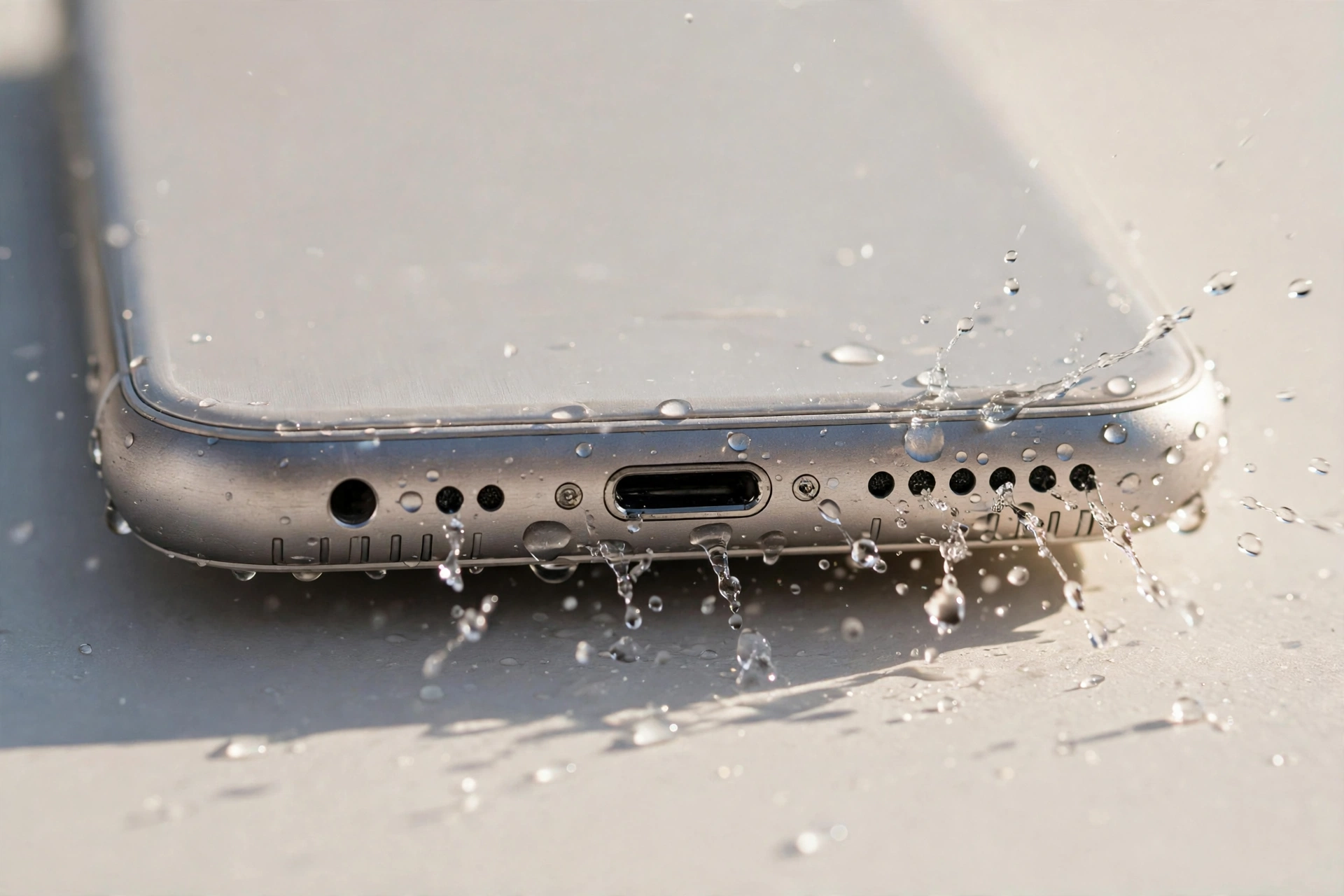
There’s a particular kind of quiet that only a small phone makes. Your iPhone SE still lights up, still unlocks with a thumbprint on the round home button — yet tap a voice note and nothing comes out.
That silence makes sense once you picture what’s inside. The SE squeezes everything into a handset your fingers can wrap right around, and for sound it leans on a single outlet along the bottom edge. No second speaker picks up the slack, no stereo partner hides up top. One outlet carries your ringtones, your podcasts, your navigation prompts, your kitchen timer — the lot. So when that outlet struggles, the whole handset seems broken over something tiny.
One small outlet carries every sound
The SE comes from the Touch ID era, when phones were built to be used one-handed. That compact shape is the charm — and the weak spot. A bigger handset spreads sound across two outlets, so one blocked opening still leaves the other singing. The SE has no such backup: its lone bottom outlet does all the work, so any trouble there hits every sound the phone makes.
Small phones also live closer to fluff. Yours rides in a jeans pocket, a coat pocket, a gym armband, a handbag crammed with receipts — warm, fibrous places that shed constantly. Layer upon layer packs down into a plug, and because the SE’s outlet is the only one, there’s nowhere for sound to escape around the blockage.
Fluff in the perforations: the slow choke
Start with a torch. Shine it along the bottom edge and study the row of tiny perforations beside the charging socket. On a healthy SE they look like neat, dark dots. On a choked one they look pale, cloudy, or stuffed with pale fibres — fluff pressed flat, trip after trip, until it seals the filter behind the openings.
Don’t jab anything sharp in there. A needle, a paperclip, or a SIM ejector tool can puncture the filter and turn a ten-minute tidy-up into a workshop bill. Instead, take a dry cotton swab and roll it lightly across the perforations. Then play a podcast episode: if the voices sound even slightly fuller, one more wipe often finishes it. A dirty outlet sounds dull; a dead one stays silent — see is phone speaker blown or dirty.
The charging socket can steal your audio
The socket beside the speaker outlet does more than take a cable — it tells the phone what’s plugged in. When fluff packs into that socket, the phone can get muddled about the answer and send audio down a path that leads nowhere, leaving the speaker quiet even though nothing’s wrong with it.
Do this with the handset switched off. Take a wooden cocktail stick — never anything metal — and tease the packed fluff out of the socket in tiny pieces, working from the edges inward. Go gently — the contacts inside are delicate. When the plug finally seats with a firm click, switch the phone back on and play a song.
The same vanishing trick happens without wires: your audio may be playing through wireless buds left in another room, a car stereo, or a smart speaker in the kitchen. Switch the wireless off for a minute: if the sound returns, a forgotten gadget was claiming it — see bluetooth connected but no sound.
The little toggle and the quiet-hours schedule
The SE keeps a tiny toggle on its left edge, above the volume keys — a leftover from the home-button era that still catches people out. Nudged the wrong way inside a pocket, it hushes ringtones and alerts while leaving videos and songs untouched. If a band of colour shows beside the toggle, the phone is hushed — flick it the other way and the colour disappears.
That toggle only governs ringing, though. If the phone still won’t ring, open the sound options and drag the ringtone slider upward — it may be sitting at zero after a pocket fumble with the keys. Check the quiet-hours schedule too: a Sleep routine left running past breakfast will hold back calls and pings for hours. Swipe down and switch any active schedule off.
Receiver or main speaker — which side went quiet?
The receiver — the slim slot above the screen — carries ordinary calls, while the bottom outlet handles videos, songs, ringtones, and speakerphone. Play a podcast through the bottom outlet, then ring a friend and hold the phone to your ear.
If the podcast plays but the call is faint, the receiver is the trouble — and the usual suspect is the slim slot above the screen. Wipe it with the cotton swab and check no tempered-glass protector overlaps the slot; a badly placed one can smother every call. If the call sounds fine but the podcast stays mute, the bottom outlet is the trouble — revisit the perforations. Dust and its effects are covered in fix my speaker dust.
Is a pocket-sized phone worth a workshop visit?
If the display is bright, the cameras focus cleanly, Touch ID answers first time, and a full charge still carries you through the day, a speaker swap is usually a modest job — and on a phone you chose for its size and home button, it beats learning a whole new handset. Ask the technician for the price in writing first.
If the charge fades by lunchtime, the speaker is one fault among several — keep your money toward a replacement instead. Either way, don’t hand over cash before you’ve worked through the free checks above.
Tested on
Try this yourself, in order, on your own SE. You need nothing fancier than a torch, a cotton swab, and a wooden cocktail stick.
Shine the torch along the bottom edge and study the perforations. If they look pale or stuffed, roll the dry swab across them, then play a podcast.
Switch the handset off and tease any packed fluff from the charging socket with the cocktail stick, never metal. Switch it back on, switch the wireless off for a minute, and play a song.
Flick the little toggle until the colour stripe disappears, then drag the ringtone slider up in the sound options and check no quiet-hours schedule is running. Reboot the handset. Finally, play a podcast through the bottom outlet, then ring a friend and listen through the receiver. Note which one stayed quiet and tell the technician exactly that.
Frequently Asked Questions
Why did my iPhone SE go quiet out of nowhere?
Usually one of three small things: the toggle got nudged into hush inside a pocket, the audio went to wireless buds in another room, or fluff sealed the perforations along the bottom edge. Check the toggle, switch the wireless off, and look at the perforations.
Calls sound fine but videos stay mute on my SE — what’s going on?
Calls use the receiver above the screen, while videos use the single bottom outlet. If the receiver works and the outlet doesn’t, the perforations are probably choked with fluff — wipe them with a dry cotton swab.
Can fluff in the charging socket mute my SE speaker?
Yes. Fluff in the socket can muddle the phone about what’s plugged in, so it sends audio down a dead path. With the handset off, tease the fluff out gently with a wooden cocktail stick, never metal, then reboot and test.
Should I pay to fix the speaker on a small, older iPhone SE?
Often yes, if the rest of the handset still serves you well — bright display, sharp cameras, a charge that lasts the day. A speaker swap is usually a modest job. Get the price in writing first.