
Why Is My iPhone 11 Speaker Not Working?
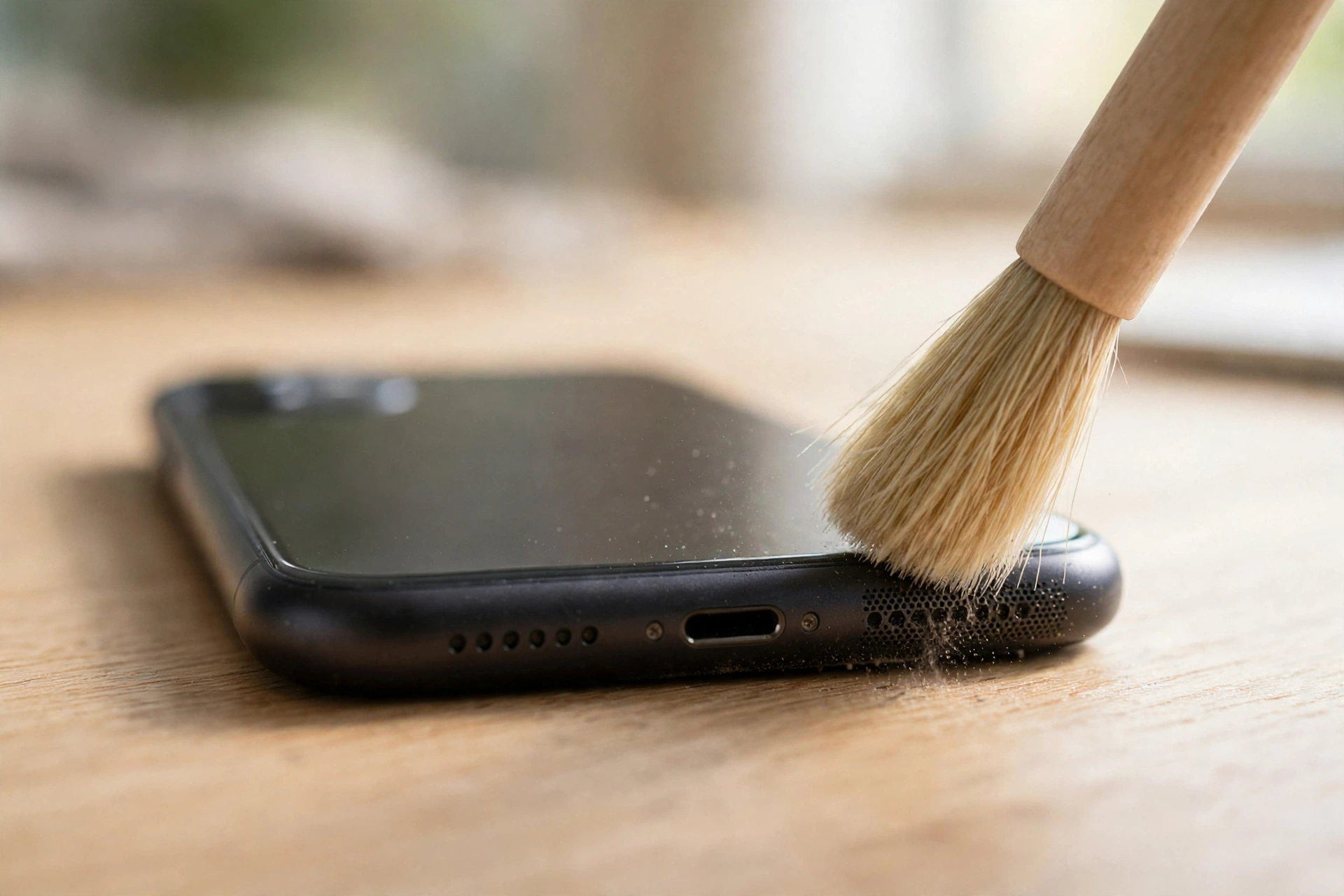
The iPhone 11 isn’t a new phone any more, and that history matters when the speaker goes quiet. A phone this age doesn’t usually lose its sound in one dramatic moment. It fades — lint packs into the grille month by month, the battery ages, the Lightning port wears from thousands of plug-ins, until one day a video plays with no sound at all.
Most of these causes are fixable at home. Start with the split that saves the most time: play a video on loudspeaker, then make a call and listen through the earpiece. If the earpiece works but the loudspeaker doesn’t, the two speakers are telling you different stories.
An old phone’s grille tells the story first
The loudspeaker sits at the bottom edge, next to the Lightning port, behind a row of tiny holes. Over years of daily use, those holes collect pocket lint and the fine grit that comes off denim and bag linings. A little packs in each week, it gets pressed flat by the next layer, and eventually the mesh behind the holes is sealed over, so sound comes out muffled, distant, or not at all.
Hold the phone under a bright light and look at the grille. If the holes look grey or filled in instead of dark and open, lint is your likely culprit. Don’t push a pin or a toothpick into the holes — you’ll tear the mesh and turn a cleaning job into a repair. Use a soft, dry toothbrush and brush gently across the grille, not into it, so the lint lifts away. Then play a video: if the sound is louder, even a little, a second gentle pass may finish it.
Earpiece or loudspeaker — which one went quiet?
The iPhone 11 has two sound paths. The earpiece at the top is what you hear on a normal call, and the loudspeaker at the bottom plays videos, music, ringtones and speakerphone calls. Knowing which one is silent tells you where to look next.
If calls sound fine on the earpiece but videos and music are silent, the loudspeaker path is the problem — the bottom grille, water or dust in the speaker chamber, or a fault in the loudspeaker itself. Muffled means blocked, silent means something deeper, and the difference is covered in is phone speaker blown or dirty.
If the earpiece is silent but the loudspeaker works, the top of the phone is the story. The earpiece mesh sits behind the thin slot above the screen and collects lint just like the bottom grille. Brush it gently with the same soft toothbrush, and check whether a screen protector is covering the slot — a badly fitted one can hush every call. If both speakers are silent, the sound is usually being sent somewhere else, or a setting is holding it back.
The Ring/Silent switch and the settings that fake a fault
The iPhone 11 is one of the last iPhones with a physical Ring/Silent switch on the left edge, and that little switch causes more false alarms than any other part of the phone. It gets knocked into silent in a pocket or a bag, and then the phone stops ringing. It doesn’t mute videos or music, so if only your ringtones and alerts have gone, check it first: flip it toward the screen — orange showing means silent, hidden means ring.
Then check the volume properly. Press volume-up while a video is actually playing, not while the phone is idle — the buttons control media volume during playback and ringer volume when nothing is playing. Also open Settings, then Sounds and Haptics, and make sure the ringer volume isn’t sitting at the bottom.
Do Not Disturb and Focus modes can fake a fault too. A Focus mode left on from last night silences calls and alerts — swipe down from the top-right corner and check the Focus tile. And check Bluetooth: an iPhone 11 still paired to earbuds in another room or a car will send its sound there and leave its own speaker silent. Turn Bluetooth off for a minute and test again.
Battery health, Lightning wear, and when it’s hardware
Age shows up in two places people rarely connect to sound. The first is the battery: as its health drops, the phone can throttle performance to stay stable, and a struggling battery can make audio cut in and out. Open Settings, then Battery, then Battery Health and Charging, and look at the maximum capacity. If it’s well down, a battery replacement is cheaper than a speaker repair and often fixes more than one problem at once.
The second is the Lightning port. Years of plugging in a cable wear the port and let lint pack into it, and a dirty port can confuse the phone about what’s connected, so it routes audio away from the speaker. Clean it carefully with a wooden toothpick or a plastic pick, never metal, and only with the phone off.
If you’ve cleaned the grille, checked the switch and the settings, ruled out Bluetooth, and restarted the phone, and the speaker is still silent, it’s time to consider hardware. A speaker that went quiet right after a drop or a splash has probably suffered damage inside. A repair shop can test the speaker module directly, and on an iPhone 11 that’s usually a modest repair.
Tested on
Run this check yourself, in order, on your own phone. You don’t need any tools beyond a soft toothbrush.
Play a video on loudspeaker, then make a call and listen through the earpiece. Note which one is silent — loudspeaker only, earpiece only, or both — because that tells you where the fault sits.
Hold the phone under a bright light and look at the bottom grille. If the holes look filled in, brush them gently with a soft, dry toothbrush, then play the video again and listen for any improvement.
Check the Ring/Silent switch on the left edge, press volume-up while a video is playing, and check the Focus tile in Control Centre. Turn Bluetooth off for a minute and test again.
Open Settings, then Battery, then Battery Health and Charging, and note the maximum capacity. Then restart your phone and play a video. If the speaker is still silent, take the phone to a repair shop and tell them which speaker failed and what you already tried.
Frequently Asked Questions
Why is my iPhone 11 speaker not working all of a sudden?
On a phone this age the most common causes are lint packed into the bottom grille, the Ring/Silent switch knocked into silent, or sound sent to a forgotten Bluetooth device. Check the grille, the switch and Bluetooth first — a drop or water can also damage the speaker.
Why can I hear calls but not videos on my iPhone 11?
Because calls use the earpiece at the top while videos and music use the loudspeaker at the bottom. If the earpiece works and the loudspeaker doesn’t, the bottom grille is probably blocked with lint.
Can a worn-out battery affect my iPhone 11 speaker?
Yes, indirectly. As battery health drops, the phone can throttle performance to stay stable, which can make audio stutter or cut out. Check the maximum capacity under Settings, then Battery, then Battery Health and Charging.
Is it worth repairing the speaker on an iPhone 11?
Often yes, if the rest of the phone still works well for you. A speaker module replacement is usually a modest repair when the battery, screen and cameras are still in good shape. Get a quote first and compare it against a replacement phone.