Samsung Galaxy A15 Speaker Silent? One UI Settings to Check First
The Galaxy A15 runs Samsung’s One UI, and One UI has its own ways of silencing a phone: a Mute tile in the Quick Panel, a Media output panel pointing at a forgotten Bluetooth device, and Separate app sound, which can mute one app while the rest play fine. Check those first — they fix most A15 sound problems.
The Quick Panel: Mute, Do Not Disturb and Media Output
Start with the simplest cause: the phone may be muted or in Do Not Disturb mode. Swipe down twice to open the full Quick Panel and look for the Mute and Do Not Disturb icons — both should be off. The Mute tile is easy to tap by accident when pulling the panel down, and it silences the phone without any warning on the home screen.
Then check the volume properly. Press the volume-up button while a video is playing, tap the three-dot menu, and confirm that the Ringtone, Media and Notification sliders are all raised — or open Settings, then Sounds and vibration, and check them there. Media and ringtone are separate on the A15, so the phone can ring normally while videos stay silent.
Finally, check the Media output panel. Tap the Media button in the Quick Panel and make sure the output is set to “This phone” rather than a connected device. If you recently used earbuds, a Bluetooth speaker or your car, the phone can stay connected in the background and keep routing sound there.
Separate App Sound — Samsung’s Hidden Trap
Samsung’s Separate app sound feature can send one app’s audio to a Bluetooth device while everything else plays on the phone speaker, which can look like a broken speaker in that one app. Go to Settings, then Sounds and vibration, then Separate app sound, and make sure it is turned off unless you set it up on purpose.
Cleaning the Bottom Grille and Earpiece Slot
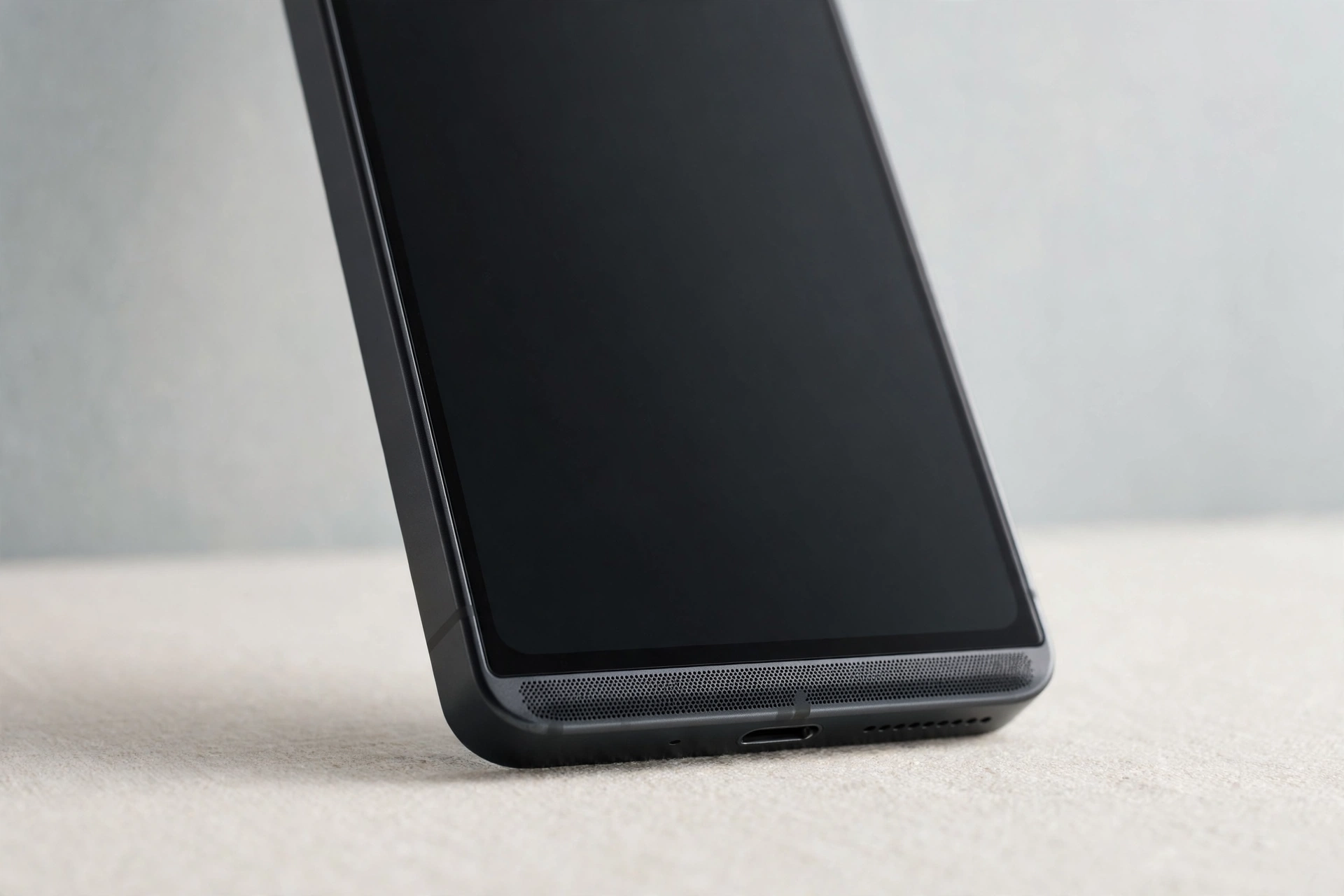
Dust, pocket lint and dried moisture build up in the speaker grille on the bottom edge of the Galaxy A15 and can muffle or block sound completely. Hold the phone speaker-down and brush the grille gently with a clean, dry, soft-bristled toothbrush, using short strokes so debris falls out instead of being pushed in. Test a ringtone or a song right after cleaning.
If the earpiece sounds muffled during calls, clean the narrow slot above the screen the same way. Never use sharp objects, metal pins, or liquids — the speaker mesh is delicate and the speaker sits just behind it. Take the case off while you test, since a case that covers the bottom edge can muffle the speaker just as effectively as dust.
Water in the Speaker: The Tone Test
If water got into the speaker, sound can stay muffled or distorted long after the phone looks dry. The free speaker cleaner on myspeakerfix.com plays a specially designed tone that vibrates the speaker to push trapped water and dust out of the grille. Open the tool in your browser, tap Start, and let it run for a few minutes while holding the phone speaker-down over a towel. It is a safe, free first step after water exposure, before you pay for a repair.
Let the phone air-dry speaker-down for several hours before running the tone, and do not charge it while it is still wet. If the phone shows a moisture warning for the charging port, wait until the warning clears before plugging in a cable.
Restart the A15 the Samsung Way
A restart clears temporary software glitches that can silence the speaker, including audio services that froze after an app crash or a system update. Press and hold the side key and the volume-down key together, then tap Restart on the power menu. Once the phone powers back on, play a song or video to check whether sound is back.
Safe Mode: Catching a Bad App
A recently installed or updated app can hijack the audio system and silence the speaker. Safe Mode runs the phone with only its pre-installed apps, so it is a fast way to find out whether a third-party app is the cause. Press and hold the side key and volume-down key, then long-press the Power off option and tap Safe mode. Play a song or make a test call — if sound works in Safe Mode, an app is responsible.
Restart normally, then uninstall recent apps one at a time, testing the speaker after each removal.
Update, Wipe Cache Partition, Reset
Samsung fixes audio bugs in software updates, so an outdated system can leave the speaker silent. Go to Settings, then Software update, and install any available update over Wi-Fi. If the problem started after an update, a corrupted system cache may be to blame. To wipe it, power the phone off, then press and hold Volume up and the side key until the Samsung logo appears. Select “Wipe cache partition” with the volume keys, confirm with the side key, then choose “Reboot system now”. This deletes no personal data.
If nothing else worked, reset all settings to restore every audio, network and system option to its default without deleting your photos, apps or files. Go to Settings, then General management, then Reset, and tap Reset all settings, then confirm. After the restart, re-check your volume and Bluetooth settings and test the speaker. If sound is still missing, the fault is most likely hardware — visit a Samsung service centre or an authorised repair shop for a diagnostic.
Frequently Asked Questions
Why is my Samsung Galaxy A15 speaker suddenly not working?
The most common causes are the phone being muted, Do Not Disturb turned on, audio routing to a Bluetooth device, or a blocked speaker grille. Software glitches and a faulty third-party app are also frequent. Check the settings and connections first, since most cases are fixed without a repair.
Why does my Galaxy A15 have no sound on calls but music plays?
That usually points to the earpiece rather than the bottom speaker. Clean the earpiece slot gently, press volume-up during the call to raise the in-call volume, and confirm the call is not routed to Bluetooth. If the earpiece stays silent after cleaning and a restart, it may need a hardware check.
Can water damage make my Galaxy A15 speaker stop working?
Yes. Water trapped in the speaker grille muffles or silences sound even after the outside feels dry. Hold the phone speaker-down to drain it, then run a speaker-cleaner tone to vibrate the water out. If sound stays distorted after a day, have it inspected — internal corrosion can develop over time.
Should I factory reset my Galaxy A15 if the speaker is not working?
Try Reset all settings first — it restores defaults without deleting your data and often fixes stubborn audio bugs. A full factory reset is a last resort: back up your photos, contacts, and files first, and treat it as the final step before a hardware repair.