
Redmi Phone Speaker Not Working: Checks for Note, Redmi and Older Models
A Redmi speaker that stops working is usually silenced by a setting, a Bluetooth connection, or a blocked grille — not a dead speaker. Redmi phones run MIUI or the newer HyperOS, and both hide the media volume and audio settings in slightly different places, so the fix is often a menu you have not opened yet.
Start With the Redmi Sound Controls, Not Just the Volume Button
Pressing the volume-up button is not enough on a Redmi phone, because the button may be adjusting the ringtone while the media volume sits at zero. Press volume-up while a video is playing, then open Settings, then Sound & vibration, and look at each slider separately: media, ringtone, alarm and notification. Raise the media slider on its own and test again.
Check the sound mode at the same time. Look for a silent or vibrate icon at the top of the screen and switch the phone back to normal sound mode. Then open Settings, then Sound & vibration, and turn off Do Not Disturb. Do Not Disturb can be left on after a meeting or a scheduled quiet period, and it mutes media without any obvious warning on the home screen.
Bluetooth and Where the Audio Is Going
When a Redmi phone is connected to Bluetooth headphones, earbuds, a car stereo or a speaker, sound goes to that device instead of the phone’s own speaker. Turn Bluetooth off completely in Settings, then Bluetooth, and test the speaker again with nothing connected. Check the paired devices list as well — a car stereo or speaker you connected weeks ago can reconnect automatically when it is in range, even if you are not using it. Disconnect or forget any device you do not need.
You can confirm whether the phone’s own speaker is producing sound once Bluetooth is off and nothing is plugged in by running the free speaker test at myspeakerfix.com. If the test tone plays clearly, the speaker is working and the audio was being routed elsewhere. If you hear nothing there either, the problem is in the phone’s sound system rather than in one app.
Cleaning the Grille on Note and Budget Redmi Models
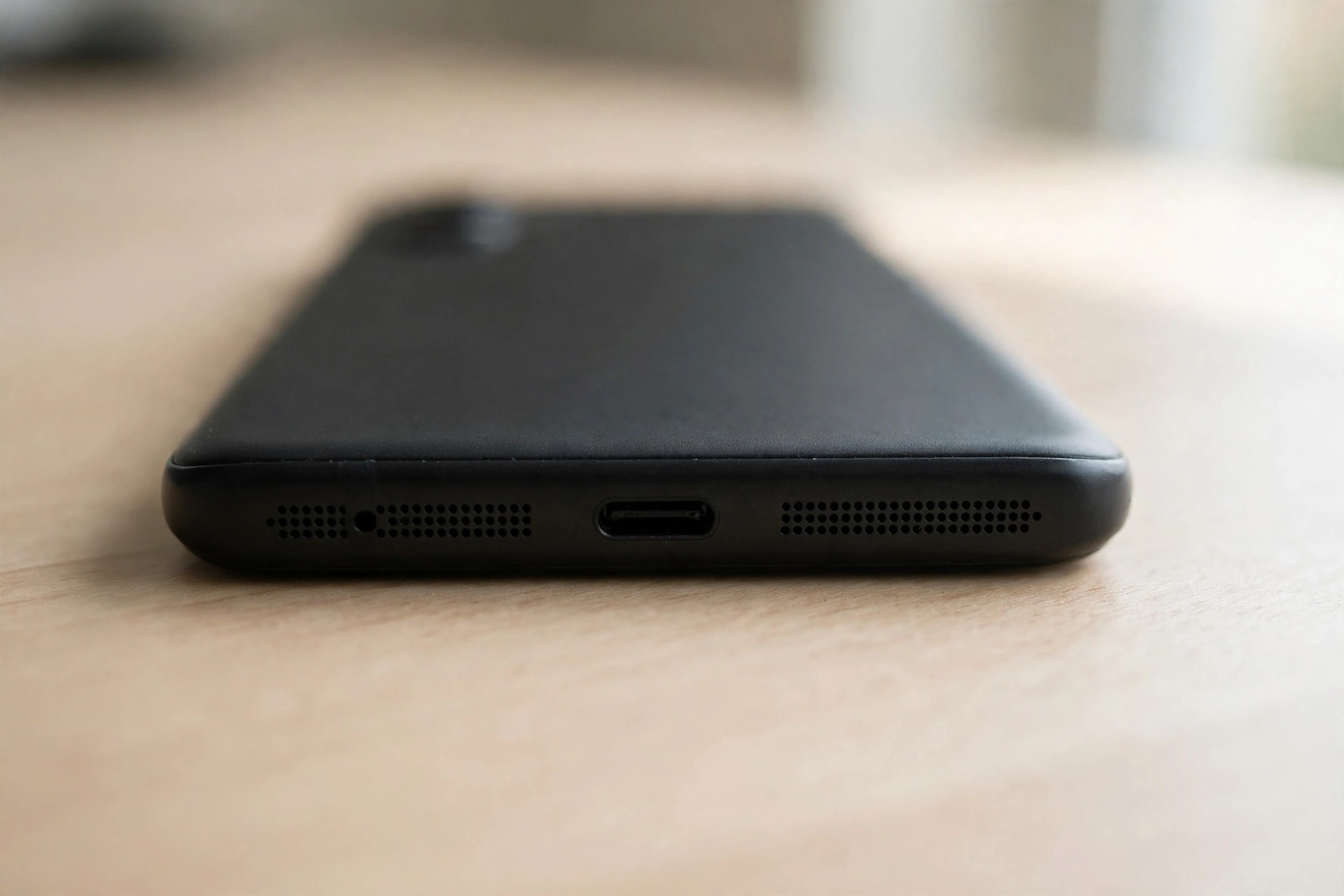
Dust and pocket lint collect in the speaker grille along the bottom edge of the phone, and a blocked grille can make the speaker sound muffled or silent even though the speaker itself is fine. This is more common on older Redmi models and on phones carried in a pocket without a case, where lint builds up over months.
Look closely at the small holes along the bottom edge and check for visible dust or lint. Brush gently across the grille with a soft, dry brush — a clean, soft-bristled toothbrush works well. For stubborn lint, use a wooden toothpick very gently to lift it out, but do not push anything deep into the holes. Do not use water, cleaning sprays, compressed air at close range, or sharp metal objects on the grille.
Restart, Safe Mode and the App That Broke the Sound
A restart clears temporary software glitches that can silence the speaker, and it is worth doing before any deeper step. Press and hold the power button, then tap Restart. If there is no restart option, tap Power off, wait 30 seconds, then switch the phone back on. Play a video or a song once it has restarted. If the sound returns but stops again, note which app you opened just before it stopped — that app is the most likely cause.
Safe mode is the way to test that suspicion. Press and hold the power button, then long-press the Power off option and tap OK when the safe-mode prompt appears. Safe mode runs the phone with only its built-in apps, so play a video or a song using a built-in app and check whether the speaker works. If the sound works in safe mode, a downloaded app is interfering with audio. Restart normally to leave safe mode, then remove recently installed or updated apps one at a time, testing the speaker after each removal. Start with apps that play audio, record audio, or manage calls, since those are the most likely to take control of the sound output.
MIUI, HyperOS, Updates and Hardware
Redmi phones run either MIUI or HyperOS depending on the model and its age. A software bug can break the speaker after an update — and a later update often fixes it. Open Settings, then About phone, and tap the software version to check for updates. Install any available update, restart the phone, and test the speaker again. Newer Redmi Note models on HyperOS usually show the update check directly under the HyperOS version in About phone; older models on MIUI show it under the MIUI version in the same place. If the speaker stopped working right after an update, check whether other owners of the same model have reported it — the fix may already be on its way. Update your apps too, especially media and calling apps, through the Google Play Store.
Xiaomi’s built-in hardware test can help separate a software fault from a hardware fault. Dial ##64663## to open the hardware test menu on many Xiaomi and Redmi models, then run the speaker test and listen for the tone. If the test tone plays, the speaker hardware is working and the fault is in software or settings. If it produces no sound, or a distorted sound, the speaker itself is likely damaged. The code does not work on every model or software version, so if nothing opens, skip it and use safe mode instead.
Do These Steps Work on Lenovo and ZTE Phones Too?
Yes — the steps above work on almost every Android phone, including Lenovo and ZTE. The menus can look slightly different (Redmi uses MIUI, Lenovo uses near-stock Android, ZTE uses MyOS), but the checks are the same: volume and silent mode, restart, Bluetooth, and a blocked speaker grille. If the speaker still has no sound after these steps, try the free speaker cleaner tool on the homepage — it plays a tone that can push out water and dust.
Frequently Asked Questions
Why is my Redmi phone speaker not working all of a sudden?
The usual causes are silent mode or Do Not Disturb, a Bluetooth device taking the audio, a dirty speaker grille, or a software glitch. Check media volume first, disconnect Bluetooth, restart the phone, and clean the grille.
Why does my Redmi speaker work on calls but not for media?
If the earpiece works but the loudspeaker does not, the media volume may be turned down, or sound may be going to a Bluetooth device. Check the media slider separately in Settings, then Sound & vibration, turn Bluetooth off, and test again.
Can a software update fix my Redmi speaker?
Yes, if the problem is caused by a bug in MIUI or HyperOS. Check Settings, then About phone, for a software update and install it if one is available. If the speaker stopped after an update, the fix often arrives in the next update.
How do I know if my Redmi speaker is damaged or just blocked?
A blocked grille usually makes the sound quiet or muffled, and cleaning improves it. A damaged speaker often crackles, buzzes, or stays silent even in safe mode with Bluetooth off and the volume up. If cleaning made no difference, take it to a repair shop for a hardware check.