
Why Has My HTC Phone Gone Silent? A Speaker Troubleshooting Guide
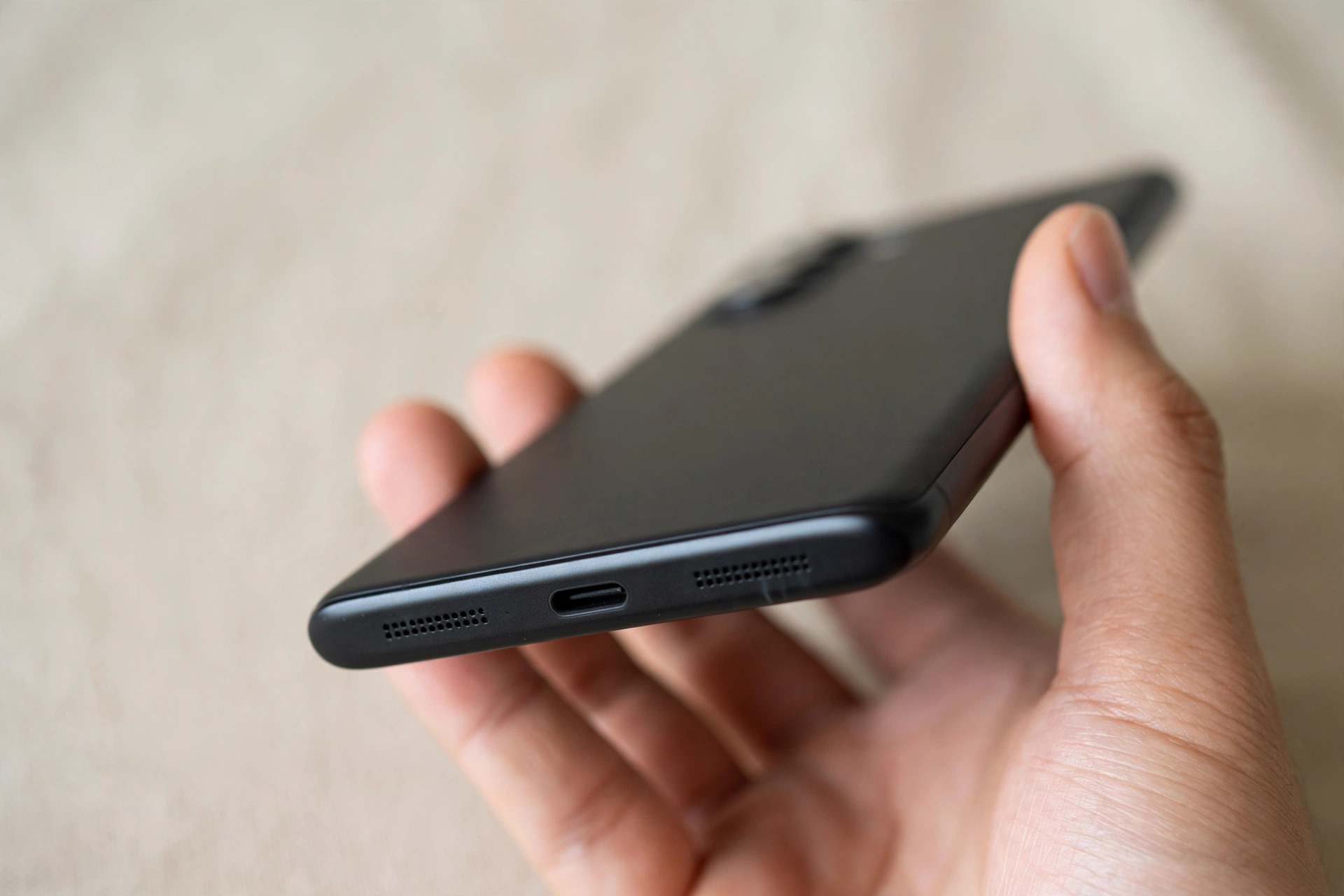
Your HTC phone has gone quiet, and here’s the first thing worth knowing: silence on an HTC is rarely the end of the story. These phones were built around sound — the front-facing BoomSound speakers were the reason plenty of people bought one. Most of the time, though, the fault is a setting, a blocked grille, or a tired speaker module, and you can work out which one it is in about ten minutes.
HTC stopped making phones a while back, so parts are scarcer than they used to be and official support is long gone. This guide works in order of honesty: free fixes first, then the cheap ones, and only at the end the question of whether the phone is worth fixing.
Check where the sound is going, not the speaker
Before you blame the speaker, check where the audio is actually being sent. An HTC still paired to a Bluetooth speaker, a car stereo, or a pair of earbuds will route its sound there and leave its own speaker silent — and it won’t tell you it’s doing this. Swipe down, turn Bluetooth off completely, and play a video. If the sound comes back, the speaker was never broken; a forgotten device was claiming the audio. The same trap is covered in the guide to Bluetooth connected but no sound.
Next, check the volume properly. Press volume-up while a video is actually playing, because the buttons control media volume during playback and ringer volume when nothing is playing. Then open Settings, then Sound, and look at the media, ringtone, and alarm sliders separately — a media slider at zero explains a silent video while the phone still rings fine.
Dust builds up slowly, then the sound goes
HTC phones with front-facing speakers have one advantage: the grille is right where you can see it. But it also collects everything your pocket throws at it — lint and fine grit pack into the tiny holes a little at a time until the mesh behind them is sealed over. If the speaker faded over weeks instead of dying in one moment, dust is your prime suspect.
Hold the phone under a bright light and look at the grille. If the holes look grey or filled in rather than dark and open, that’s your answer. Don’t push a pin or a toothpick into the holes — you’ll tear the mesh and turn a cleaning job into a repair. Use a soft, dry toothbrush and brush gently across the grille, not into it, so the lint lifts away. Then play a video: if the sound is louder, even a little, a second gentle pass may finish the job. If the phone has been near water, dry it out first — the water guide at remove water from phone speaker covers drying, and the dust guide for fix my speaker dust covers cleaning.
One speaker dead, or both? It matters
HTC’s front-facing speakers were two separate drivers in the classic models — one above the screen, one below it — and they can fail independently. Make a call on speakerphone and listen: if the top speaker works but the bottom one is dead, the fault is in one driver, not the whole sound system. If a normal call through the earpiece sounds fine but videos and music are silent, the loudspeaker path is the problem. A speaker that crackles at high volume but sounds fine turned down usually has a worn-out driver.
Apps and the software quirks of an old phone
Old phones collect software quirks. A single app can hijack the audio and never give it back: if the sound dies only inside one app, force-stop it, clear its cache, and test again. If the speaker is silent everywhere, restart the phone fully — audio services on older Android builds sometimes stall and need a fresh start.
Safe mode separates a system fault from an app fault: hold the power button, then long-press the Power off option until the safe-mode prompt appears, and test the speaker. If sound returns, a third-party app is the culprit — remove recently installed apps one at a time until you find it.
The honest maths: repair it, or let it go?
Here’s where an HTC guide has to be honest in a way a guide for a current phone doesn’t. Official HTC support is gone, and spare speakers for older models mostly come from third-party sellers now, with quality that varies. A repair shop can usually source one, but you’ll pay for the part plus labour.
So ask three questions. First, does the rest of the phone still do what you need — battery, screen, cameras, apps? If the battery barely lasts half a day and the screen is cracked too, a speaker repair is money spent on a phone on its way out. Second, what would a replacement cost? A used phone in the same class often costs little more than a speaker repair, and it comes with a newer battery. Third, how much does the speaker matter to you? If you mostly use earbuds anyway, a dead loudspeaker might not be worth fixing at all.
If the phone is otherwise healthy and you love it — and plenty of people do love their old HTCs, BoomSound and all — a repair is a reasonable call. Get a quote first, in writing, and compare it with the price of a comparable used phone before you commit. Don’t pay for a repair before you’ve worked through the free fixes above.
Tested on
Try this yourself, in order, on your own HTC.
Turn Bluetooth off completely, then play a video. If sound returns, a forgotten device was claiming the audio. Press volume-up while the video plays, then check the volume sliders in Settings, then Sound.
Hold the phone under a bright light and look at the speaker grille. If the holes look grey or filled in, brush them gently across the grille with the soft toothbrush, then play the video again and listen for any improvement.
Make a call on speakerphone and listen for which speaker is working — top, bottom, or neither — then restart the phone fully and test again. If the speaker works in safe mode but not normally, a third-party app is the culprit. If none of that brings sound back, get a repair quote in writing and compare it with a comparable used phone.
Frequently Asked Questions
Why did my HTC phone speaker suddenly stop working?
The most common causes are sound routed to a forgotten Bluetooth device, a media volume slider at zero, dust packed into the grille, or a tired speaker driver. Check Bluetooth and the volume sliders first, then clean the grille.
Can I still get an HTC phone speaker repaired?
Yes, usually, but parts come from third-party sellers now that HTC no longer makes phones, and quality varies. Get a written quote first and compare it with the price of a comparable used phone.
Why does my HTC speaker crackle at high volume?
That usually means the speaker driver has worn out or come loose with age. Turning the volume down a notch or two can keep it usable, but a crackling driver won’t heal itself and will eventually need replacing.
Is it worth fixing an old HTC phone speaker?
It depends on the rest of the phone. If the battery, screen and cameras are still in good shape and you like the phone, a repair can be worth it. If the phone has other problems too, a replacement usually makes more sense.