
Why Do I Sound Muffled on Calls? The Mic Checks That Fix It
If every caller keeps saying “sorry, say that again,” your voice probably isn’t the problem. Something between your mouth and the other person’s ear is smothering the sound, and it’s usually small, fixable, and hiding in plain sight. Here’s how to track it down.
Your Case Might Be Smothering the Mic
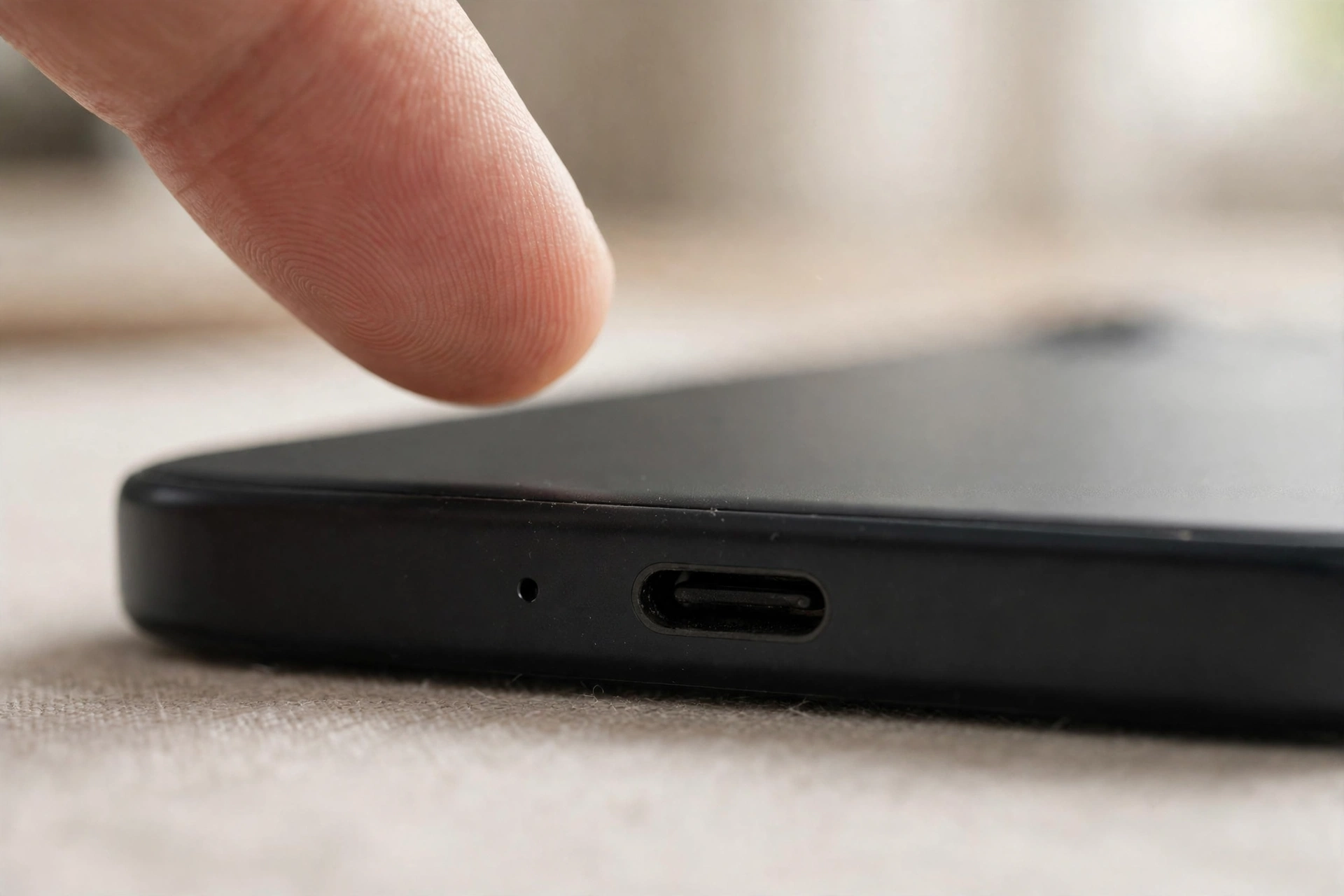
Start with the simplest suspect — it’s also the most common one. Your phone’s main microphone is a tiny hole along the bottom edge, beside the charging port, with extra mics near the top for noise cancellation. A case or screen protector that doesn’t line up perfectly can cover one of those holes just enough to dull your voice.
Take the case off and make a test call, or record a voice memo and listen back. If you suddenly sound crisp again, you’ve found it. Budget cases are often a millimetre off, and a lens protector can sit right over a top mic.
How You’re Holding It Matters More Than You Think
Most of us don’t think about our grip during a call, but your little finger naturally curls under the bottom edge — exactly where the main mic lives. As a long call goes on, your hand shifts, a finger drifts over that pinhole, and your voice fades for the person on the other end.
Hold the phone by its sides and keep that bottom edge clear. On speakerphone, don’t set it face-down or cradle it in a cupped palm — both trap the mic against a surface. If the muffling comes and goes, your grip is drifting.
A Clogged Mic Hole Sounds Exactly Like This
Mic holes collect the same grime speaker grilles do: pocket lint, dust, and a thin film of skin oils or makeup. The hole is barely a millimetre wide, so even a light coating acts like a pillow over the mic. Your voice still gets through, but it arrives dull and distant, and the buildup creeps in slowly.
Switch the phone off first, then shine a torch at the bottom edge and find the pinhole. Sweep a soft, dry toothbrush gently across it — don’t poke a pin inside, since that can pierce the mesh or the seal behind it. A small ball of sticky tack pressed over the hole and peeled away can lift packed lint out.
A Quick Recording Test That Points to the Right Mic
Your phone carries more than one microphone, and figuring out which one sounds bad tells you whether you’re dealing with a blockage, a faulty mic, or software. Three short recordings will narrow it down fast.
First, record a voice memo while holding the phone normally, speaking into the bottom edge as you would on a call. That checks the main mic. Next, switch to speakerphone and talk from about an arm’s length away — that leans on the secondary mics. Finally, record a short selfie video while you talk, which uses the front mic near the top.
If only one recording sounds muffled, that mic is blocked or failing, and you know where to focus. If all three sound equally dull, the cause is likelier a setting or the network — don’t scrub holes that are already clean.
When Noise Cancellation Works Against You
Here’s the irony: the features meant to sharpen your voice can sometimes wreck it. Noise cancellation compares what the main mic hears against the secondary mics and subtracts the background. When one of those mics is partly blocked, your voice comes out robotic, choppy, or muffled.
On iPhone, try switching off Phone Noise Cancellation under Settings > Accessibility > Audio/Visual, then make a test call. On Android, look for noise reduction or voice enhancement toggles in your sound settings or phone app, and try them both ways. Third-party apps can cause the same trouble. Equalisers, call recorders, and voice-changer apps all sit between your mic and the call, so if the muffling started after you installed something new, remove it and test again.
Signal, Wi-Fi Calling, and HD Voice
If you only sound muffled in certain places — your office, the train, one corner of your house — suspect the network rather than the phone. On a weak signal, your carrier drops the call to a lower-quality audio codec, and your voice arrives compressed and muddy no matter how clean your mic is.
Try toggling Wi-Fi calling on and off and compare the two. Make sure VoLTE, sometimes labelled HD voice, is switched on, because it lifts call clarity a lot when both phones and the network support it. If the trouble began after a carrier or system update, resetting your network settings can clear a bad configuration — just have your Wi-Fi passwords handy first, since the reset forgets them. With a Bluetooth headset, the caller hears the headset’s mic, not your phone’s, so test one call with it disconnected first.
Water, Wear, and When It’s Actually Broken
Moisture trapped in the mic mesh after a splash can leave your voice sounding underwater for a while. A low-frequency tone can help shake that moisture loose from small ports, so run the free speaker fix tool once with the bottom edge facing down and listen for improvement as it dries.
A failing mic behaves differently from a dirty one. Your voice cuts in and out when you tap near the mic hole, one mic stays bad after cleaning while the others sound fine, or the muffling survives a full settings reset. One dead mic is a common, fairly cheap repair at an independent shop, but if the phone is under warranty, contact the manufacturer first — mic failure without physical damage is usually covered.
Frequently Asked Questions
Why do I sound muffled only on speakerphone?
Speakerphone uses the secondary mics, so a case edge over the top mic or a cupped hand feeds bad audio into noise cancellation. Hold the phone flat, screen up, with the bottom edge clear.
Can a dirty mic hole really make that much difference?
Yes. The hole is barely a millimetre wide, so a thin film of lint cuts the sound reaching the mic sharply. Because it builds up slowly, people often blame the network first.
Why do callers hear me fine on WhatsApp but not on regular calls?
WhatsApp uses its own audio processing and often different mic routing from your carrier’s phone app. If app calls are clear but cellular calls aren’t, check VoLTE and Wi-Fi calling settings.
Will a software update fix my muffled mic?
Sometimes. Audio-driver and mic bugs do get patched in updates, and occasionally introduced by them. If the muffling started right after an update, software is the likeliest cause.
Related Guides
- Microphone Not Working on Calls? Here’s How to Fix It
- Why Does My Phone Echo on Calls?
- Speakerphone Mic Not Working? Try These Fixes
- WhatsApp Call Volume Too Low? How to Fix It
- How to Clean Your Phone Speaker Safely
- No Sound on My Phone? Here’s What to Check
- Bluetooth Connected but No Sound? Fix It Here
- Free Speaker Fix Tool