
Ringtone Plays on Vibrate Only? Why Your Speaker Skips the Ring
Your phone plays music, videos, and alarms without a problem — but when someone calls, it just buzzes quietly in your pocket. Strange — and good news: your speaker works fine. The ringtone stream — the one channel for incoming calls — is being silenced before it reaches your ears. Start at the top and stop once it rings again.
Your Phone Has More Than One Volume — That’s the Trap
This is the single most common cause, and it catches almost everyone at least once. Your phone doesn’t have one volume control; it has several independent ones — media, ringtone, alarm, and notifications — and the buttons on the side usually adjust whichever one was used last, which is almost always media. So the slider can hit maximum while your ringtone volume still sits at zero. On iPhone, go to Settings, then Sounds & Haptics, and drag the “Ringtone and Alert Volume” slider up yourself. On Android, go to Settings, then Sound & vibration, then Volume, and raise the “Ringtone” slider. Tap the play icon beside it for a preview.
The Mute Switch and Do Not Disturb
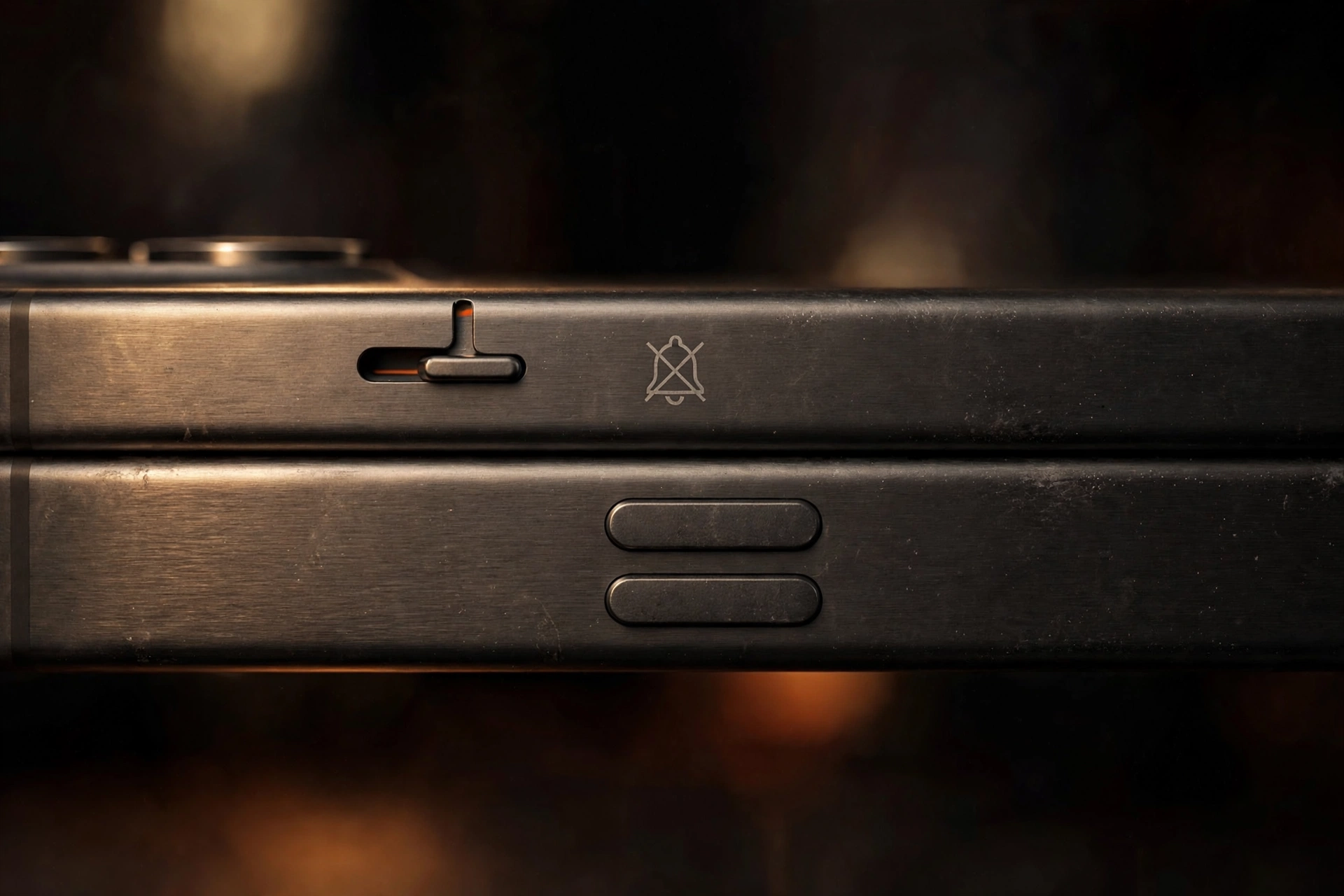
On iPhone, a physical mute switch on the left edge silences ringtones and alerts while leaving music and videos untouched. That’s your exact symptom, so check this switch before anything fancier. Flip it so the orange indicator is hidden — orange showing means silent. It’s easy to knock this switch pulling the phone from a pocket, and plenty of people have booked repairs over it. Then check Do Not Disturb, called Focus on newer iPhones: it silences incoming calls while letting everything else play normally. On iPhone, swipe into Control Center and look at the Focus button; if a moon icon is lit up, it’s on. On Android, swipe down the Quick Settings panel and check the DND tile. A wrong schedule or a time zone change can quietly swallow daytime calls, too.
When Only Some Callers Stay Silent
If it rings for your best friend but not your boss, the problem is attached to specific contacts, not your speaker. Start with blocked numbers: a blocked caller goes straight to voicemail with no ring at all, and it’s easy to block someone by accident from the recent-calls screen. On iPhone, check Settings, then Phone, then Blocked Contacts. On Android, open the Phone app, go to Settings, then Blocked numbers. Next, open that caller’s contact, tap Edit, and check the Ringtone field — it may be set to “None” or a silent tone. iPhone users should also check Settings, then Phone, then Silence Unknown Callers. That sends unsaved numbers straight to voicemail — great for spam, terrible when you’re expecting a call from a new client or a delivery driver.
Your Custom Ringtone Might Be the Problem
Custom ringtones — especially ones downloaded from third-party apps or transferred from a computer — can go bad. The file corrupts, the format stops being supported after an update, or the download never finished properly, and the result is a phone that tries to play a broken file and produces nothing. The test is simple: switch to a built-in default ringtone for a day. On iPhone, that’s Settings, then Sounds & Haptics, then Ringtone, and pick something standard like “Reflection.” On Android, it’s Settings, then Sound & vibration, then Phone ringtone, and pick a system tone. Then have someone call you. If the default rings and your custom one didn’t, the file is broken — delete it or just keep the default.
The Phone App, Call Forwarding, and Other Glitches
The Phone app handles incoming-call audio, and like any app, it can glitch — especially after an update or a long stretch without a restart. So restart your phone properly: full power-off, wait ten seconds, power back on. On Android, you can go one step further without losing anything: go to Settings, then Apps, then Phone, then Storage, and tap Clear Cache. That wipes temporary files but keeps your call history and settings. On iPhone, a restart plus a software-update check is the equivalent move. Also check call forwarding: if the phone rings for a split second then goes silent, or never rings while voicemail picks up, your calls may be sent elsewhere. On iPhone, look in Settings, then Phone, then Call Forwarding. On Android, open the Phone app, go to Settings, then Calls, then Call forwarding. If it’s on and pointing at another number, turn it off and test again.
Last Resort: Updates, Safe Mode, and Network Resets
When nothing above has worked, try the deeper fixes. First, install any pending software update — manufacturers patch audio bugs regularly. Second, on Android, try safe mode: hold the power button, long-press “Power off” on screen, and tap OK when asked to reboot to safe mode. If calls ring in safe mode, a downloaded app is suppressing them — usually a call-management or “do not disturb” utility. Uninstall recently added apps in that category one at a time until ringing works again, then restart normally. Third, reset your network settings, which also resets call-related configuration: on iPhone, that’s Settings, then General, then Transfer or Reset iPhone, then Reset, then Reset Network Settings; on Android, Settings, then System, then Reset options, then Reset Wi-Fi, mobile & Bluetooth. Warning: this erases saved Wi-Fi passwords and Bluetooth pairings. If calls still won’t ring, call your carrier — the problem may be on the network side. One last note: if the ringtone does play but sounds faint or muffled, the speaker grille may be clogged, and the free speaker-fix tool on myspeakerfix.com plays a sound burst that helps shake trapped water and dust loose.
Frequently Asked Questions
Why does my phone not ring for incoming calls but I can make calls fine?
Outgoing calls use the microphone and earpiece; incoming calls use the ringtone volume stream. If that volume is down, Do Not Disturb is on, the iPhone mute switch is flipped, or unknown callers are silenced, you’ll hear nothing on incoming calls.
My ringtone works for some contacts but not others — why?
That usually means contact-specific settings are involved: the contact may be blocked, assigned a silent or corrupted custom ringtone, or affected by Silence Unknown Callers if they’re not saved in your contacts. Open the contact and check its ringtone assignment.
Can Do Not Disturb silence only some calls?
Yes — it can allow calls from favorites or repeat callers while silencing everyone else. If only some calls ring through, check your exceptions in Settings, then Focus, then Do Not Disturb (iPhone) or Sound & vibration, then Do Not Disturb (Android).
I can hear the ringtone preview but calls still don’t ring. What’s next?
If the preview plays, the speaker and ringtone file are fine — the problem is in the call-handling path. Try safe mode, check call forwarding, and reset your network settings. If calls still don’t ring, contact your carrier.