
Your Phone Speaker Crackles at High Volume — Here’s the Fix
Your speaker sounds perfectly fine at half volume, but the moment you push it toward the top, the sound turns harsh, buzzy, and crackly. That mismatch is actually a useful clue. It usually means the tiny driver inside your phone is being pushed past what it can handle, not that your phone is broken beyond repair.
First, Back Off the Volume a Touch
Phone speakers are shockingly small. The driver that produces your music is about the size of a coin, and at full blast it’s being asked to move farther than it was built to move. That’s when the cone hits its physical limit and the sound breaks apart into distortion.
Here’s the good news: most phones sound nearly as loud at 75 or 80 percent as they do at 100 percent, just far cleaner. Press the volume-down button a few clicks and listen to the same song again. If the crackle disappears, your speaker is healthy — you’ve just been overdriving it.
On iPhone, watch the on-screen indicator and stop around three-quarters. On Android, open Settings > Sound and vibration and check where the media volume slider sits. If it’s pinned at the very top, pull it back a notch or two.
Your EQ Settings Might Be Making It Worse
A bass-heavy equalizer can turn a borderline speaker into a distorted mess. Presets like Bass Booster pile extra low-end energy onto a driver that’s already struggling at high volume, and the result is exactly the harsh buzzing you’re hearing.
On iPhone, go to Settings > Music > EQ and switch it to Off or Flat while you test. On Android, open Settings > Sounds and vibration > Sound quality and effects and look for Dolby Atmos, an equalizer, or any sound enhancement your brand ships. Turn those off temporarily and play the same track at the same volume.
If the distortion only shows up with the enhancement switched on, you’ve found your culprit. Keep the EQ subtle — a gentle curve sounds far better at high volume than an aggressive one.
Don’t Blame the Speaker Before You Check the Case
This one catches people off guard. A phone case can vibrate against the body at high volume and produce a buzz that sounds exactly like speaker distortion. Cases with kickstands, metal plates, or loose decorative bits are the worst offenders.
Take the case off completely and play the same track at the same volume. If the harshness vanishes, the case was the problem all along. A snug, simple case is almost always quieter than a fancy one with moving parts.
Dust in the Grille Changes Everything at Full Blast
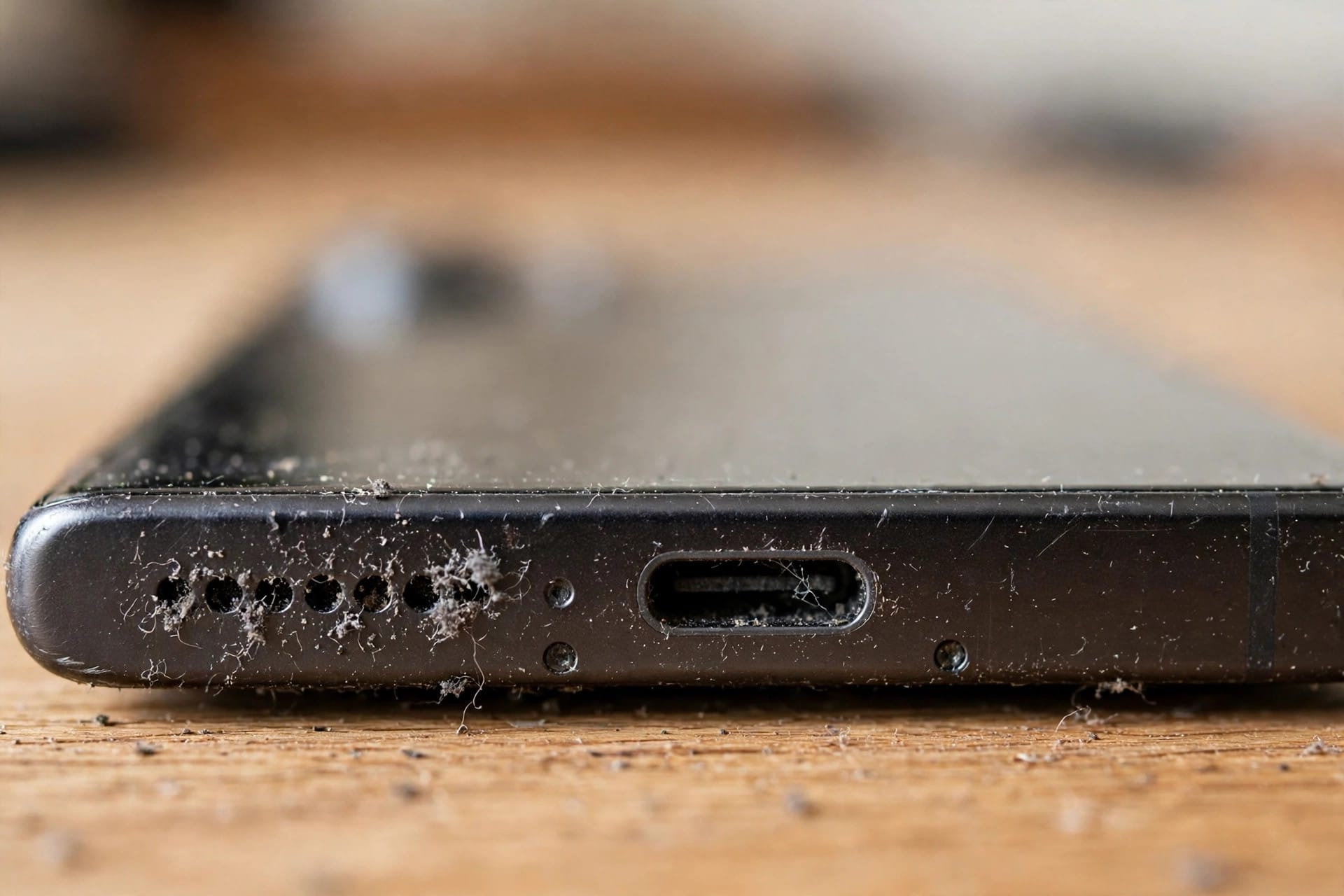
A speaker grille clogged with pocket lint or dust forces sound through a partly blocked opening. At low volume you might never notice, but at high volume the trapped air starts buzzing and rattling. Even a thin film of dust can be the difference between clean and distorted sound.
Power the phone off, then brush the grille gently with a clean, soft-bristled toothbrush. Hold the phone speaker-side down so debris falls out instead of deeper in. On iPhone, don’t poke the bottom speaker holes with anything sharp. On Android, take the case off first so you can reach the whole grille.
If the distortion started after the phone got dusty, sweaty, or wet, a cleaning tone can help shake loose particles stuck inside the chamber — the free speaker fix tool at myspeakerfix.com plays a sound designed to vibrate debris out.
How to Tell If the Speaker Is Actually Blown
A blown speaker is a different story from an overdriven one. A damaged driver distorts at moderate volume too, not just at the top end. The test is simple: play a podcast or a spoken-word track at around half volume, with the case off and the EQ flat.
If voices sound crackly, flappy, or “farty” at 50 or 60 percent, the driver cone is likely torn or loosened.
On stereo phones, check whether only one of the two speakers distorts. If the other one sounds clean, your settings are fine — the bad one is physically damaged. A blown speaker won’t heal with software tweaks. Your realistic options are a speaker replacement at a repair shop or, on some models, an out-of-warranty repair through the manufacturer.
Sometimes the Software Is the Problem
An audio glitch can mimic distortion surprisingly well. A buggy app update or a hiccup in the audio driver can make playback sound harsh even when the hardware is perfectly fine.
Restart the phone fully. On iPhone, hold the side button and a volume button, then slide to power off. On Android, hold the power button and tap Restart. Once it’s back up, play the same audio and listen carefully.
While you’re at it, check for software updates. On iPhone, that’s Settings > General > Software Update. On Android, it’s Settings > System > Software update. Audio firmware fixes often ship quietly inside regular updates.
Or Maybe It’s the File, Not the Phone
Not every distorted track means a distorted speaker. A low-bitrate stream, a badly encoded video, or one app’s aggressive audio processing can all sound rough at high volume while everything else plays cleanly.
Try the same content in a different app — your built-in music player instead of a streaming app, for example — and try a high-quality downloaded file. If the distortion follows one specific app or file, clear that app’s cache or reinstall it. That saves you from paying for a repair on a speaker that was never broken.
Frequently Asked Questions
Why does my phone speaker sound fine at low volume but distort at high volume?
Tiny phone drivers have limited travel, so near maximum volume the cone reaches its physical limit and the sound breaks up. Backing off to around 75 to 80 percent usually restores clean audio.
How do I know if my phone speaker is blown?
A blown speaker distorts even at moderate volume, crackles on spoken audio like podcasts, and sounds bad in every app with a flat EQ. If distortion only happens at maximum volume, the speaker is probably fine and just being overdriven.
Can dust cause speaker distortion at high volume?
Yes. Debris in the speaker grille partly blocks sound and traps air, which causes buzzing and rattling most noticeably at high volume. Gently brushing the grille clean often fixes it.
Will a software update fix speaker distortion?
Sometimes. Audio driver glitches can mimic distortion, and updates occasionally include audio firmware fixes. But distortion that tracks exactly with volume level and appears in all apps is almost always physical — overdriving, debris, or a damaged driver.