
Ear Speaker Quiet on Calls — Diagnose It in Two Minutes
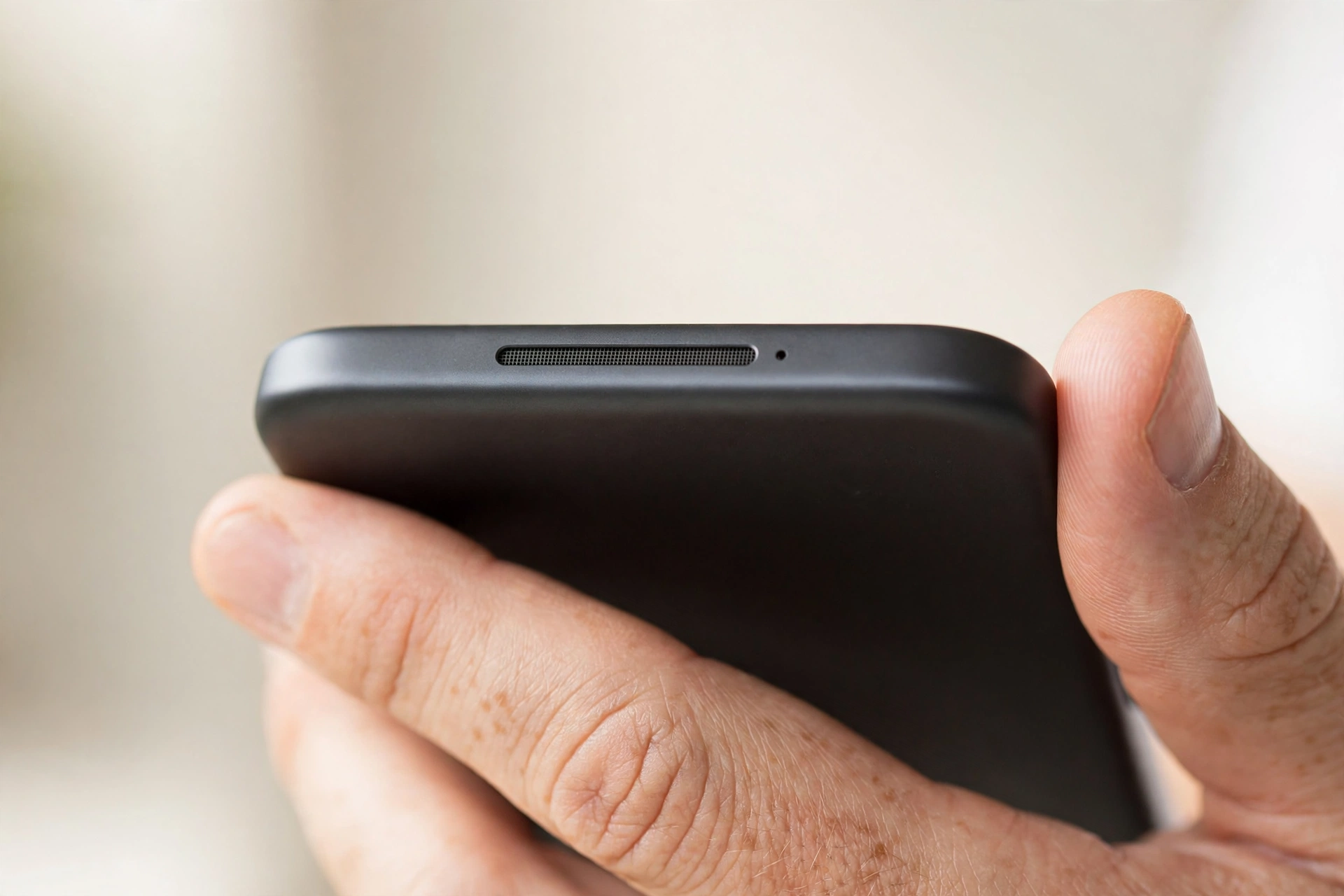
If you can hear callers on speakerphone but not through the earpiece, the earpiece itself is the suspect — and it is usually a clogged grille, a low in-call volume or a case in the way. The earpiece is a separate, smaller speaker from the loudspeaker, so the two can fail independently. Two tests will tell you which.
Two Tests That Tell You Everything
Test one: earpiece versus speakerphone. During a call, tap the speaker button to switch to speakerphone. If the caller sounds clear there, the main speaker works and the problem is specific to the earpiece. Switch back to the earpiece and listen closely. Turn Bluetooth off before this test, because the call may be routing to headphones, a car stereo or a smartwatch instead of the earpiece.
Test two: a different kind of call. Try a WhatsApp or FaceTime audio call as well as a regular phone call. If the earpiece is silent in one app but fine in the other, the fault is in the app or its permissions, not the hardware. If it is silent everywhere, keep going — the cause is the earpiece, its settings, or its grille.
You Hear Nothing at All
When the earpiece produces no sound whatsoever, start with the in-call volume. Call volume is a separate slider from media volume, and it only appears while you are actually on a call. During your next call, press the volume-up button several times and watch the on-screen indicator to make sure it reaches the top.
Next, remove the case and the screen protector. A badly fitting case or a full-coverage protector fitted slightly too high can sit over the earpiece slot and muffle every call. Try a call with both removed — if the caller suddenly sounds clear, replace them with a case that leaves the top edge of the phone fully open and a protector with a proper cut-out for the earpiece.
Finally, check that the call is not being sent to a Bluetooth device. Even earbuds sitting in their charging case can stay connected and steal call audio, so turn Bluetooth off entirely and test again.
The Caller Sounds Far Away or Muffled
A muffled earpiece is almost always a dirty one. The earpiece holes are tiny and clog easily with dust, skin oils and earwax, which makes callers sound distant or underwater.
On iPhone, also check Settings, then Accessibility, then Audio/Visual, and make sure Phone Noise Cancellation is switched on — it helps separate the caller’s voice from background noise, and turning it off by accident makes calls noticeably harder to follow. Android phones have a similar option under their accessibility or call settings, usually called noise reduction or noise suppression.
If the muffling appeared after the phone got wet — rain, sweat, a splash — moisture may be sitting in the earpiece chamber. Turn the phone off, dry the outside with a soft cloth, and leave it earpiece-down in a dry, ventilated place for several hours so the moisture can drain and evaporate. Do not charge the phone and do not use a hair dryer, because heat can push moisture deeper inside.
It Works Sometimes, Then Fades
An earpiece that cuts in and out is telling you something different from one that is simply blocked. If the sound fades after a few minutes on a call, the cause is often water or sweat working its way into the chamber during the call, or a loose connection after a drop. Let the phone dry fully, earpiece-down, and test again the next day before assuming the worst.
Software can cause the same pattern. A restart clears the temporary glitches that mute the earpiece after an app crash or a bad update, so power the phone off, wait ten seconds, and turn it back on. Then check for a system update — audio bugs are a regular fix in updates — and update the calling app itself, because WhatsApp, FaceTime and other calling apps can lose earpiece audio after a server-side change until you install their latest version.
The Two-Minute Earpiece Cleaning Routine
This is the fix that solves most muffled earpieces, and it is worth doing properly rather than rushing it.
Brush the earpiece gently with a soft, dry toothbrush, using short strokes that lift debris out of the slot instead of pushing it deeper. Wipe it with a dry microfibre cloth, then hold the phone earpiece-down and give it a light tap. For stubborn grime, a speaker-cleaning tone can help vibrate loose dust out of the earpiece — the free speaker-cleaner tool on myspeakerfix.com plays a low-frequency tone for this; run it with the volume up and the earpiece facing down.
Never poke the holes with a pin, never use liquids, and never use compressed air at close range — the earpiece sits just behind the grille and is easy to damage.
When It Is Hardware
If cleaning, volume, Bluetooth and a restart have all failed, reset all settings before concluding it is hardware. On iPhone, go to Settings, then General, then Transfer or Reset iPhone, then Reset, then Reset All Settings. On Android, go to Settings, then System, then Reset, then Reset all settings. This keeps your photos and apps but clears Wi-Fi passwords and preferences.
If calls are still silent through the earpiece after a reset, the earpiece itself or its connection has likely failed. The earpiece is a small, inexpensive part on most phones, so the repair is usually one of the cheaper phone fixes — get a quote first, and check whether the phone is still under warranty. A repair shop can swap an earpiece quickly.
Frequently Asked Questions
Why can I only hear calls on speakerphone?
If calls work on speakerphone but not through the earpiece, the earpiece itself is blocked, faulty or muted by a setting. Clean the earpiece grille, turn the in-call volume up, turn Bluetooth off, and restart the phone. If those steps fail, the earpiece hardware may need replacing.
Why is my ear speaker so quiet during calls?
A quiet ear speaker is usually caused by dust or earwax clogging the earpiece, a low in-call volume, or a screen protector covering the earpiece slot. Clean the earpiece gently, press volume-up during a call, and try the call without the case and screen protector.
Can I fix the ear speaker myself?
Most ear speaker problems are fixable at home — cleaning the grille, adjusting the volume, removing a blocking case and restarting the phone solve the majority of cases. Only open the phone or replace parts yourself if you are experienced; otherwise a repair shop can swap an earpiece quickly.
How much does an ear speaker repair cost?
It depends on the phone model, the repair shop and whether the phone is still under warranty. The earpiece is a small, inexpensive part on most phones, so the repair is usually one of the cheaper phone fixes — always get a quote before agreeing to the work.