
Your Pixel 8 Speaker Went Quiet — Here’s How to Bring It Back
Your Pixel 8 speaker has most likely gone quiet because of a muted media volume, audio routing to a Bluetooth device, dust or water in the speaker grille, or a software glitch after an update. Most Pixel 8 speaker problems are solved at home in a few minutes — no repair shop needed.
What Changed Right Before the Sound Stopped?
Before you touch a single setting, think back a few hours — the answer usually points straight at the cause. If nothing changed, a setting probably flipped quietly: Bluetooth, Do Not Disturb, or the media volume.
If it stopped after a software update, software is the prime suspect — Pixel 8 updates have occasionally introduced audio bugs. If it stopped after the phone got wet, water is sitting in the grille. If it stopped after a drop, the speaker connection inside may have loosened. If it stopped after you installed a new app, that app may be interfering — safe mode will prove it.
Run Through the Quick Wins
These take about two minutes and fix a surprising number of silent Pixel 8 speakers.
Turn the media volume up while a video is playing. Press volume-up, then tap the three dots to see every slider. The Pixel 8 keeps media, ringtone, notifications, and alarms apart — your ringtone can be loud while media sits at zero.
Kill Bluetooth for the test. Swipe down twice and switch it off entirely — your Pixel 8 may still be sending sound to earbuds in your bag or a speaker in the next room. If the sound comes back, a paired device was the problem: forget it in Settings, then Connected devices.
Check Do Not Disturb and Bedtime mode. Swipe down twice and make sure neither is on — on some Pixel 8 setups they have muted alerts, which makes the phone feel broken when it isn’t.
The Pixel 8’s Dual Speakers — Test Both
The Pixel 8 has two speakers: the bottom-firing loudspeaker and the earpiece, which doubles as a second speaker for stereo sound — knowing which one is silent tells you a lot.
Play a video and hold the phone normally — faint sound from the earpiece but nothing from the bottom means the bottom speaker is blocked or faulty. Now make a speakerphone call: if it works, the bottom speaker is fine and the problem is software or routing. If a regular call through the earpiece sounds quiet or crackly too, the issue is wider than one speaker.
Test with a tone as well. The free speaker-cleaner tool at https://myspeakerfix.com/ plays a sound designed to push water and dust out of the grille — if you hear it clearly, the hardware works and the fault lies in settings or software. If the tone is faint or missing from one side, that grille is probably blocked.
Water, Dust, and the Charging Port Connection
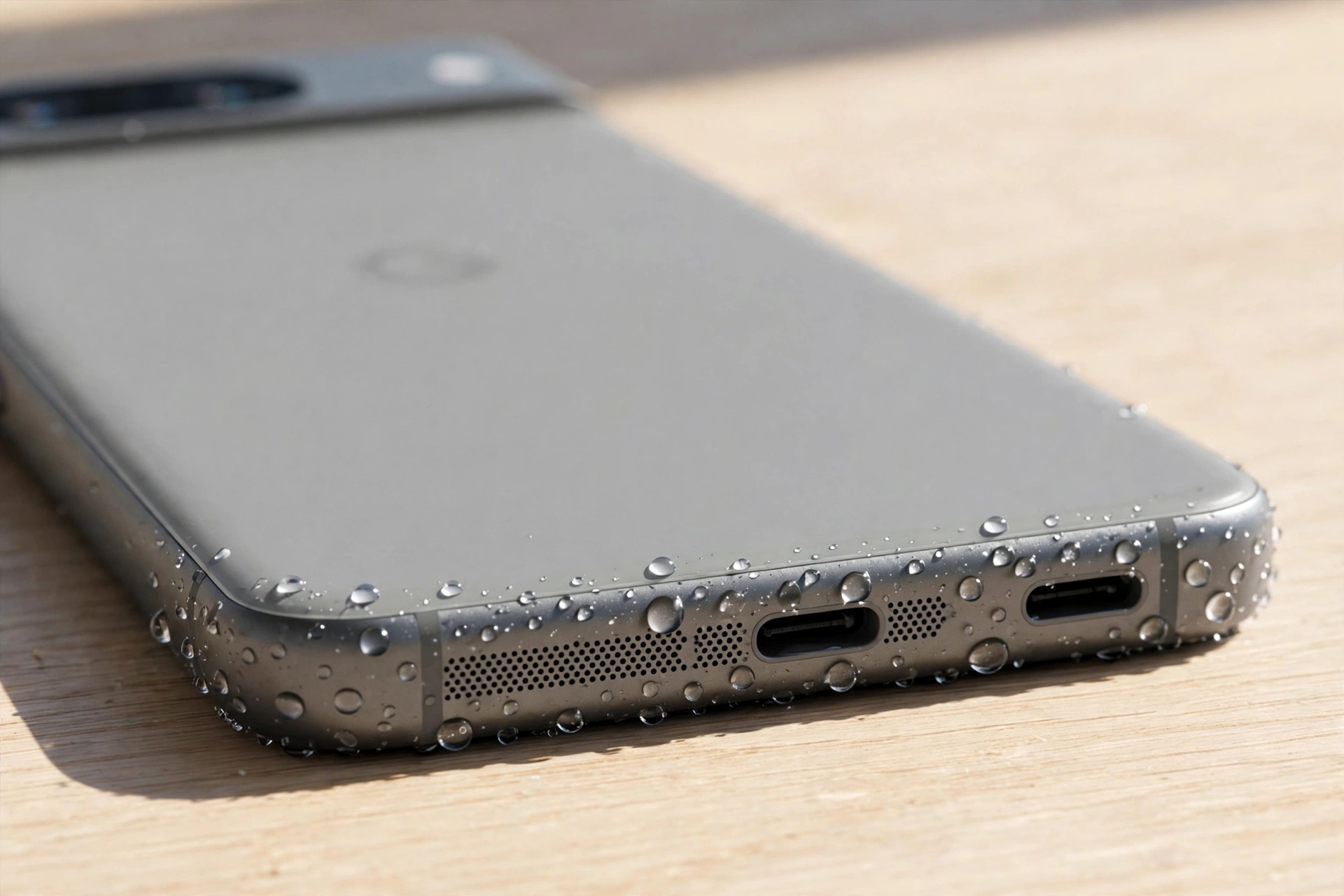
The Pixel 8 is rated IP68, so a splash shouldn’t kill it — but water can still linger inside the grille and leave the sound muffled or silent for hours. Don’t use a hair dryer, and don’t charge the phone until the port is dry: forcing a cable into a wet port can damage it.
Hold the phone speaker-down, shake it gently, and leave it somewhere dry. Once the outside is dry, play a water-ejection tone a few times — the vibration pushes trapped droplets out, and the sound should improve a little after each round.
Dust is the quieter culprit: the bottom speaker slot sits where pocket lint collects, and a thin layer of fluff can silence the speaker completely. Hold the phone speaker-down and brush the slot gently with a soft, dry toothbrush. Never poke a pin or SIM ejector tool into the holes — the membrane behind the grille tears easily. Check the USB-C port for lint too: a clogged port can trigger moisture warnings that distract from the real problem.
A Deeper Fix: Safe Mode and a Settings Reset
If the quick wins didn’t work, check whether software is tangled up — without wiping your phone. Start with a restart: hold the power button, tap Restart, and test once the phone is back on. A restart clears temporary glitches that build up over days without a reboot.
Next, check for updates: Settings, then System, then System update. Google has shipped audio fixes for the Pixel 8 before — restart once more after updating.
Still quiet? Try safe mode: hold the power button, then hold Power off until “Reboot to safe mode” appears and tap OK. Only Google’s own apps run there — if the speaker works, a third-party app is interfering. Restart normally and uninstall recently added apps one at a time until the sound returns.
If safe mode doesn’t help, reset the Bluetooth and Wi-Fi settings: Settings, then System, then Reset options, then Reset Bluetooth & Wi-Fi. This clears paired devices and saved networks, so you’ll reconnect afterwards — but it also clears corrupted routing data that can trap your audio on a device you disconnected hours ago. Restart after the reset and test again.
When to Let Google or a Repair Shop Take Over
If you’ve cleaned the grille, checked every setting, restarted, updated, tested in safe mode, and reset Bluetooth — and the speaker is still silent everywhere, including speakerphone — the hardware itself may have failed. A hard drop can loosen the internal speaker connection, and water corrosion builds up slowly over weeks.
Before you book anything, try one last check: plug in wired earphones or a Bluetooth headset. If audio works through them, the phone’s audio system is fine and only the speaker is at fault, which makes the repair straightforward. Contact Google support or a reputable repair shop, mention everything you’ve already tried, and check your warranty first — speaker failure from a manufacturing fault should be covered, though water damage usually isn’t. A repair is still far cheaper than a replacement.
Frequently Asked Questions
Why did my Pixel 8 speaker suddenly go quiet?
Usually it’s a muted media volume, Bluetooth routing sound elsewhere, dust or water in the grille, or a glitch after an update — what changed just before the sound stopped usually points at the cause.
How do I test whether my Pixel 8 speaker is broken?
Make a speakerphone call and play a water-ejection tone. If speakerphone works and the tone sounds clear, the hardware is fine and the problem is software or settings.
Can water silence the Pixel 8 speaker even though it’s IP68 rated?
Yes. The rating protects the phone, but water can still sit in the grille and muffle sound. Let it dry fully, then run a water-ejection tone.
Should I factory reset my Pixel 8 to fix the speaker?
Not yet. Try safe mode and a Bluetooth and Wi-Fi reset first. A factory reset only helps with deep software corruption, and it wipes your data — back up first.
Related Guides
- Fix My Speaker — Free Speaker Cleaner Tool
- Why Is My Pixel 7 Speaker Not Working?
- Google Pixel Speaker Not Working? Try These Fixes
- Bluetooth Connected but No Sound? Here’s the Fix
- Speaker Not Working but Headphones Work? Here’s the Fix
- How to Fix Your Phone Speaker After Water Damage
- No Sound on My Phone? Try These Fixes