
Getting Sound Back on an Alcatel Phone: A Clear, No-Jargon Guide
When an Alcatel phone speaker stops working, the cause is usually a setting, a connected accessory, or a blocked speaker grille — not a dead phone. Most cases are fixed at home in a few minutes, and this guide walks through the checks in the order that finds the problem fastest, with the Alcatel-specific details that actually matter.
Start With What Is Silent, Not With Random Fixes
Before changing anything, notice exactly what has gone quiet. That one observation does more diagnostic work than any list of fixes. If the ringtone is silent but videos play, the ringtone slider or a Do Not Disturb schedule is the suspect. If videos and music are silent but calls work through the earpiece, the media slider or a Bluetooth device is the likely cause. If nothing makes a sound — speakerphone, videos, alarms, ringtones — the cause is more likely a system-wide setting, a stuck headphone detection, or a hardware fault.
Volume, Silent Mode, and the Schedules People Forget
Alcatel phones keep their volume sliders separate, and that is the single most common source of confusion. Pressing volume-up on the home screen raises the ringtone, not the media volume — so a phone can look fully turned up while its videos stay silent. Open a video first, then press volume-up and tap the small icon beside the slider to see the full panel, and check media, ringtone, and notification one by one. Then swipe down from the top of the screen and check the sound tile in quick settings: it should read Sound, not Vibrate or Mute. Check for a Do Not Disturb schedule in Settings, then Sound: a bedtime schedule can make the speaker seem broken every evening. Turn it off, restart the phone, and test again.
When Bluetooth or a Headphone Jack Steals the Sound
A connected accessory is the next most common thief. When your Alcatel is paired with Bluetooth headphones, earbuds, a car stereo, or a speaker, audio goes to that device instead of the phone’s own speaker — and the phone can stay connected even when the accessory is switched off or in another room. Turn Bluetooth off completely in Settings, then Connected devices, then Bluetooth, and play a video. If the sound returns, a paired device was taking the audio: open the paired devices list and forget anything you no longer use, especially car stereos and old earbuds that reconnect automatically. Unplug any wired headphones or adapters, and check for a headphone icon in the status bar with nothing plugged in. If it stays after cleaning the port and restarting, the port itself may be damaged.
Cleaning the Grille Without Damaging the Speaker
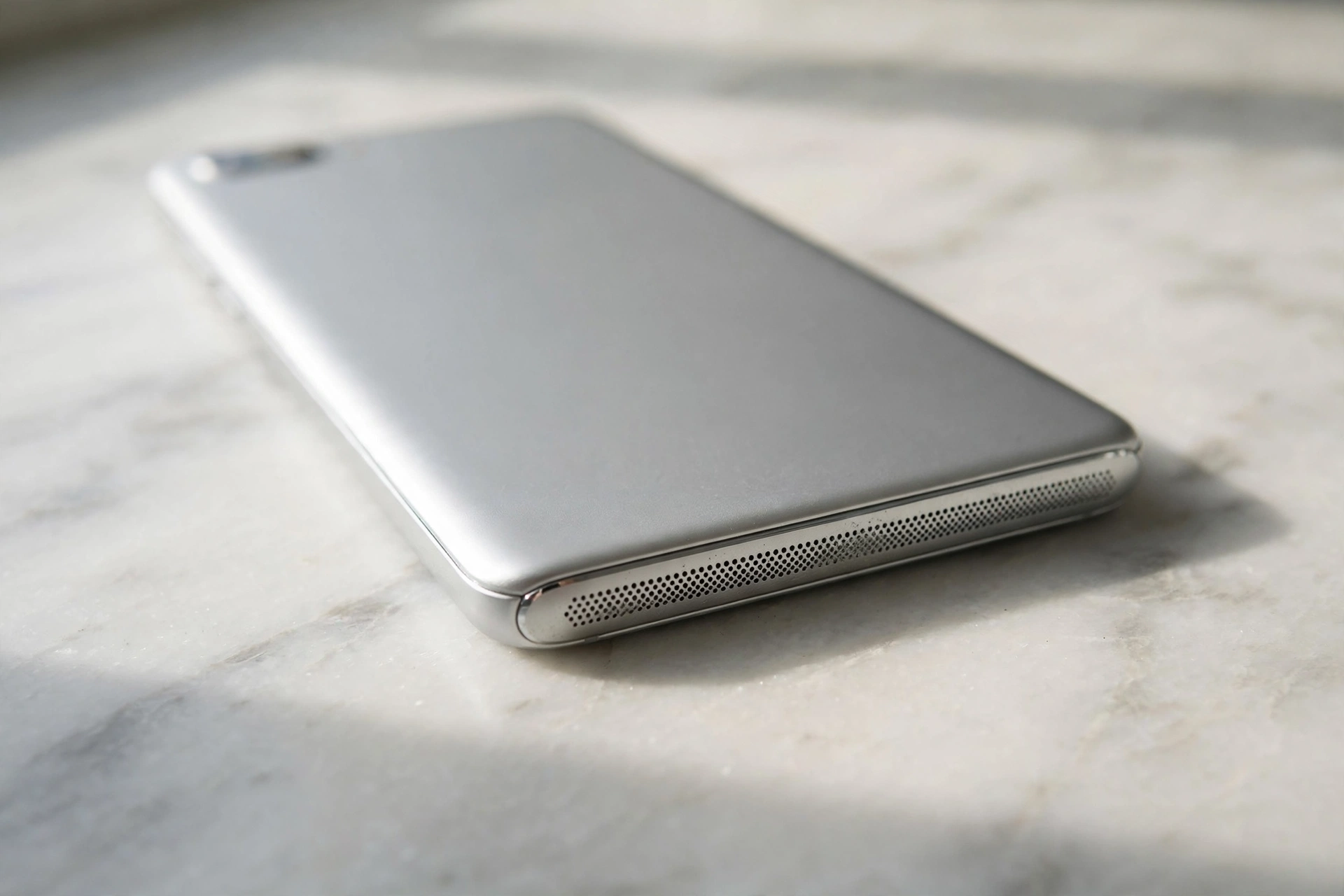
Dust, lint, and pocket debris build up in the small speaker holes at the bottom of an Alcatel phone. A badly blocked grille can muffle the speaker so much that it sounds completely silent. Look closely at the speaker holes with a bright light: if you can see dust or lint, the grille is at least partly blocked. Brush the grille gently with a soft, dry toothbrush or a clean paintbrush, using short strokes across the holes rather than poking into them. If the phone got wet, let it dry completely before testing the speaker again — water trapped in the grille muffles sound until it dries out, and using the phone while it is damp can damage the speaker. After cleaning, play a video at full volume: if it sounds louder than before, the grille was the problem. You can confirm the result with an independent check: run the free speaker test on myspeakerfix.com to play a tone through your Alcatel’s speaker and hear whether it is now producing clear sound.
One App Silent, or the Whole Phone?
Testing in more than one place tells you whether the speaker is broken or just one app is misbehaving. Play a video on YouTube, then try a music app, then make a call on speakerphone. If sound works in some apps but not others, the speaker is fine and the silent app has its own problem. Check the silent app’s own mute and volume controls first, then clear its cache in Settings, then Apps, then Storage Update the app from the Play Store as well. If the speaker is silent in every app, test it in safe mode: press and hold the power button, then long-press the Power off option and tap OK. If the speaker works in safe mode, a downloaded app is the cause — restart normally and remove recently installed apps one at a time. If it is silent even in safe mode, the problem is in the system software or the hardware, not an app.
Updates, Resets, and the Point of No Return
Check for a system update in Settings, then System, then System update. An update can fix audio bugs, and Alcatel releases them from time to time for its models. Install anything available, restart, and test. If no update helps, reset the connection settings before considering anything drastic: go to Settings, then System, then Reset options, and tap Reset Wi-Fi, mobile and Bluetooth. This clears stuck audio routing without touching your photos or apps. A factory reset is the last software step, and only after a backup. In the same menu, Erase all data removes every app and setting, which clears any deep software fault — but it erases everything on the phone, so back up your photos, contacts, and files first. If the speaker is still silent after a factory reset, the fault is almost certainly hardware: a damaged speaker, a loose connection, or water damage inside the phone. No further software step will help. Take it to a repair shop, describe the tests you have done, and get a quote first. Do not open the phone yourself.
Frequently Asked Questions
Why is my Alcatel phone speaker not working all of a sudden?
The most common causes are low volume, silent mode or Do Not Disturb, a Bluetooth device taking the audio, or dust blocking the grille. Restart, turn Bluetooth off, and check the volume first.
Why does my Alcatel have sound on headphones but not the speaker?
This usually means the phone still thinks headphones are connected. Unplug them, turn Bluetooth off, and restart. If a headphone icon stays with nothing plugged in, the port may be dirty or damaged.
Can dust really stop an Alcatel speaker from working?
Yes. The speaker holes are small and sit at the bottom of the phone, where lint collects. A badly blocked grille can muffle the speaker so much that it sounds silent. Brush the holes gently and test again.
Will a factory reset fix my Alcatel speaker?
A factory reset fixes it only if a software bug or a misbehaving app is the cause. It will not fix a damaged speaker, a loose connection, or water damage. Try the other checks first, and back up your data before resetting.