
Can You Clean a Phone Speaker With a Toothbrush? Safe vs Risky (2026)
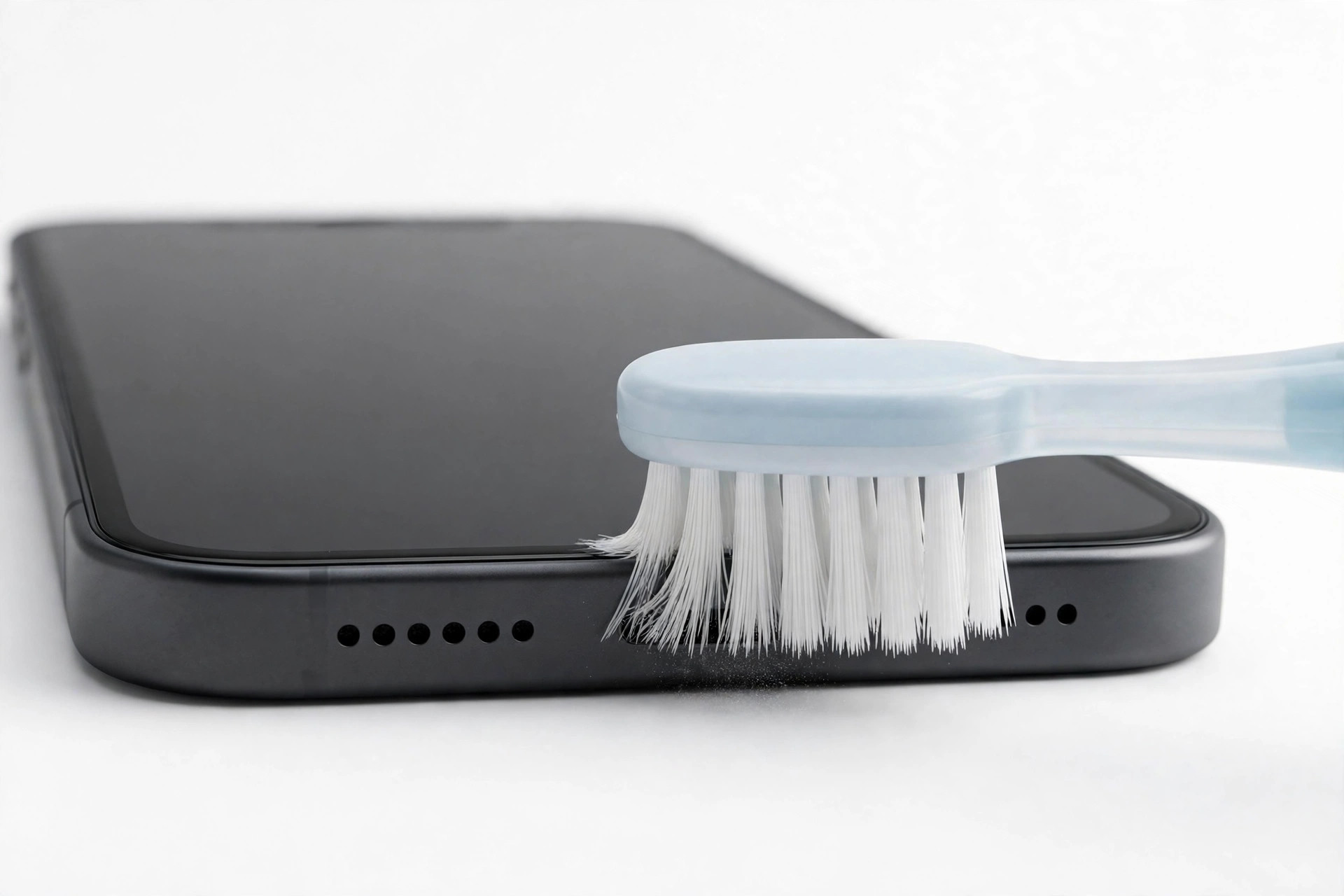
Yes — but only with a clean, completely dry, soft-bristled toothbrush. Hold the phone speaker-side down and brush gently in one direction so dust falls out instead of being pushed in. Hard bristles, a wet brush, or poking into the grille can damage the thin membrane behind it and make the sound worse.
Pocket lint, dust, and crumbs build up in your speaker grille over time, slowly muffling your sound. Here is how to clean it safely — and what to avoid.
Why Phone Speakers Get Clogged
Your phone lives in pockets, bags, and on dusty tables. The speaker grille is a set of tiny holes, and each one collects lint, dust, and crumbs. Over months, this buildup forms a felt-like layer over the membrane (the thin diaphragm that vibrates to make sound). The result: quieter, duller audio — even though nothing is actually broken.
A gentle physical cleaning removes this buildup. The key word is gentle: the membrane behind the grille is fragile.
Safe Method 1: The Dry Soft-Bristled Toothbrush
This is the most common DIY method, and it works — if you do it right.
What you need: a clean toothbrush with soft bristles, completely dry. A new one is best; an old one can carry toothpaste residue and moisture.
Steps:
- Power off your phone (optional, but safer).
- Hold the phone with the speaker grille facing downward, so debris falls out.
- Use light, short strokes in ONE direction — do not scrub back and forth, which pushes dust deeper.
- Brush for 15-20 seconds, then tap the phone gently against your palm, grille down.
- Play a test sound and check if the volume improved.
Why it works: soft bristles dislodge surface lint without scratching the grille or pressing through to the membrane. Keeping the speaker facing down uses gravity so debris exits instead of settling inside.
For dust that has worked its way slightly deeper, you can follow up with the free Fix My Speaker dust cleaning tone, which vibrates loose particles out with sound.
Safe Method 2: Poster Putty Press-and-Peel
For sticky grime and compacted lint, poster putty (like Blu-Tack) is excellent.
Steps:
- Warm a small piece of putty in your hands until it is soft and pliable.
- Press it gently over the speaker grille for 2-3 seconds — do not push it INTO the holes.
- Peel it away slowly. You will see lint and dust stuck to the putty.
- Knead the putty to a clean section and repeat 2-3 times.
Why it works: the putty’s tackiness lifts debris out of the grille holes without any liquid or force. It is one of the safest methods because nothing enters the phone.
Caution: use only clean putty, and never use it if it is old, crumbly, or leaves residue. Do not press hard — light contact is enough.
Safe Method 3: Compressed Air (Done Right)
Canned compressed air can blow out fine dust — but most people use it wrong and drive debris deeper.
Steps:
- Hold the can UPRIGHT at all times (tilting it can spray freezing liquid propellant).
- Keep the nozzle at least 6 inches (15 cm) from the grille.
- Use short bursts of less than one second, aimed ACROSS the grille — not straight into it.
- Pause between bursts and let any dislodged dust settle out.
Why across, not into: a direct blast at close range can force dust past the grille and onto the membrane, or in extreme cases damage the membrane itself. Angled bursts sweep debris sideways and out.
4 Things to NEVER Put in Your Speaker Grille
1. Pins, needles, or SIM ejector tools. The membrane behind the grille is paper-thin. One poke can puncture it, and a punctured membrane means permanent distortion or no sound at all — a repair-shop job.
2. Liquids or rubbing alcohol. Liquid seeps past the grille and can corrode the speaker contacts or leave residue on the membrane. Even “quick-drying” alcohol is risky around the adhesives inside the phone.
3. Your mouth (blowing). Blowing into the grille feels natural, but your breath carries moisture — exactly what you do not want near speaker electronics. It also just redistributes dust instead of removing it.
4. Hard-bristled or wire brushes. Stiff bristles can scratch the grille coating and, with enough pressure, deform the membrane. If the bristles do not bend easily under your finger, do not use them on your phone.
When Cleaning Will Not Help
If your speaker still sounds muffled, crackly, or quiet after cleaning, the problem may not be dirt:
- Distortion at ALL volume levels often means a damaged membrane.
- Sound that cuts in and out when you move the phone suggests a loose internal connection.
- No sound at all after water exposure may mean corrosion.
In these cases, no amount of brushing will help — take the phone to a repair technician. Cleaning only fixes blockage, not hardware damage.
Frequently Asked Questions
Can I use an electric toothbrush on my phone speaker?
No. Electric toothbrushes vibrate far too aggressively and the brush heads are too large to control precisely. The vibration can damage the membrane. Stick to a manual soft-bristled brush with gentle hand strokes.
Is it safe to clean my phone speaker with a slightly damp cloth?
Wiping the outside of the grille with a barely damp cloth is fine, but never let moisture enter the holes. The speaker cavity should stay completely dry — use a dry brush or putty for the grille itself.
How often should I clean my phone speaker?
Every 2-3 months for most people, or monthly if you work in dusty environments or keep your phone in linty pockets. If you notice the volume dropping gradually, that is your cue.
Will cleaning fix a speaker that sounds distorted?
Only if dirt is the cause. Try the safe methods above first. If distortion persists after the grille is visibly clean — especially crackling at low volume — the membrane itself may be damaged, and that is a repair-shop fix.
Related guides: