
Samsung Galaxy S21 Speaker Not Working: Fixes That Work
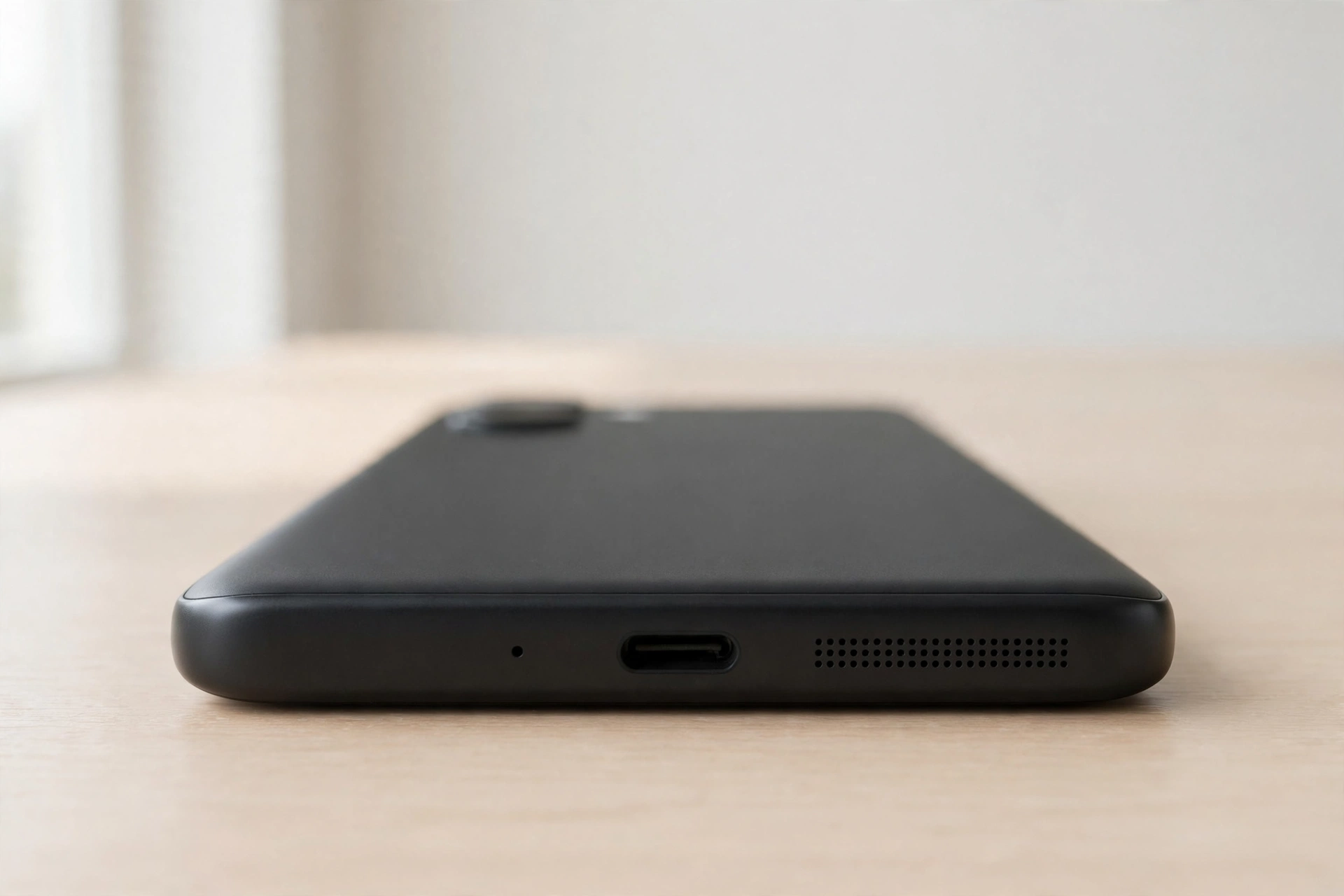
A Galaxy S21 speaker that stops working is usually a settings problem, a misbehaving app, or a blocked grille — and Samsung’s built-in diagnostic tool can tell you which one it is in under a minute. Run the test first, then check the settings that silently divert audio.
Run the speaker test in Samsung Members first
The fastest way to separate hardware from software on an S21 is the diagnostic tool Samsung already installed on the phone. Open Samsung Members, tap Support, then Phone diagnostics, and run the speaker test. The phone plays a tone and asks whether you heard it. If you heard nothing, the test flags the speaker as faulty and you can skip to the cleaning and hardware sections below. If you heard it clearly, the speaker works and the problem is a setting, an app, or routing — all fixable without a repair. Also run the microphone test while you are there — a failed microphone test alongside a failed speaker test tells a repair shop a lot. A second menu also works: open the Phone app, dial #0#, and tap Speaker. If neither test produces sound, the speaker hardware is the prime suspect.
Check Separate app sound and Mute all sounds
Samsung has two settings that catch S21 owners out more than any other cause. The first is Separate app sound, which sends one app’s audio to a different output — usually a Bluetooth device — while everything else plays through the phone speaker. If sound works everywhere except in one app, this is the first place to look. Open Settings, then Sounds and vibration, then Separate app sound, and turn it off; the sound often returns the moment the setting is disabled. The second is Mute all sounds, an accessibility setting that silences all audio without any visible warning on the home screen. Open Settings, then Accessibility, then Hearing enhancements, and make sure Mute all sounds is off. Also confirm the media volume is turned up — the S21 keeps separate volumes for calls, media, and notifications.
Try Safe Mode to catch a bad app
If the speaker works in the Samsung Members test but stays silent in normal use, a third-party app may be holding the audio output hostage. Some apps can take control of the audio session and refuse to release it. Safe Mode starts the phone with only Samsung’s own apps running, which isolates the problem in one step. Press and hold the power button until the power menu appears, then press and hold the Power off option until a Safe Mode prompt shows, and tap it. The phone restarts with “Safe Mode” written in the bottom corner. Play a video and make a test call. If the sound works normally in Safe Mode, a third-party app is the cause — restart the phone to leave Safe Mode, then uninstall or disable the app you installed or updated just before the sound stopped. Equaliser apps are the usual suspects. If the sound is still missing in Safe Mode, the problem is not a third-party app.
Dolby Atmos, Bluetooth, and the settings that divert sound
The S21’s Dolby Atmos toggle changes how audio is processed, and on some software versions it has clashed with particular apps and produced silence or distorted sound. Open Settings, then Sounds and vibration, then Sound quality and effects, and turn Dolby Atmos off, then test a video. If the sound returns, you have found the conflict; leave Dolby Atmos off or turn it back on after a later update. Bluetooth is the other classic diversion: if the phone is still connected to earbuds, a car, or a speaker, all audio goes to that device instead of the phone speaker. Swipe down to open the quick panel and turn Bluetooth off, then test again. Also tap the Media output button in the quick panel and make sure the output is set to the phone itself, not a nearby device.
Muffled sound after water? Let the phone equalise
The S21 is water resistant, and after a swim, a shower, or a drop in a sink the speaker often sounds muffled or quiet rather than fully dead. Water sits in the speaker grille and in the small chamber behind it, damping the sound. It usually clears as the water evaporates: hold the phone grille-down, shake it gently, then leave it in open air for several hours. Do not use a hair dryer, do not put it in rice, and do not charge it until the port is dry. Once the outside is dry, a water-ejection tone can push the last moisture out of the grille. The free speaker-cleaner tool on this site plays a tone that vibrates water out of a phone speaker, and running it a few times is a sensible step for muffled sound after the phone got wet. If it stays muffled for more than a day after drying, brush the grille gently with a soft, dry toothbrush. Never push a pin into the grille — the speaker mesh is directly behind it and a sharp object can tear it.
What about the S21 FE, and when is a repair the right call?
The Galaxy S21 FE shares most of its audio design with the standard S21, and the same steps apply — Samsung Members diagnostics, Separate app sound, Safe Mode, and the Dolby Atmos toggle. S21 FE owners report the same pattern: sound vanishing after an update or a bad Bluetooth disconnect. If you own the FE, pay particular attention to the media output selector after disconnecting earbuds, because the FE seems more likely to leave audio routed to a device that is no longer connected. Book a repair if both diagnostic tests produce no sound, Safe Mode changes nothing, and the grille is clean and dry — that points to a failed speaker unit or a fault on the audio circuit. Before handing it over, back it up and tell the shop which tests you ran. If it is still under warranty, go to Samsung or an authorised service centre first.
Frequently Asked Questions
How do I test the speaker on my Galaxy S21?
Open Samsung Members, tap Support, then Phone diagnostics, and run the speaker test — or dial *#0*# in the Phone app and tap Speaker. If both tests are silent, the speaker hardware is the likely fault.
Why does my S21 have no sound in one app only?
Check Separate app sound in Settings, then Sounds and vibration. If it is on, that app’s audio is being sent to another device. Turn it off and test again. Also check that the app itself is not muted in its own settings.
Why is my S21 speaker muffled after getting wet?
Water trapped in the speaker grille damps the sound. Let the phone dry in open air with the grille facing down, then run a water-ejection tone a few times. If it stays muffled for more than a day after drying, the grille may need gentle cleaning.
Does Safe Mode fix a Galaxy S21 speaker problem?
Safe Mode does not fix anything by itself, but it tells you whether a third-party app is causing the silence. If sound works in Safe Mode, uninstall the most recently installed or updated audio, equaliser, or call-recording app.