
Why Is My Samsung Galaxy A53 Speaker Silent?
A silent Galaxy A53 speaker is frustrating because the phone looks fine — the screen works, calls connect, and nothing looks broken. In most cases the cause is simple: a muted media volume, a Bluetooth device holding the audio, a blocked grille, or an app setting gone wrong.
Is It Muted, or Is It Something Else?
Start by finding out exactly what is silent. Play a video, then play a ringtone, then make a call on speakerphone. If the ringtone plays but videos are silent, the media volume is the problem, not the speaker. If nothing makes a sound at all, keep going.
Press the volume-up button while a video is playing and tap the three dots to open the full controls. The A53 keeps media, ringtone, notification and alarm volumes on separate sliders, so check the Media slider specifically. Then swipe down twice: if the sound mode icon shows vibration or a crossed-out speaker, tap it until it shows the normal speaker icon, and make sure Do Not Disturb is off.
Now restart the phone: press and hold the side button and volume-down together, tap Restart, and test the speaker again once it is back on. A restart clears short-lived audio glitches, and if the sound comes back after it, the problem was software all along.
Could a Bluetooth Device Be Stealing the Sound?
The A53 happily sends audio to earbuds, a car stereo or a Bluetooth speaker and keeps doing it after you have stopped using that device. The phone is not silent at all — the sound is simply playing somewhere else.
Turn Bluetooth off completely from the Quick Panel, then play a video. If the sound returns through the phone speaker, you have found the cause. Open Settings, then Connections, then Bluetooth, and unpair devices you no longer use, so the phone stops connecting to them on its own.
The USB-C port can cause the same confusion. If you use wired USB-C earphones, lint packed into the port can make the phone behave as though earphones are still plugged in. Shine a light into the port and look for fluff. Remove it very gently with a wooden toothpick, and never use a metal object, which can damage the contacts.
What Does the Silence Sound Like?
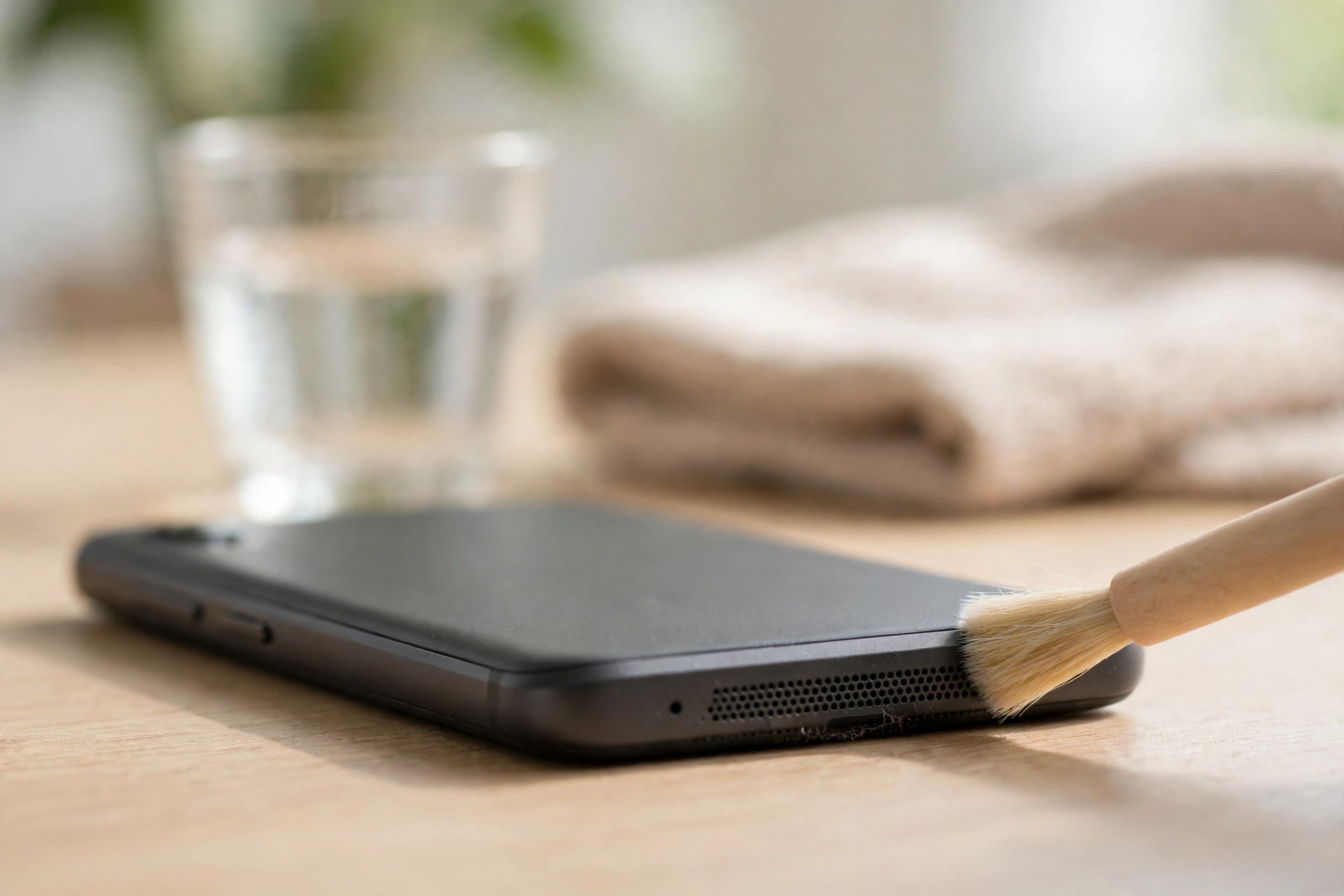
If the sound is faint or muffled rather than completely gone, the grille is probably blocked. The A53 main speaker sits on the bottom edge, beside the USB-C port, and picks up pocket lint, dust and crumbs every day. Hold the phone speaker-down and brush the grille lightly with a soft, dry toothbrush. Do not push anything sharp into the holes.
If the sound crackles or cuts in and out, a loose connection or a damaged speaker is more likely, especially if the problem started after a drop. If it stopped right after the phone got wet, water is the prime suspect: the grille is open to the air, so water can sit in it and silence the speaker for a while. Dry the phone speaker-down on a towel. You can also try the free speaker-cleaner tool on myspeakerfix.com, which plays a tone that vibrates water and dust out of the speaker — run it a few times with the volume all the way up.
If the sound is completely gone with no crackle and no warning, suspect software or a setting before hardware, and work through the next section.
Could an App Be Causing It?
Sometimes the speaker works fine everywhere except in one app, or it stops working after a particular app is opened. That points to an app, not the speaker.
First, check the app’s own controls. Video, music and calling apps often have their own mute or volume settings, separate from the phone volume, and it is easy to mute one by accident. Open the silent app, check its settings, and make sure nothing inside it is muted.
Then check Separate app sound: go to Settings, then Sounds and vibration, then Separate app sound. If a previous setup routed one app’s audio to a Bluetooth device, that app will stay silent on the phone speaker until you turn the feature off.
If the speaker stops working after you open a particular app, test the phone in Safe Mode, where only pre-installed apps run. To enter Safe Mode, press and hold the side button and volume-down, tap Power off, then hold the power button until the Samsung logo appears, release it, and hold volume-down until booting finishes. Uninstall suspect apps one at a time, then restart normally to leave Safe Mode.
The A53 Settings Worth Checking
A few Samsung settings can quietly silence the speaker, and they are easy to miss. In Settings, go to Sounds and vibration, then Sound quality and effects, and turn off any equaliser preset or sound effect that is set to an extreme value, then test again. A bad setting here can make the speaker sound very quiet or distorted.
Check for a software update in Settings, then Software update, then Download and install, and restart the phone after installing it. Samsung ships fixes for audio bugs in updates.
Finally, run the official test in the Samsung Members app: tap Support, then Phone diagnostics, then Speaker. It plays a tone and asks whether you heard it. If the test is silent with the volume up and Bluetooth off, and Safe Mode made no difference, the hardware is the likely cause.
When to Get the A53 Repaired
Take the phone to Samsung or a trusted repair shop if the speaker stays silent in every test, or if the sound died right after a hard drop or a soaking. A drop can loosen the speaker connector, and water can corrode the contacts — both need the phone opened up.
Back up your photos and files before handing the phone over, because a repair can end with the phone being wiped. Ask for the price in writing first, and ask the shop to confirm whether the fault is the speaker unit or its connection.
Frequently Asked Questions
Why is my Samsung Galaxy A53 speaker suddenly silent?
Most often it is a muted media volume, a Bluetooth device holding the audio, a clogged grille, or a software bug. Check the media slider, turn Bluetooth off, clean the grille, and restart the phone first.
How do I know if my Galaxy A53 speaker is broken?
Make a call on speakerphone, play a ringtone preview, and run the speaker test in the Samsung Members app. If all are silent after a restart and a Safe Mode test, the hardware is likely faulty.
Why does my Galaxy A53 only play sound through earphones?
The phone may still be routing audio to a Bluetooth device or a Separate app sound setting. Turn Bluetooth off and check the USB-C port for lint.
Can water make a Galaxy A53 speaker go silent?
Yes. Water trapped in the grille muffles or silences sound even though the A53 is water resistant. Dry it speaker-down and run a speaker-cleaner tone a few times.